LANDING GEAR / MAIN LANDING GEAR 14-53
CHANGE C2 ICON A5 / MAINTENANCE MANUAL
11—Landing Gear
Consumables
None
1. Jack the aircraft up or weight the tail so that the nose gear is clear of the ground (use a safety
block under the forward hull if weighting the tail).
2. Apply five lbs of weight to backside of each MLG axle. It is recommended to use ITL-12297.
3. Adjust the landing gear UP position by adjusting the limit switch furthest from the rod end until
one leg contacts a bumper.
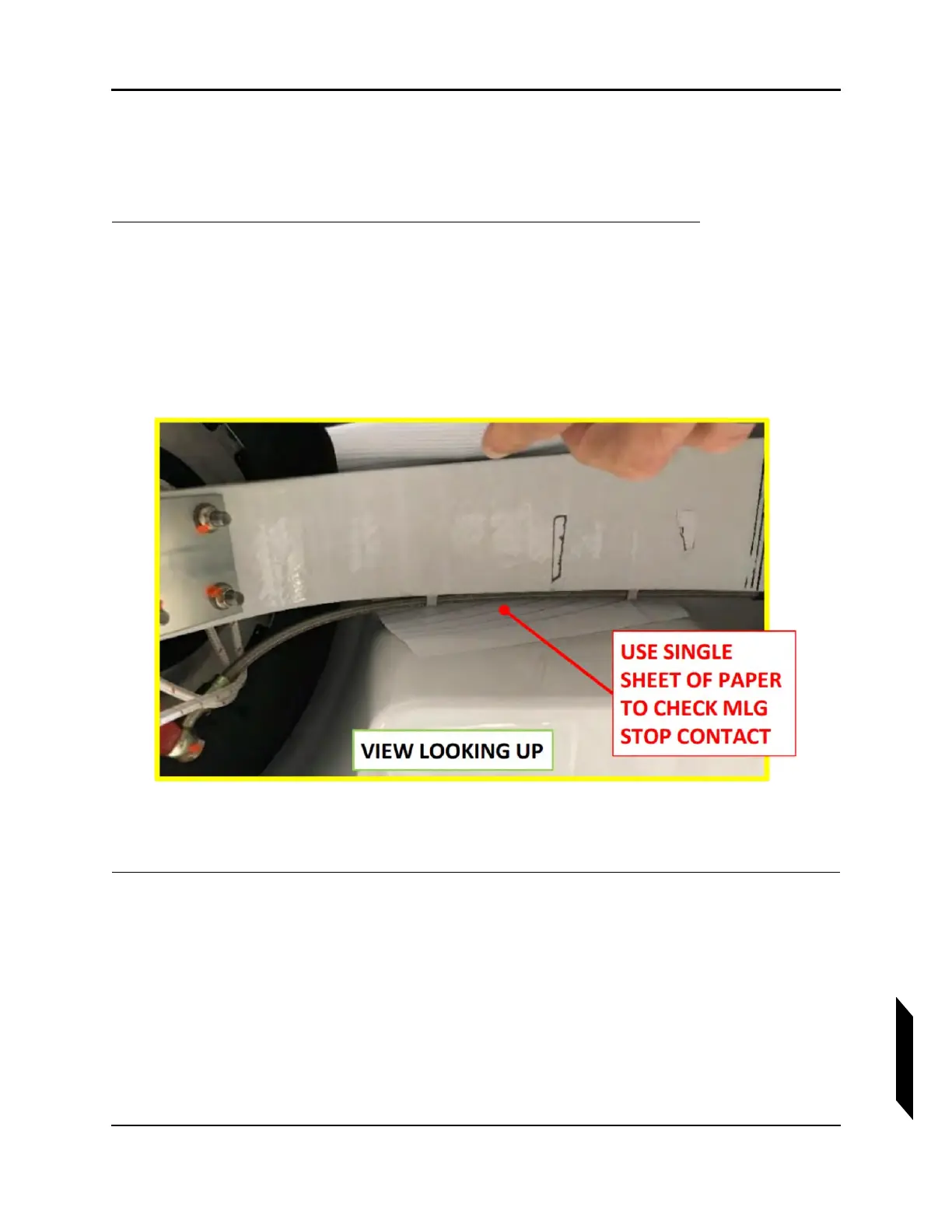
4. Adjust until a single sheet of paper slides with slight drag between MLG strut and stop. Both
bumpers may touch if contact is made simultaneously. (See Figure 14-25.)
FIGURE 14-25
PAPER CHECK BETWEEN MLG STRUT AND STOP
5. Remove weight.
VERIFICATION METHOD:
A single sheet of paper should slide with a slight drag between the MLG strut and stop.



 To Next Page