WING / WING LOCK 17-27
CHANGE C2 ICON A5 / MAINTENANCE MANUAL
Consumables
76475A52 (TAPE, PTFE, .500X.0115)
ICA012078 (LUBRICANT, GENERAL PURPOSE)
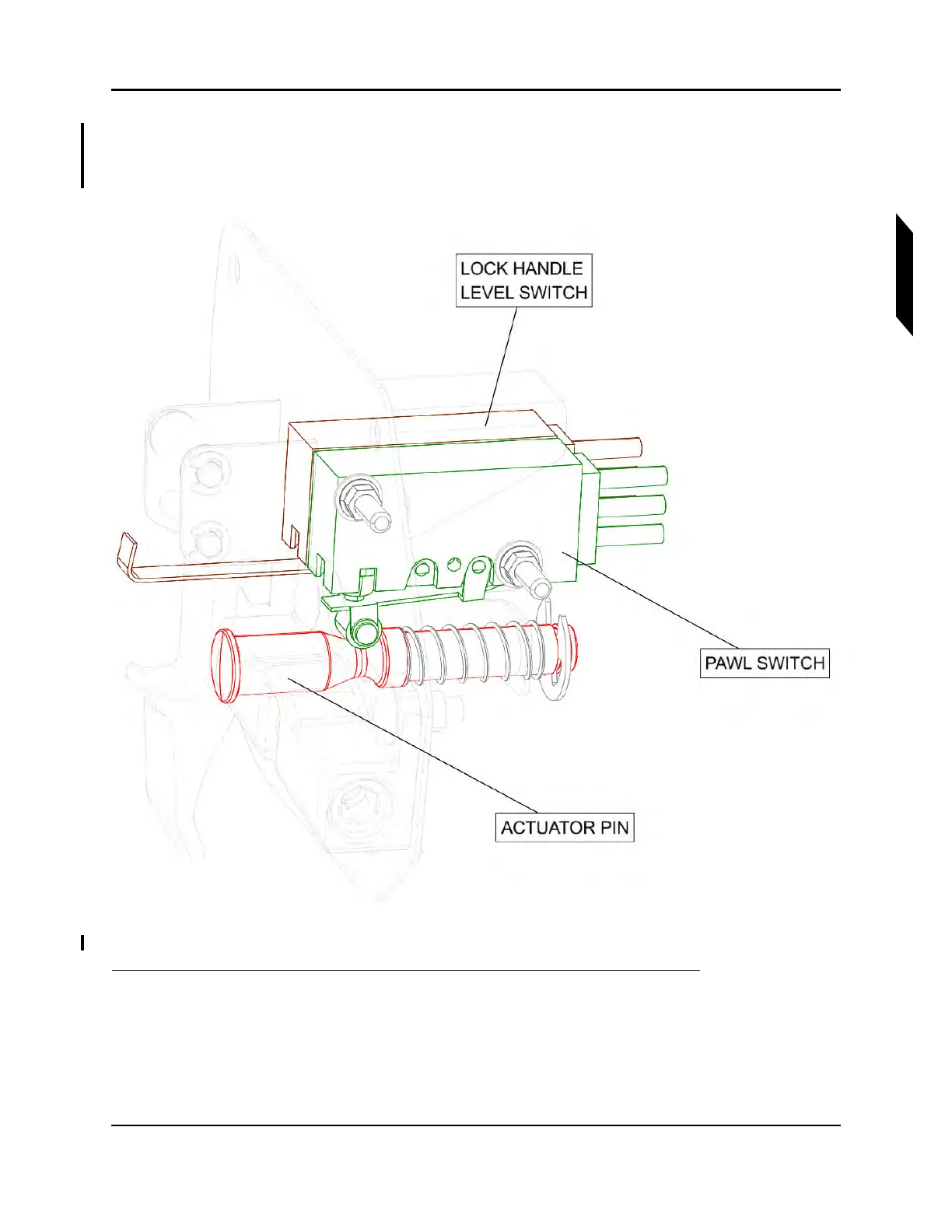
FIGURE 17-5
LH WING LOCK SWITCH MECHANISM (RH OPPOSITE)
1. The position of the locking pawl is sensed by a micro switch that rides on an hourglass-shaped
pin pushed by the pawl. Push this pin in against its spring and verify that it moves freely. As the
pin is pushed, two clicks from the switch should be heard as the switch roller follows the shape
of the pin. See Figure 17-5.
2. The other micro switch senses the position of the lock handle. Gently deflect it, verify free motion
and an audible click.



 To Next Page