MD-11 Flight Crew Operations Manual
k
FMS -
Controls and Displays
FMS.30.22
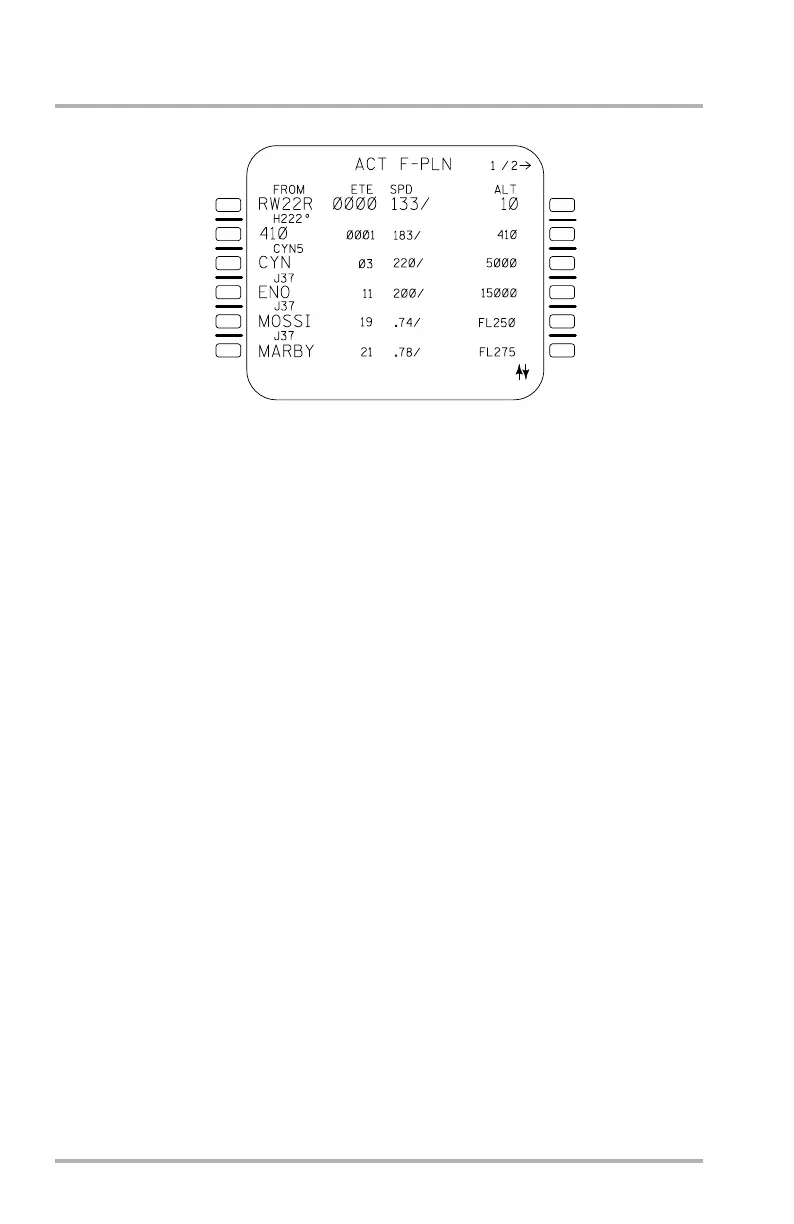
ACT F-PLN Page 1/2
The ACT F-PLN pages consist of pages 1 and 2. Pages display both lateral and
vertical elements of the flight plan in a time sequence. The entire flight plan may
be viewed by use of the scroll keys. These pages are accessed following
initialization by pushing the F-PLN key.
The ACT F-PLN page 1 displays left to right waypoints, waypoint data, time (ETE
or ETO), and speed/altitude. Prior to takeoff the predicted times are ETE, after
takeoff they are ETO. If the aircraft clock fails, CLOCK INVALID is displayed.
Pseudo waypoints are presented for reference only.
Speed and altitude constraints may be changed or entered directly on the ACT
F-PLN page 1 by entering the change data in the SP and entering it with the right
LSKs. These constraints may be deleted with the CLR key and the right LSKs.
Existing waypoints may be deleted by the CLR key with the left LSKs. A new
waypoint may be entered from the SP with the respective left LSK. The new
waypoint may be in the form of a waypoint identifier, or a latitude/longitude, or a
place/bearing/distance. The new waypoint will cause the previous waypoint and
the remaining flight plan to be pushed down.
ACT F-PLN pages provide access to the LAT REV pages (left LSK) and VERT
REV pages (right LSK). The SP must be empty to allow this access.
NOTES: Insertion of the runway configures the ND MAP display with a
runway symbol and course. Previously entered SLOPE/WIND data
on TAKEOFF page will be deleted.
All FMS data should be verified against confirmed data (i.e.
computer flight plans, SIDs, approach charts, etc.).
Do not enter more than 100 waypoints in the FMS.
1L
2L
3L
4L
5L
6L
1R
2R
3R
4R
5R
6R
LB1-3-0073
October 02, 2006



 To Next Page