MD-11 Flight Crew Operations Manual
k
FMS -
Controls and Displays
FMS.30.23
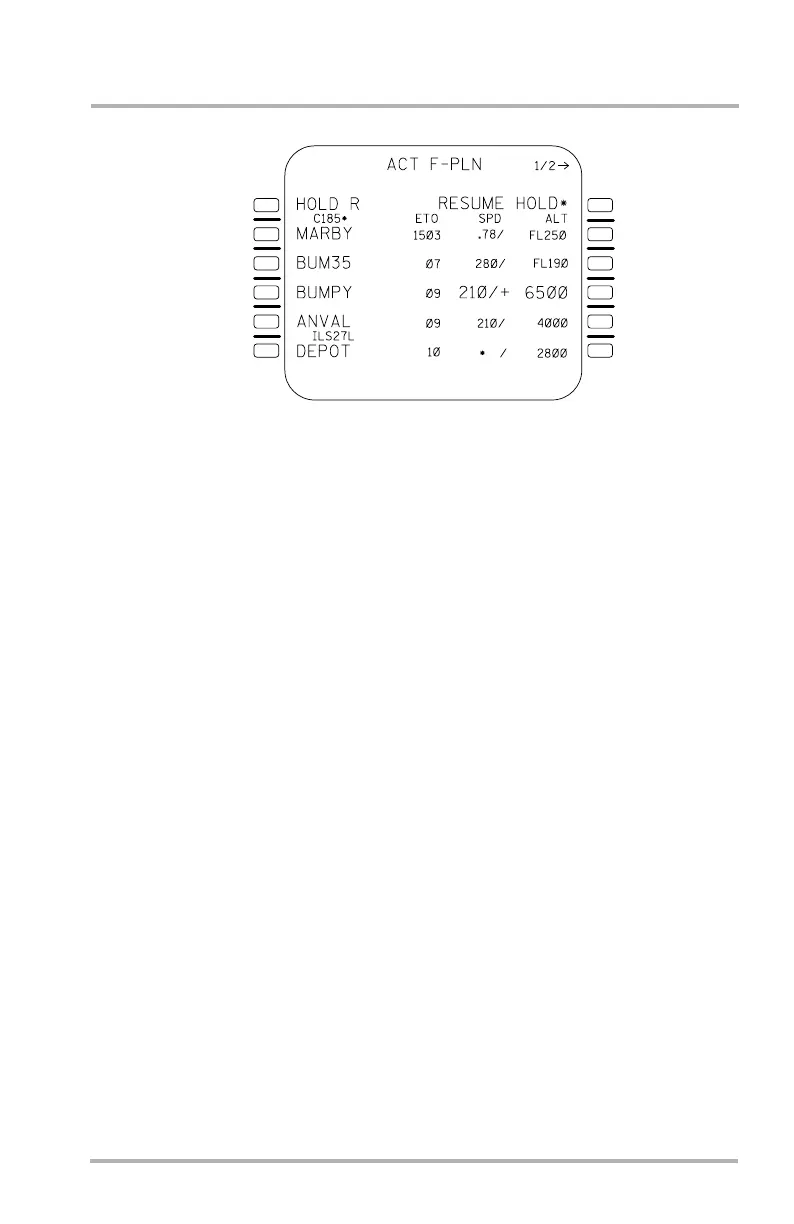
ACT F-PLN Page 1/2
When the DECEL mode, or the holding pattern related commands, EXIT AT FIX
or RESUME HOLD, become allowable, a prompt to activate the mode appears in
1R of both F-PLN pages, overwriting the data otherwise displayed. Pushing
F-PLN LSK 1R initiates the command or the mode.
The DECEL mode prompt appears when the aircraft crosses the descent path at
the FCP altitude. When the prompt is selected the ACT F-PLN page returns to
normal and the speed target is reduced.
Once the DECEL mode has been selected, either dialing the clearance altitude
down or selecting any other speed mode will cancel the DECEL mode.
1L
2L
3L
4L
5L
6L
1R
2R
3R
4R
5R
6R
LB1-3-0074
October 02, 2006



 To Next Page