MD-11 Flight Crew Operations Manual
k
FMS -
Controls and Displays
FMS.30.89
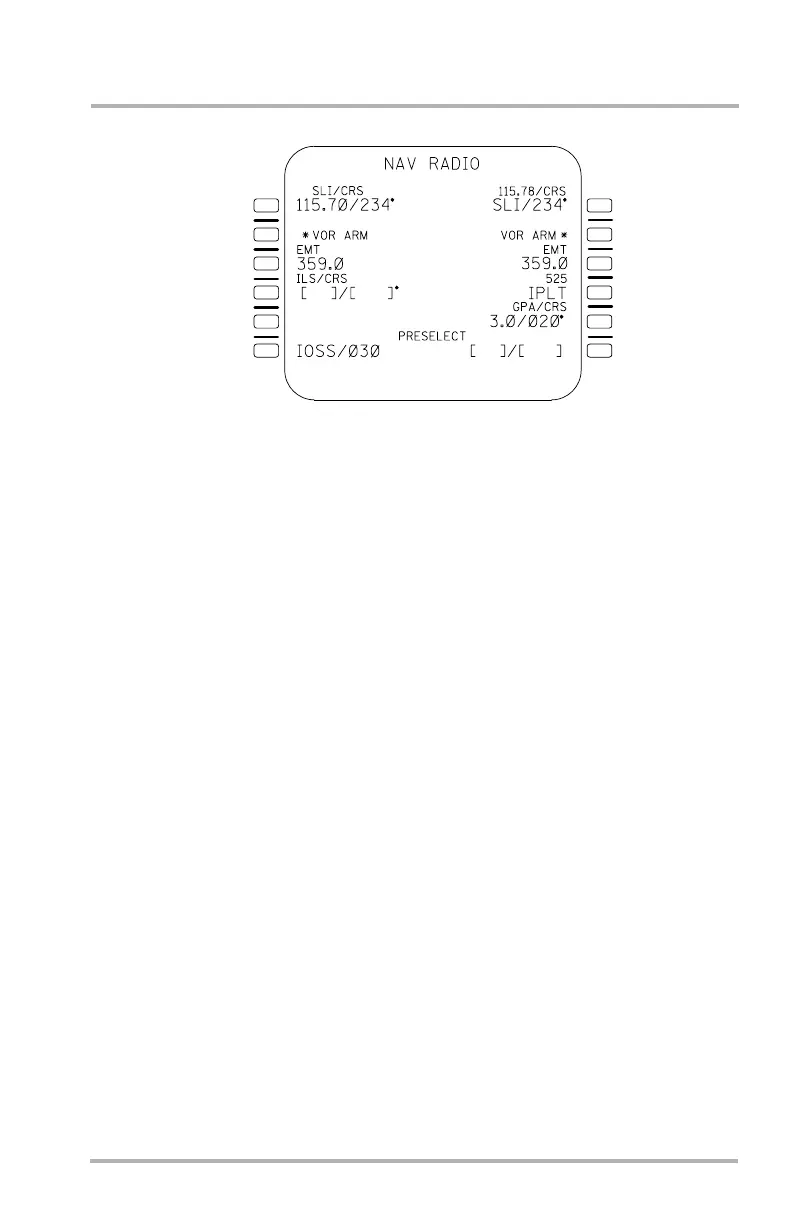
NAV RADIO Page
When a frequency is entered into either of the VOR fields, the label line displays
the ident in small font and the data line displays the entered frequency and course
in large font. If, upon an entered frequency, there is no available ident in the
database, the label remains VOR#/CRS with the frequency and course in large
font on the data line. If more than one ident exists for the entered frequency, the
ident closest to the aircraft is chosen from the database. If the VOR is autotuned,
the ident is displayed on the label line in small font and the frequency is displayed
on the data line, also in small font.
A small font VOR ARM prompt with an asterisk is provided upon entry of a VOR
ident (or frequency) and course. The prompt appears in 2 on the same side of the
MCDU page as the entered VOR information. If the VOR information is entered
on both sides of the MCDU, then the prompt appears on both sides of the MCDU.
Pushing the VOR ARM prompt prepares the FMC for VOR mode and replaces the
VOR ARM prompt with a VOR ARMED display (large font). Once the VOR
mode conditions for the armed VOR ident are satisfied, VOR TRACK (large font)
replaces the VOR ARMED display. Any of the VOR prompts or displays may be
cleared.
FMS VOR approach mode is not available above 18,000 feet. FMS VOR
approach mode is explained in the Automatic Flight chapter. FMS VOR approach
procedures are described in the MD-11 Flight Crew Operating Manual Operating
Procedures.
LB1-3-0115
1L
2L
3L
4L
5L
6L
1R
2R
3R
4R
5R
6R
October 02, 2006



 To Next Page