Working sequence in automatic mode
Operating Manual 7.1 Rev.: 18.06.2008 99
5.5 Selecting/Setting up a production phase
Each production phase has to be selected and, if necessary, set up man-
ually. BoardMaster assists you in selecting the next production phase and
provides information on required manual operating steps. We recom-
mend absolute compliance with the specified order, since some produc-
tions phase follow on one from the other while sonme previous phases
may not be processed later on.
In the phase selection always the current/most recently completed pro-
duction phase of the job is selected by default . When a production phase
with the activated data/selected tools is completed, the next production
phase must be selected first.
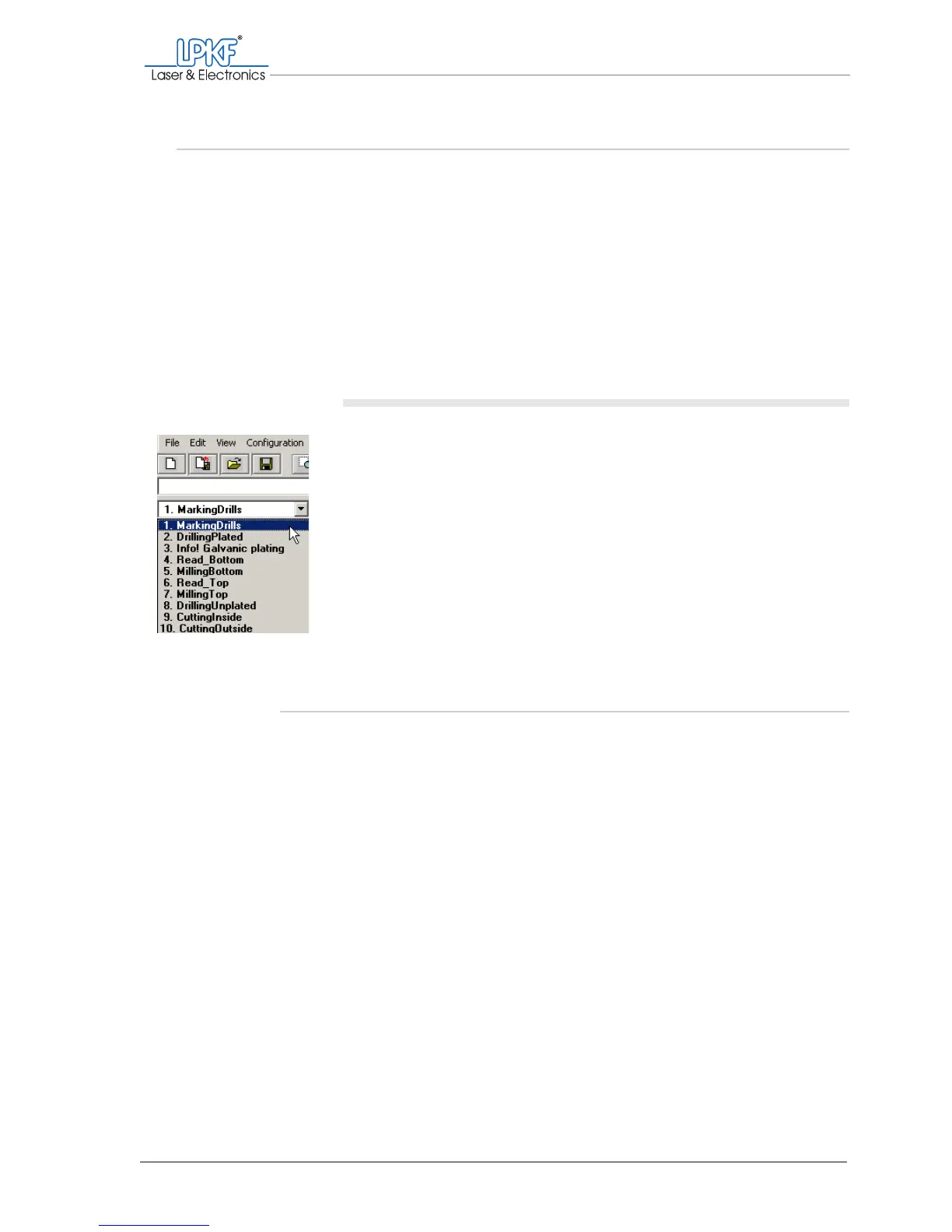
Selecting the production phase
1. Click on the phase selection list on the function bar.
2. Select the desired production phase.
[ ] The selected production phase will be loaded.
5.5.1 Selecting tools (optional)
Normally, all tools required within a production phase are used in succes-
sion (default setting). This avoids time-consuming tool changes.
You can also limit a production phase to the use of one or more tools,
for example to rework areas where not enough material has been
removed or to drill only holes with selected diameter.



 To Next Page