Care and maintenance
Operating Manual 7.1 Rev.: 18.06.2008 113
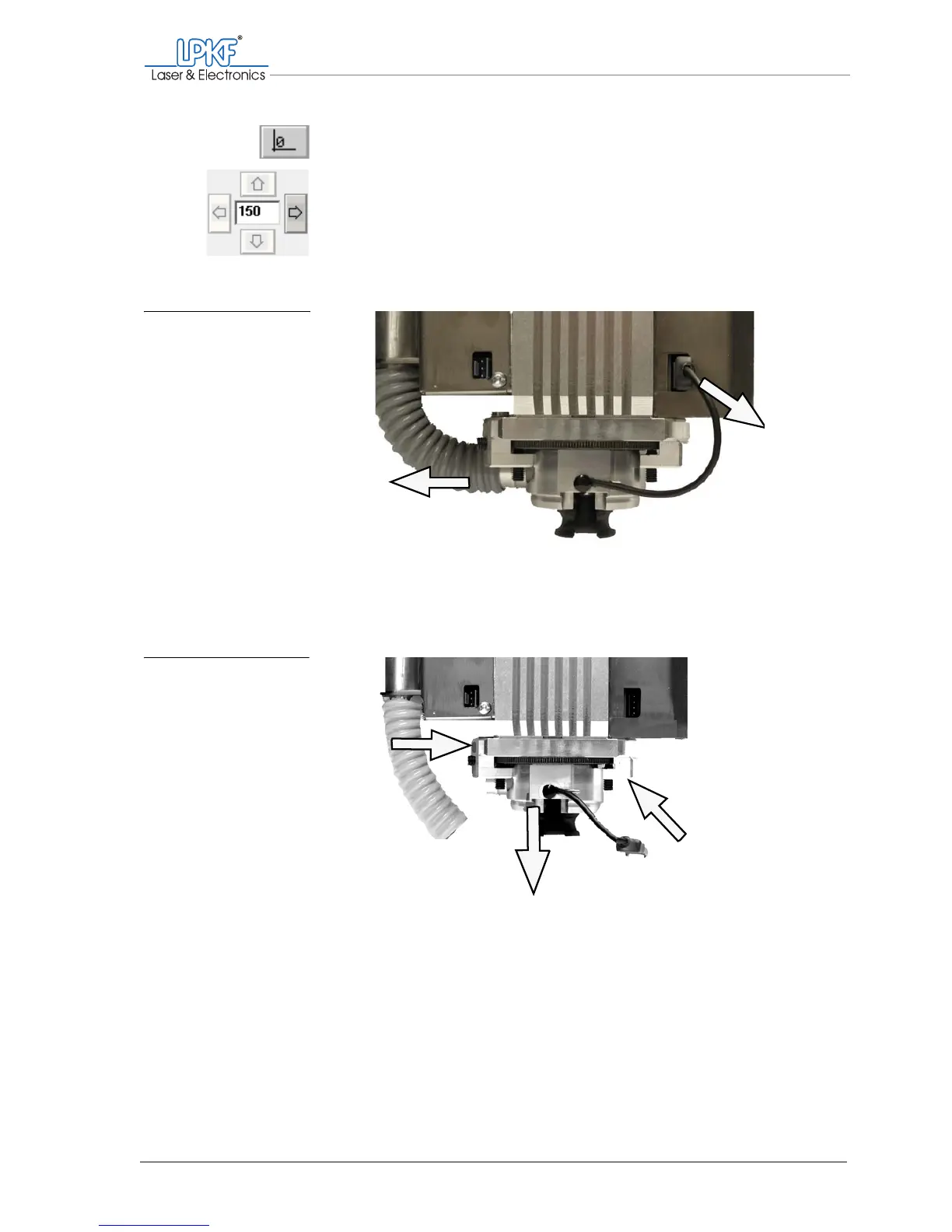
2. Move the milling/drilling head to the zero position.
3. Move the milling/drilling head 150 mm to the right.
4. Pull the extraction hose off the milling/drilling head (1).
5. Disconnect the plug for the head lighting (2).
6. On the milling depth limiter, unscrew the torx screws (3)(4) in the
aluminium holding blocks and remove the holding blocks.
7. Pull the milling depth limiter down and out of the milling/drilling
head.
[ ] Now you can clean the milling depth limiter (s. page 114) and remove the
collet chuck.
Fig. 51: Dismantling the
milling depth limiter
1 Pull off the extraction hose 2 Disconnect plug for head lighting
1
Fig. 52: Dismantling the
milling depth limiter
3 Unscrew the T10 torx screw and remove the holding block.
4 Unscrew the T20 torx screw and remove the holding block.
5 Pull the milling depth limiter down and out.
3
4
5
2



 To Next Page