Manual tasks and settings
Operating Manual 7.1 Rev.: 18.06.2008 83
4.12.1 Drilling pass holes into pass hole strips
I. Setting parameters for drilling pass holes
1. Select the Spiral Drill Ref. 2.95 mm drill from the Tool selection
list.
2. Click on the Tool Lbrary button.
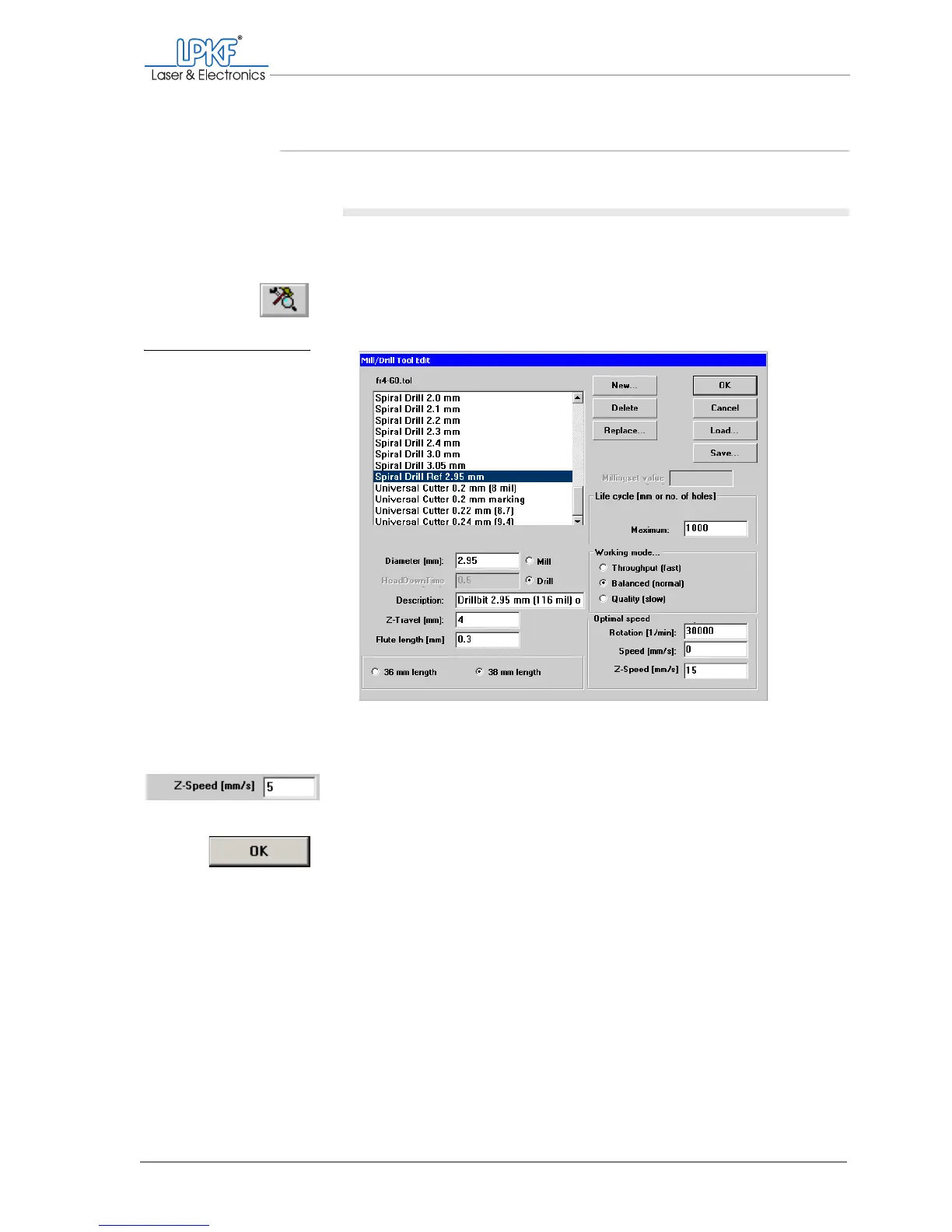
The Mill/Drill Tool Edit window is opens.
3. Make sure that in the fr4-60.tol selection list the Spiral Drill
2.95 mm pass hole drill is selected.
4. In the Optimal speed field, set the value for Z-Speed [mm/s] to 5.
5. Click on OK.
[ ] Next you need to set the machine parameters.
Fig. 33: Setting parameters
for drilling pass
holes



 To Next Page