Finding out about BoardMaster
54 ProtoMat
®
S62
4.3 Finding out about BoardMaster
The ProtoMat
®
S62 is controlled by means of the LPKF Software
BoardMaster. In the following the user interface and the most important
selection and control elements will be explained.
4.3.1 The user interface
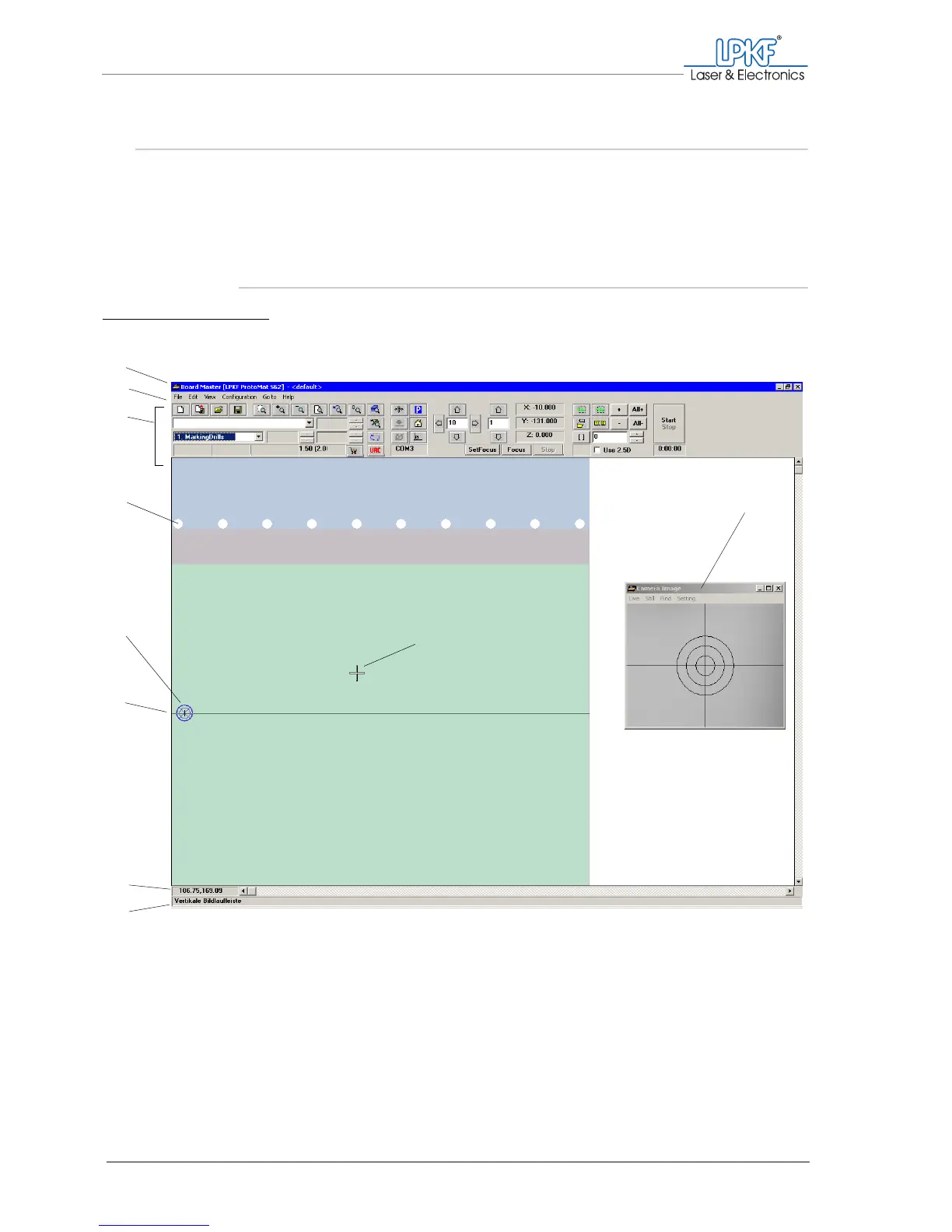
Fig. 20: BoardMaster user interface
1 Title bar
2 Main menu
3 Function bar
4 Tool holder/magazine
5 Current position of the
milling/drilling head
6 Mirror axis
7 Mouse pointer co-ordinates
8 Status bar
9 Mouse pointer
10 Camera image applica-
tion window (VisionSys-
tem option only)
1
2
3
5
6
7
8
9
10
4



 To Next Page