Configuring the tool holder position
126 ProtoMat
®
S62
6.4.2 Determining the tool holder position with VisionSystem
To configure the tool changing positions with the optional VisionSystem,
proceed as follows:
I.
Setting the camera offset
1. Select a 0.8 mm drill and drill a hole in an unused area of the base
material.
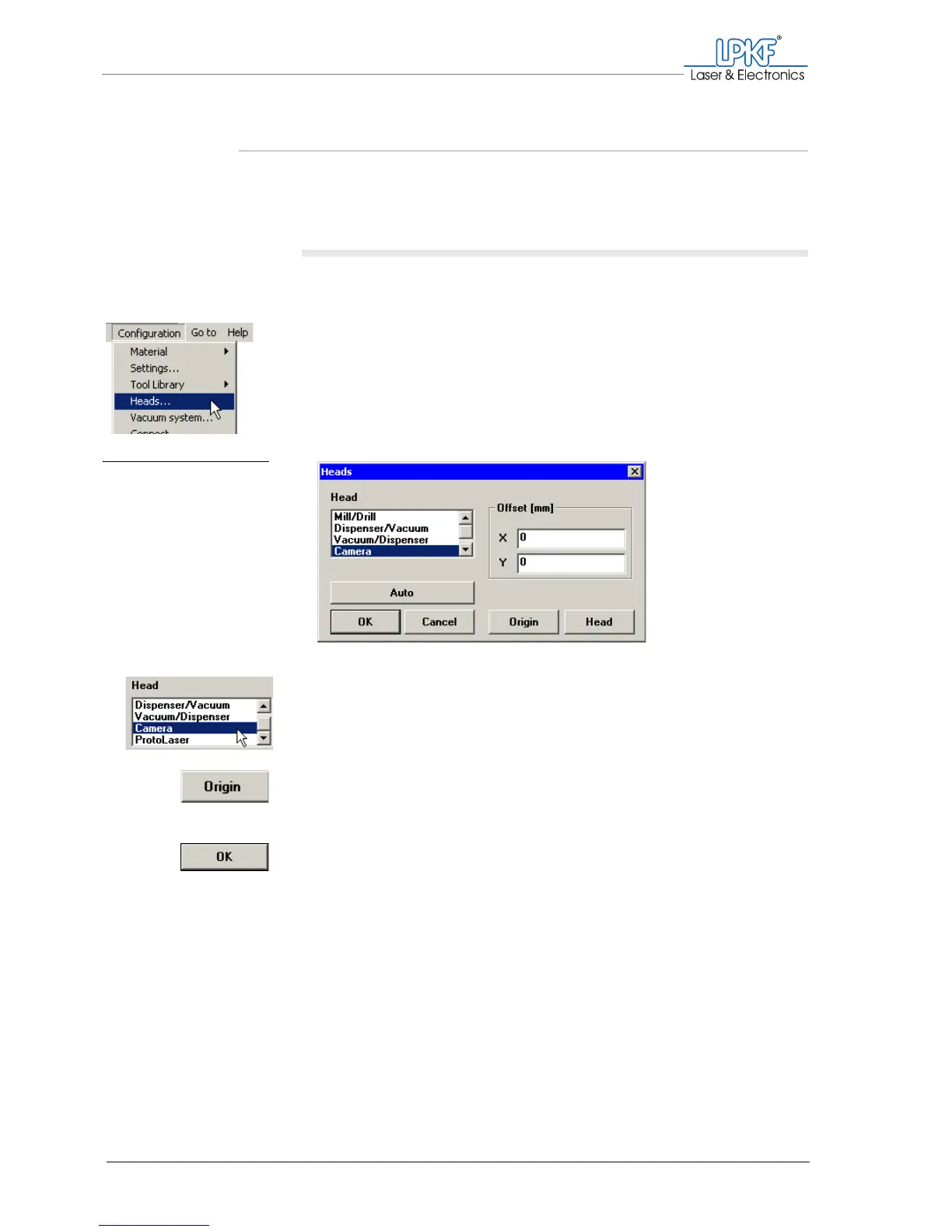
2. Click on Configuration > Heads....
The Heads window is opened.
3. Select the Camera item in the selection list.
4. Click on Origin.
The reference point button will be deactivated.
5. Click on OK.
The offset is set correctly.
Fig. 63: Setting the mill-
ing/drilling head
offset



 To Next Page