Manual tasks and settings
Operating Manual 7.1 Rev.: 18.06.2008 59
Moving the milling/drilling head to a predefined position
To load the circuit board plotter, create a pass hole system or set up the
co-ordinate system, the milling/drilling head can be moved to defined
positions above the traversing table.
1. Click on one of the following buttons to move the milling/drilling
head to a predefined position.
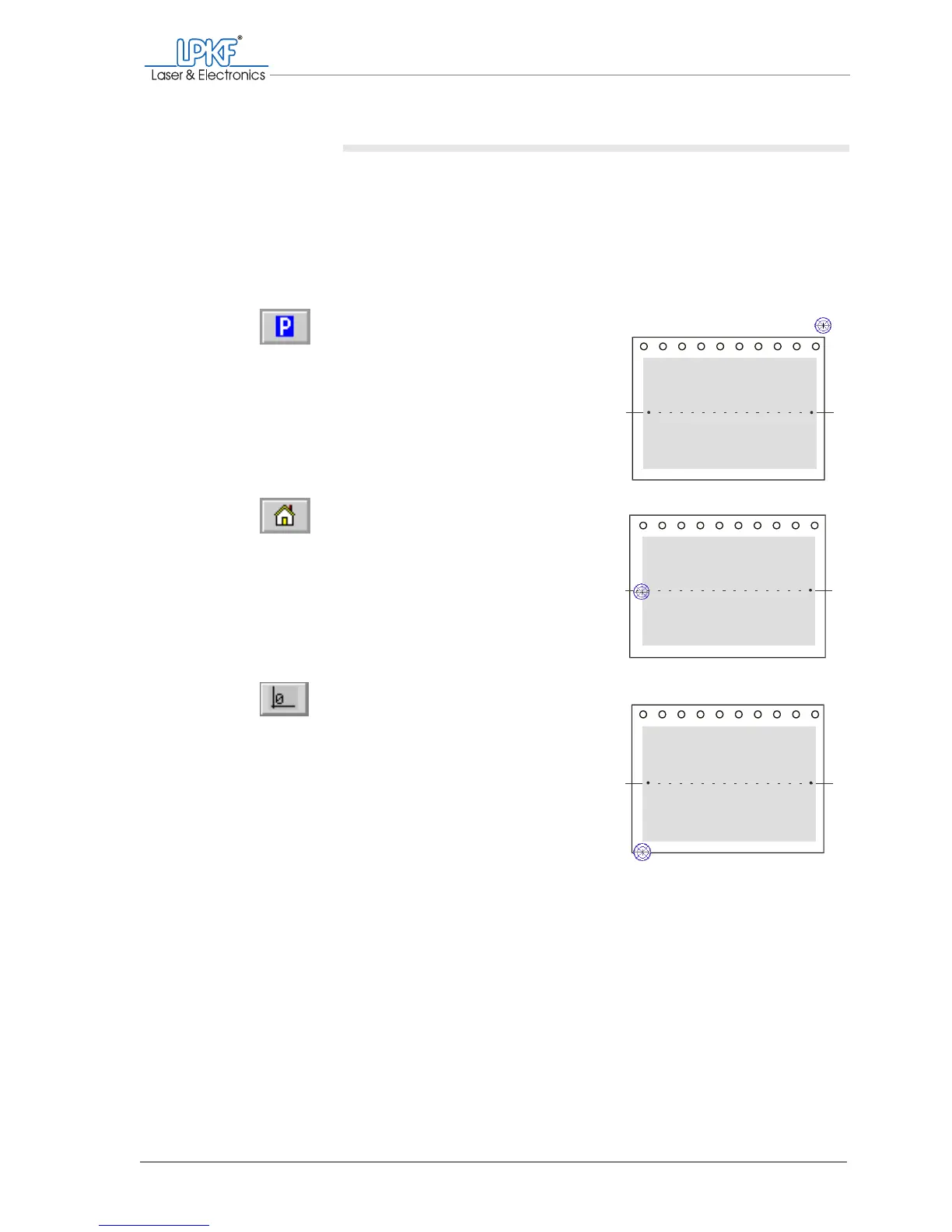
The following positions are possible:
[ ] The milling/drilling head and the traversing table are moved automatically
to the selected position.
Move to pause
Pause position: The milling/drilling
head moves to the right, the travers-
ing table moves forward.
Use:
Loading the circuit board plotter
Move to home
Home position: The milling/drilling
head moves to the mirror axis
above the left pass hole pin; the tra-
versing table moves to the central
area.
Use:
Creating a pass hole system.
Move to zero
Zero position: The milling/drilling
head moves to the left, the travers-
ing table moves backwards.
Use:
Reference point in BoardMaster,
definition of co-ordinate system



 To Next Page