Manual tasks and settings
Operating Manual 7.1 Rev.: 18.06.2008 63
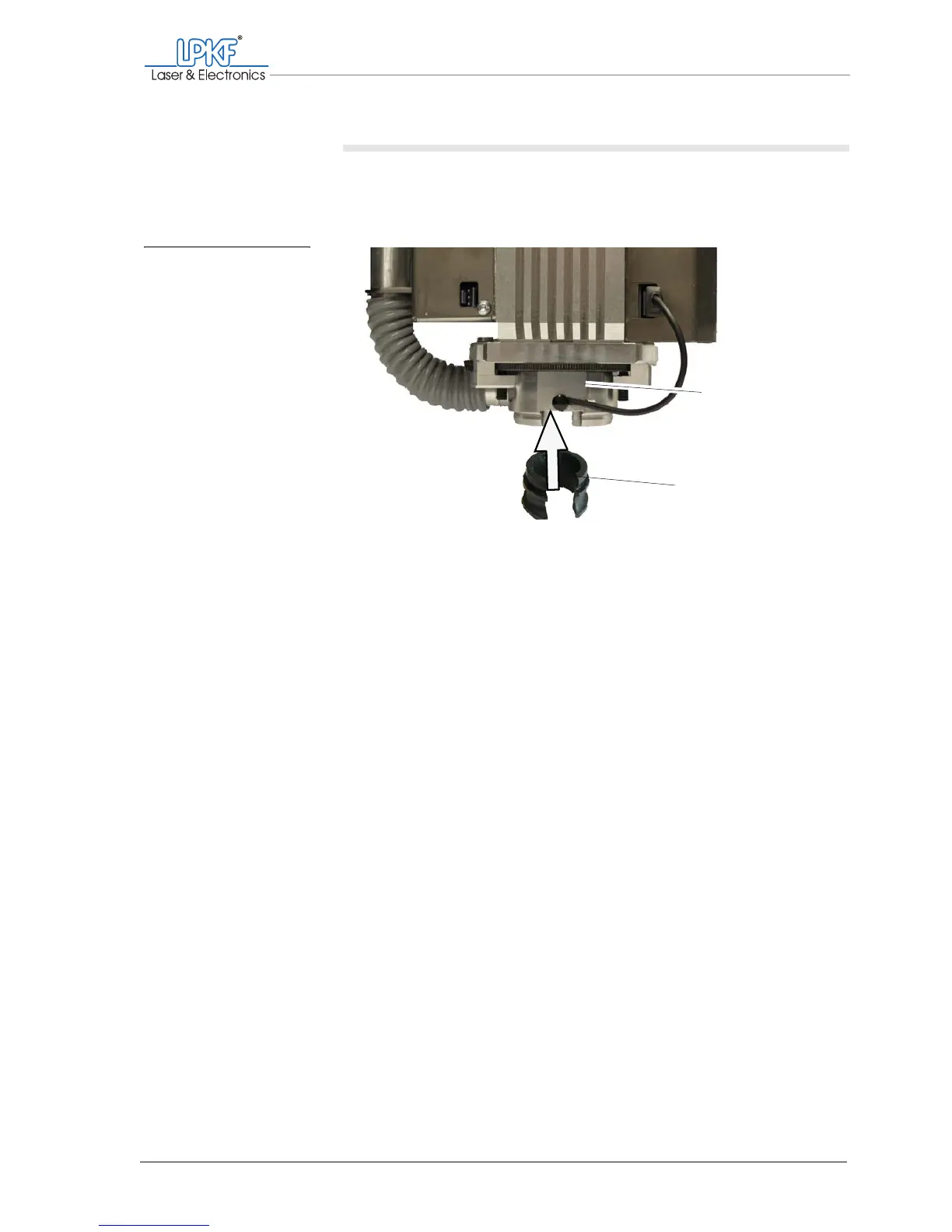
Mounting the plastic base/brush head
1. Take a firm hold of the milling/drilling head at the top to prevent it
lifting in the following and push the plastic base/brush head into the
milling depth limiter from below.
2. Rotate the base until the opening is oriented to the front.
[ ] The plastic base/brush head is smounted.
Fig. 22: Fitting the plastic
base on the milling
depth limiter
1 Milling depth limiter 2 Plastic base
1
2



 To Next Page