Working sequence in automatic mode
Operating Manual 7.1 Rev.: 18.06.2008 107
Milling contours in 2.5 D mode (optional)
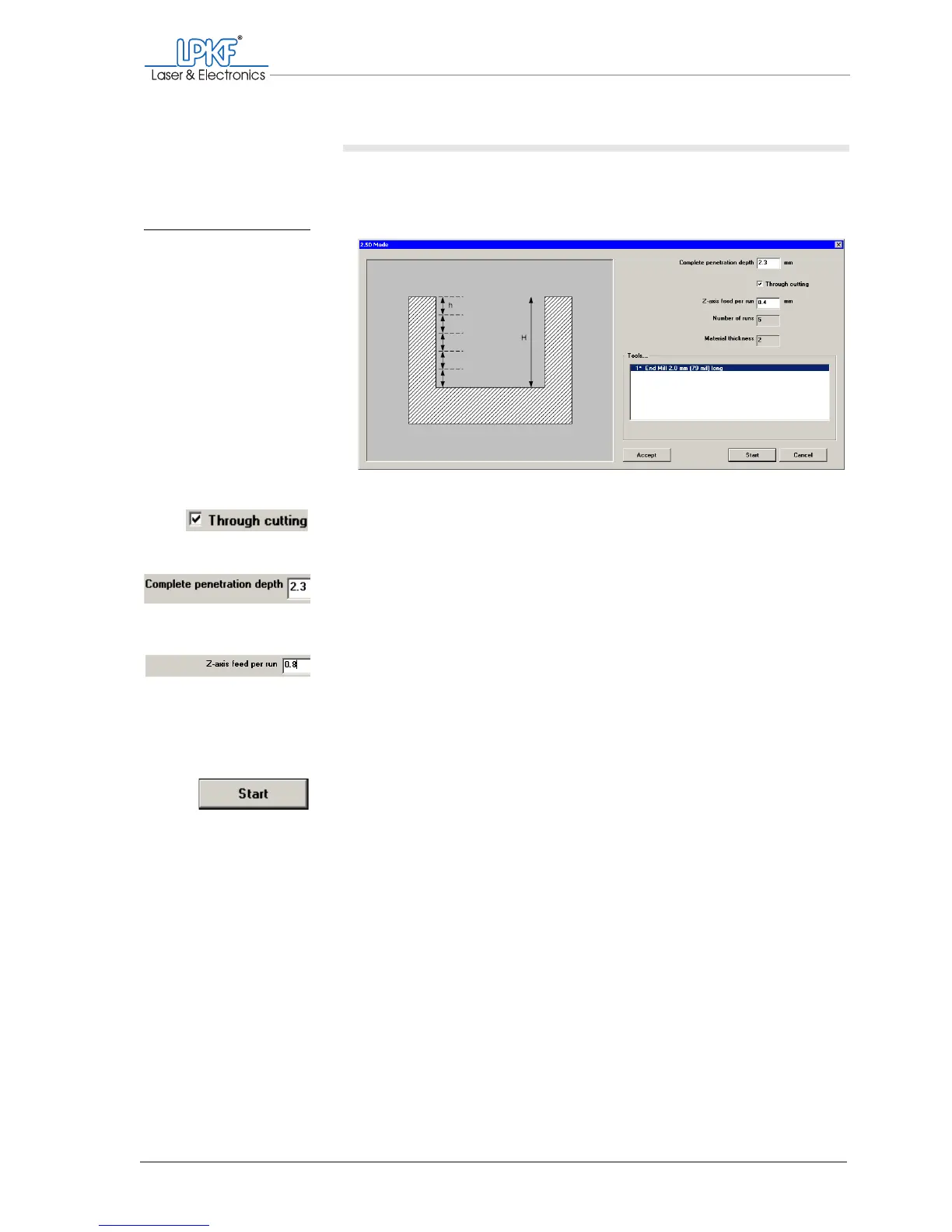
If you have activated 2.5 D mode, the
2.5 D mode window will be opened
after the start of the production phase.
1. Activate the Through cutting checkbox.
2. In the Complete pnetration depth field, enter the material thick-
ness value + 0.5 mm. (Example: Material thickness = 1.8 mm, total
penetration depth = 2.3 mm
3. In the Z axis feed per run field, enter the required milling depth in
mm per milling run.
Remember the maximum permissible milling depths for the differ-
ent materials (see table Tab. 1: „2.5 D processing, milling depth
and materials“ on page 40)
The number of milling runs is displayed in the Number of runs box.
4. Click on Start.
[ ] The production will be started. If the "Stop for depth adjustment" message
appears, you can adjust the milling depth/width.
Fig. 47: 2.5 D mode: Con-
figuring



 To Next Page