Setting up the tools
96 ProtoMat
®
S62
I. Opening the Tool Positions input window
1. Click on the Toolbox dialog button.
2. Click on Yes to move the milling/drilling head to the pause position.
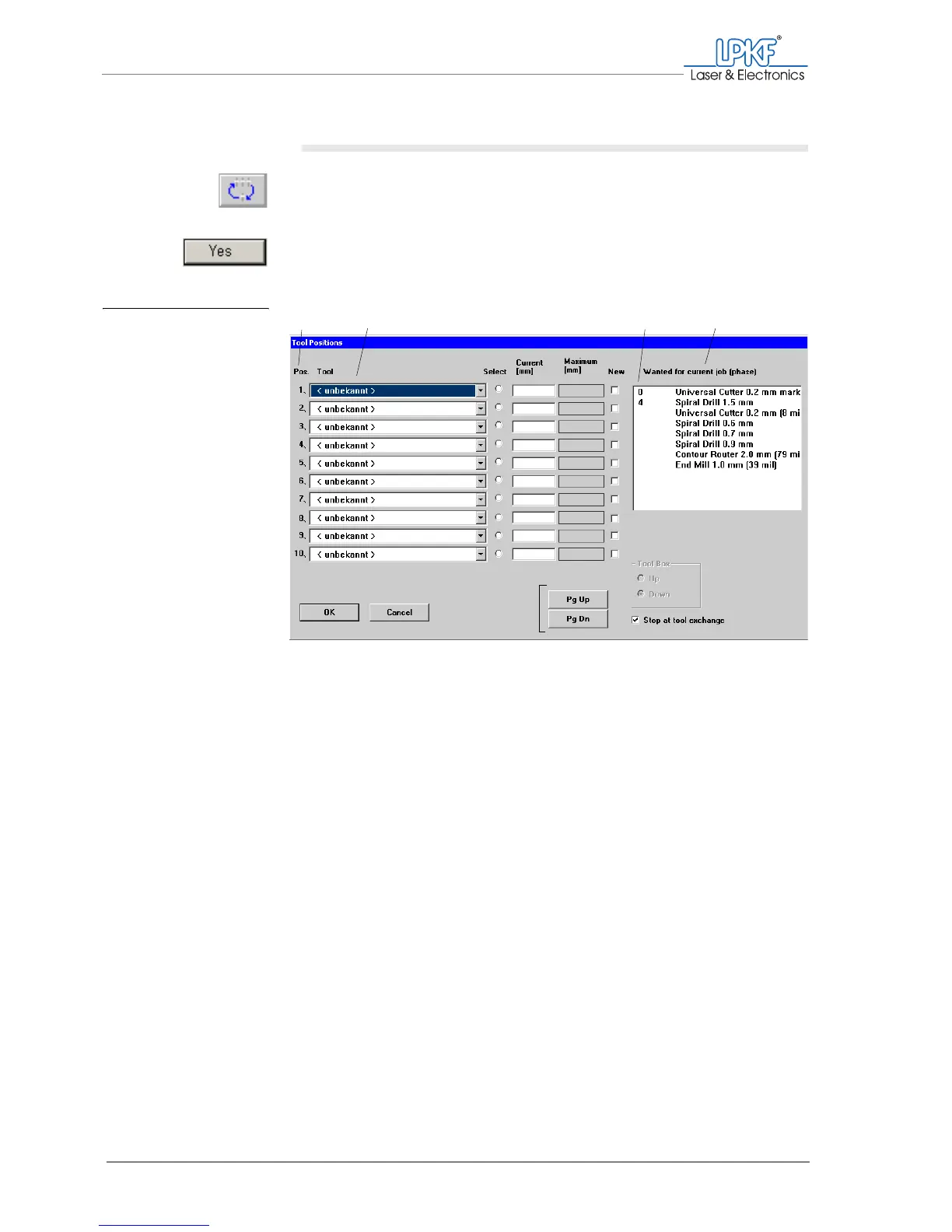
The Tool Positions input window opens.
The tool magazine can hold up to 10 tools. The positions specified on the
left of the dialogue box under Pos. correspond to the arrangement of the
tool holders from left (position 1) to right (position 10) in the tool maga-
zine.
You can select one tool for each of the corresponding positions in the tool
magazine in the tool selection lists under Tool . Each selection list con-
tains all available tools.
Fig. 41: Tool Positions input
window
1 Position in the tool magazine
2 Tool selection lists
3 Service life of the tools required for the current
phase
4 Tools required for the duration of production
12
3
4



 To Next Page