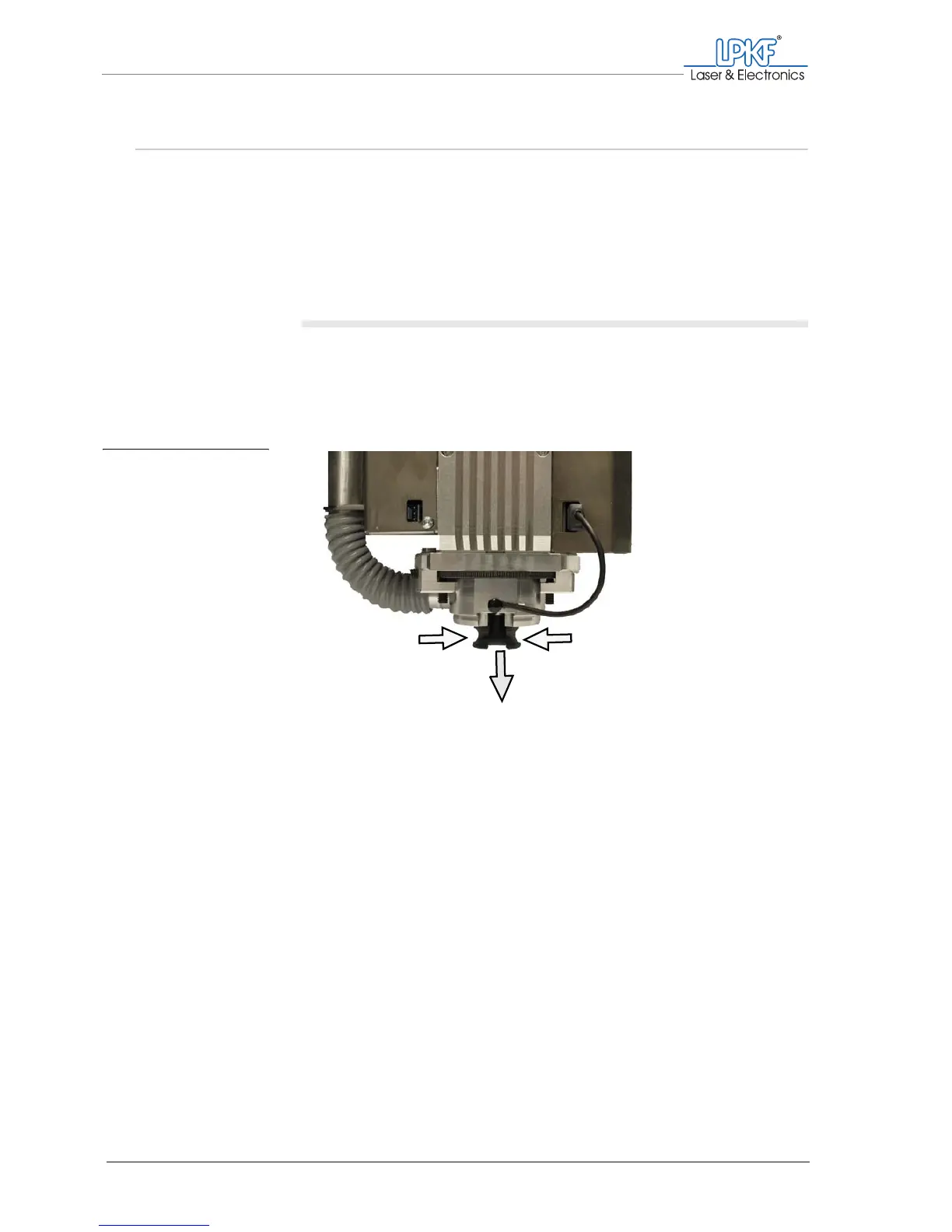
Mounting/Dismounting the milling depth limiter base
62 ProtoMat
®
S62
4.5 Mounting/Dismounting the milling depth limiter base
In order to ensure that milling will always be performed at the exact
working depth, you need to mount the milling depth limiter's plastic base
included in the scope of delivery or the brush head which is available to
purchase as an accessory. You should only dismount/replace the
base/brush head for special tasks such as drilling pass holes, cleaning
and maintenance.
Dismounting the plastic base/brush head
1. If it is not already there, move the milling/drilling head to the zero
position for easier access to the base/brush head.
2. Carefully squeeze the plastic base/brush head and pull it down and
out of the milling/drilling head.
[ ] The plastic base/brush head is dismounted.
Fig. 21: Removing the
plastic base
from the milling
depth limiter
1 Squeeze the plastic base/brush head 2 Pull the plastic base/brush head down and out
1
2



 To Next Page