Adjusting the camera (only with VisionSystem)
138 ProtoMat
®
S62
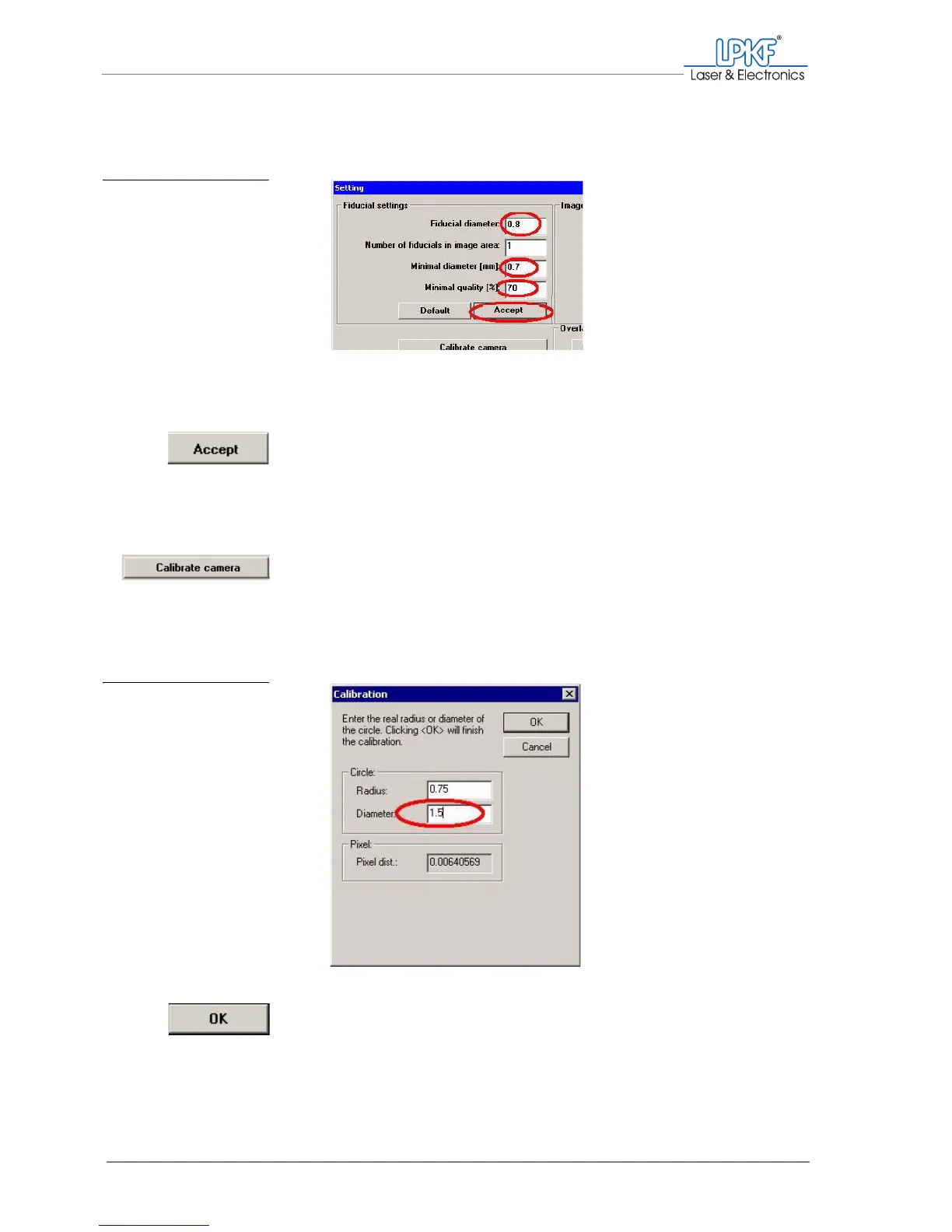
5. In the Fiducial diameter input box enter the measured value of the
bore .
The value in the Minimal diamer [mm] input box must be smaller than
the fiducial diameter by 0.1 mm.
6. Click on Accept.
7. It can be the case that the colour difference or contrast between the
bore and the surrounding material is not large enough (the bore is
not dark enough, the material is too bright). If so, enter the value 70
(instead of 90%) in the Minimum quality [%] input box.
8. Click on Calibrate camera.
The Calibration window is opened
9. In the Diameter input box enter the actual fiducial diameter in mm
(here: 1.5 mm)
10. Click on OK.
Fig. 77: Fiducial settings
Fig. 78: Calibration settings



 To Next Page