88
Settin
Checkers
Cha
ter 6
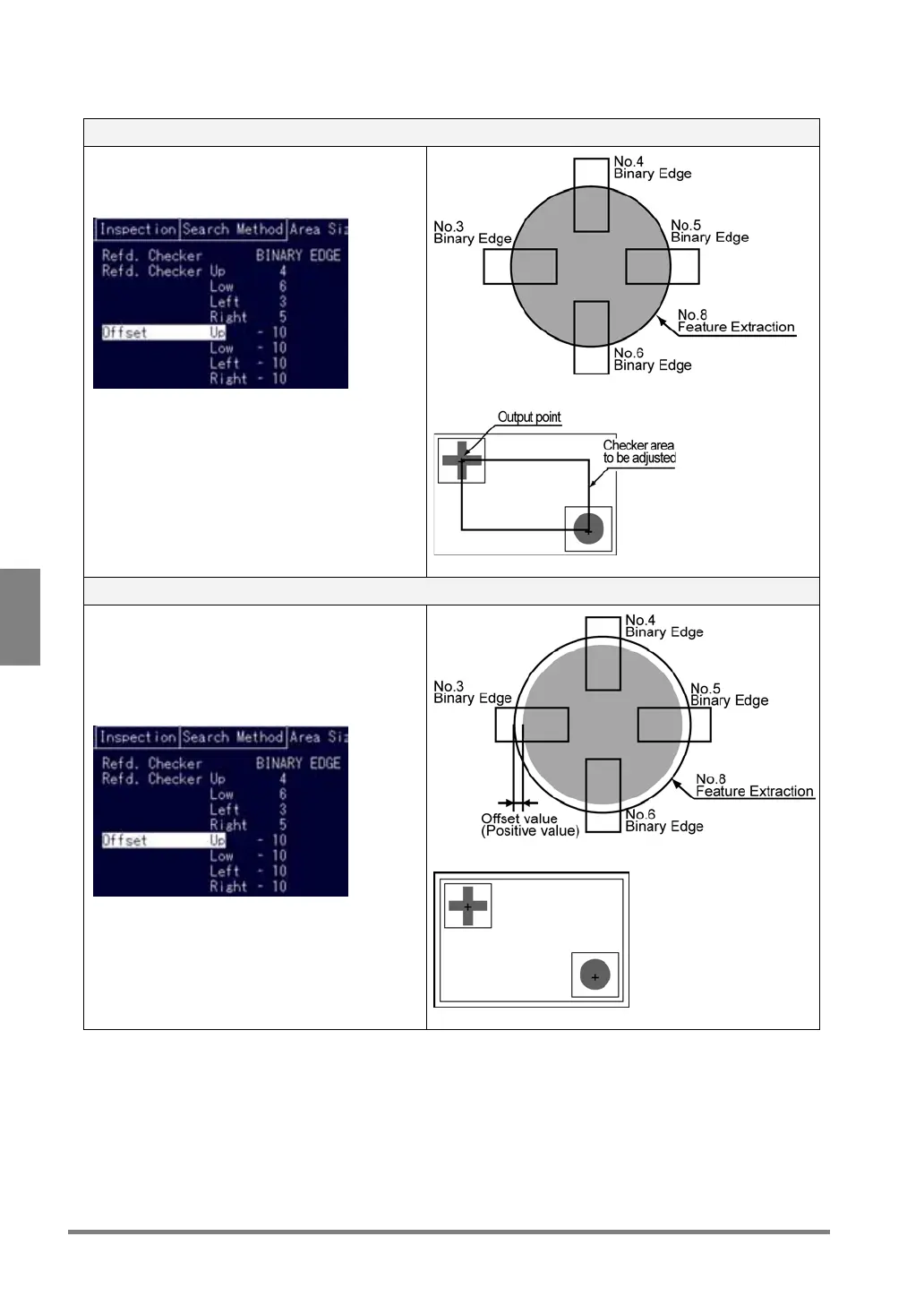
Example of area setting depending on the offset value
(4 reference checkers are set to the left/right/up/down sides of the object)
Offset value: 0
The coordinates of positions that the reference
checker detected are set as the start and end
positions of the area.
For Smart Matching checker
Offset value: 1 or more
Set an area outside by the offset value from the
positions where the reference checker detected.
But, if the area is created outside the screen
display, the area setting error occurs, the error
message E0074 is displayed and the checker is
not executed.
For Smart Matching checker
To be continued



 To Next Page