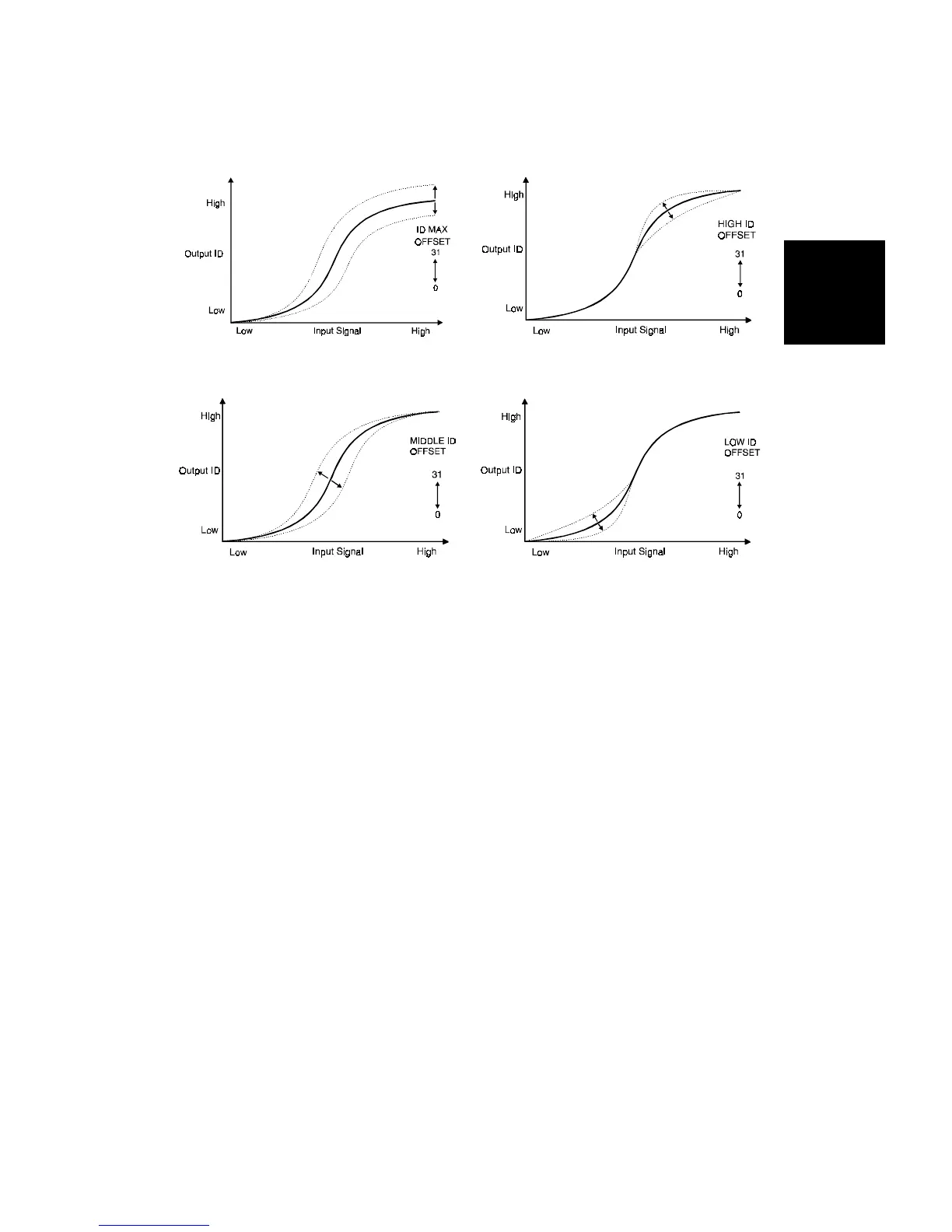
- ID max. -
This mode is used to adjust the total image density level as shown in figure 3.
– High ID –
The High ID mode should be used to adjust the image density between
Level 6 and Level 9 of the color gradation scale on the C-4 test chart (figure
4).
– Middle ID –
The Middle ID mode should be used to adjust the image density between
Level 3 and Level 7 of the color gradation scale on the C-4 test chart (figure
5).
– Low ID –
The Low ID mode should be used to adjust the image density between Level
2 and Level 5 of the color gradation scale on the C-4 test chart (figure 6).
Fig. 4
Fig. 5 Fig. 6
Fig.3
Detailed
Section
Descriptions
IMAGE PROCESSING
SM 2-59 A166/A187/A189



 To Next Page