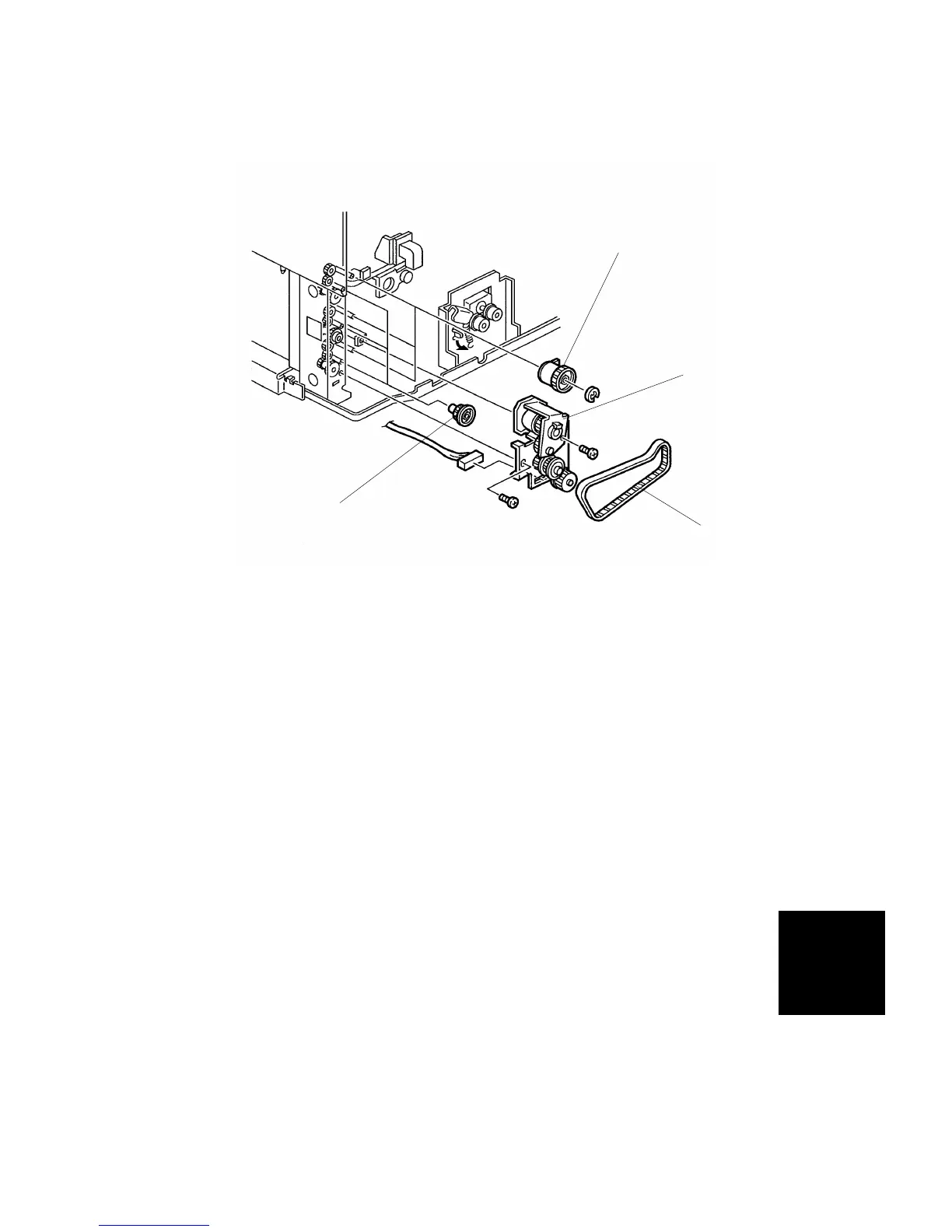
7.2 PAPER FEED CLUTCH REPLACEMENT
1. Remove the rear cover (see Exterior Cover Removal).
2. Remove the timing belt [A].
3. Remove the drive unit [B] (2 screws, 2 connectors).
4. Remove the separation roller gear [C].
5. Remove the paper feed clutch [D] (1 connector).
NOTE: When reinstalling the clutch, make sure that the clutch stopper
groove engages the stopper bracket.
[A]
[B]
[C]
[D]
PAPER TRAY
UNIT
PS290/PS280
(A549/A550
REPLACEMENT AND ADJUSTMENT
SM 8-11 A166/A187/A189



 To Next Page