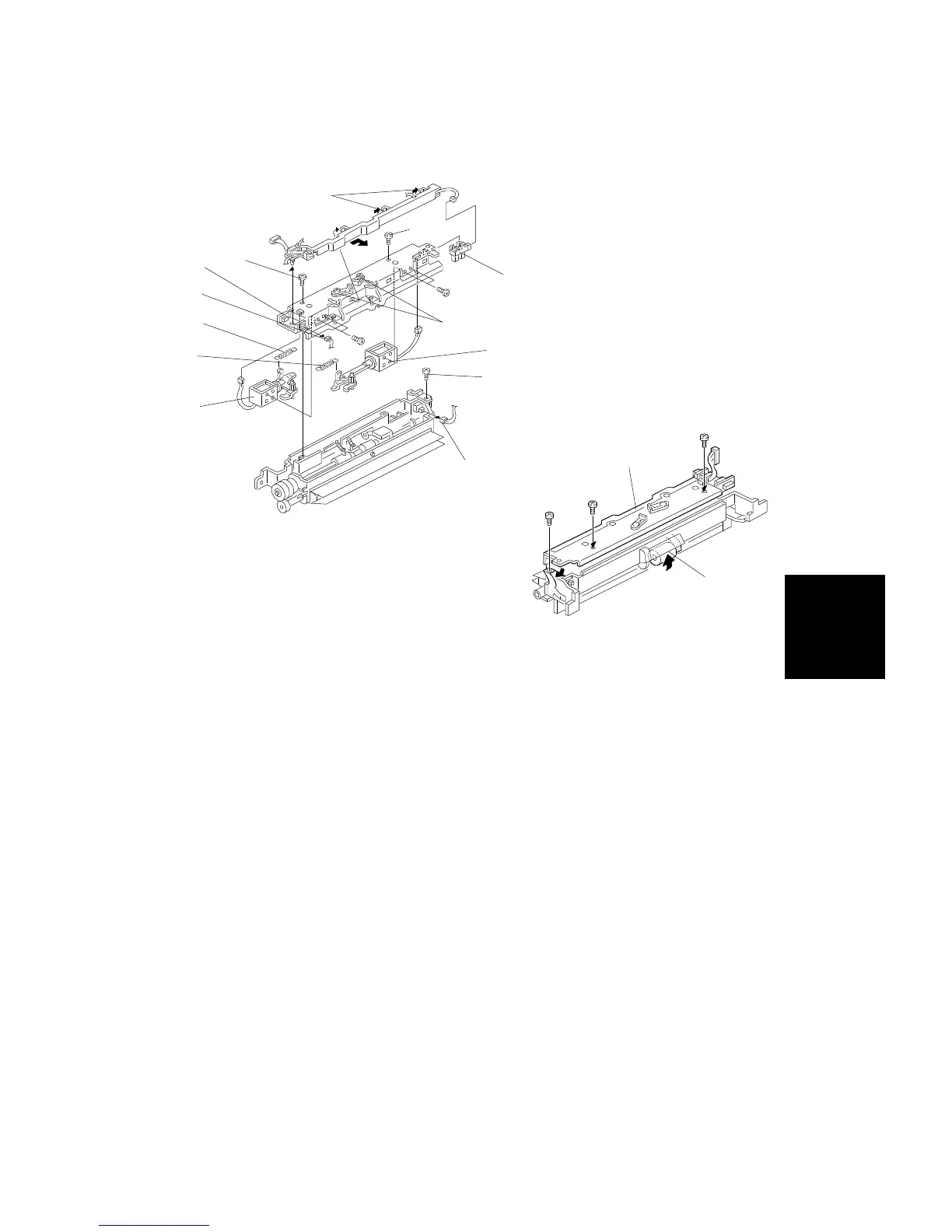
8.4 BY-PASS FEED PICK-UP SOLENOIDS AND END SENSOR
REPLACEMENT
1. Remove the by-pass feed unit. (see procedure 8.3.)
2. Remove the upper part of the by-pass feed unit [A] (3 screws [B] and 2
connectors [C]).
3. Replace the paper end sensor [D] (1 connector).
4. Remove the harness guide [E].
5. Loosen the screws [F], remove the bracket from the hook, and remove
the springs [G] and [H].
NOTE: Take care not to confuse the main and sub pick-up solenoid
springs, which have different tensions. Spring [G] has a stronger
tension than spring [H].
6. Remove and replace the main pick-up solenoid [I] and sub pick-up
solenoid [J] (4 screws, 2 springs, and 2 connectors).
NOTE: When installing the upper part [K] of the by-pass feed unit, lift the
pick-up roller [L].
[A]
[E]
[G]
[H]
[I]
[D]
[C]
[B]
[C]
[B]
[F]
[J]
[B]
[K]
[L]
Replacement
and
Adjustment
PAPER FEED AND REGISTRATION
SM 5-63 A166/A187/A189



 To Next Page