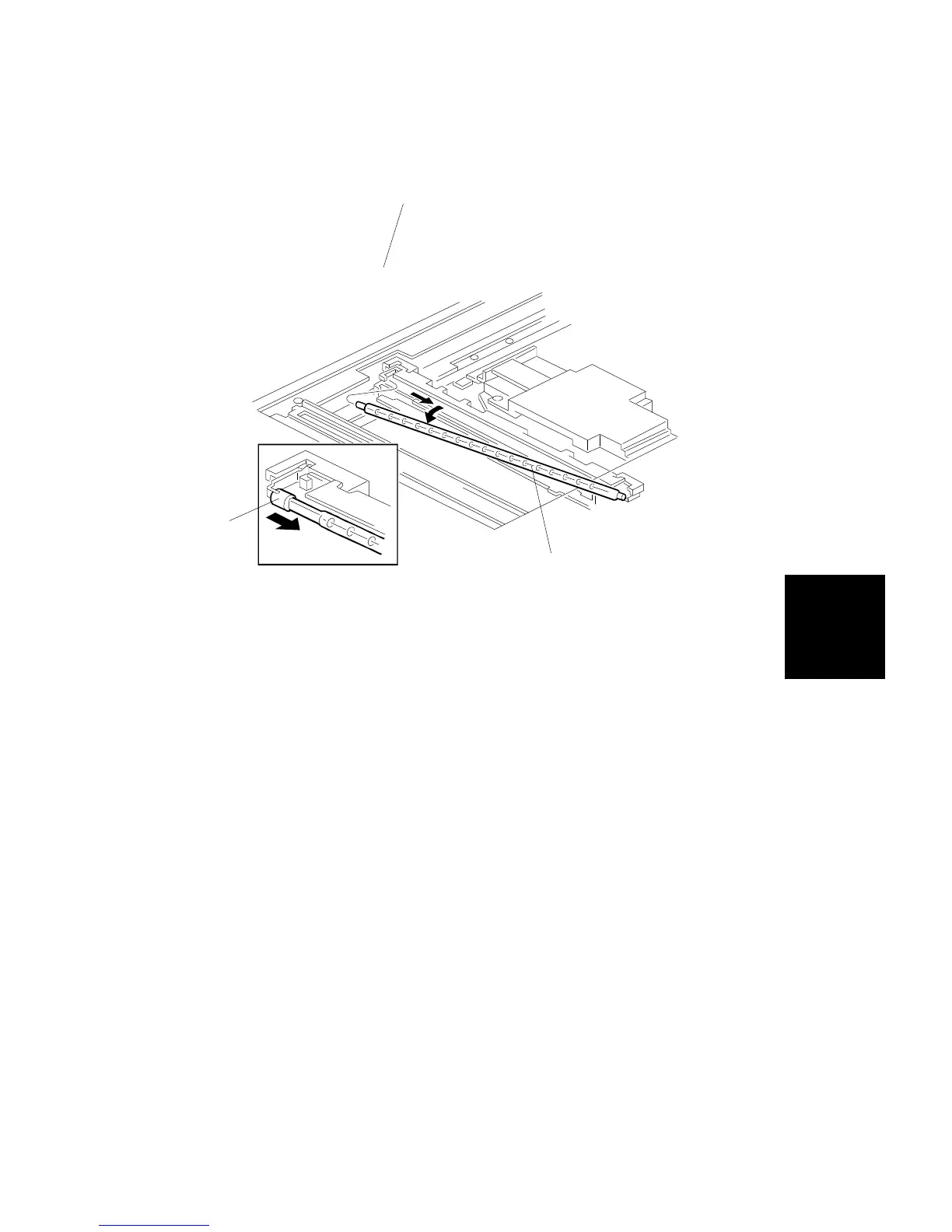
3.2 HALOGEN LAMP REPLACEMENT
1. Remove the exposure glass (see procedure 1.4).
2. Position the 1st scanner into the slot on the frame.
3. Push the halogen lamp terminal [A] in the direction shown. This allows
the removal of the halogen lamp [B].
4. Install a new halogen lamp in the scanner unit by the reverse procedure
of its removal.
NOTE: Do not touch the glass surface of the halogen lamp.
5. Perform the white level adjustment (SP4-435).
[B]
[B]
[A]
Replacement
and
Adjustment
SCANNER UNIT
SM 5-15 A166/A187/A189



 To Next Page