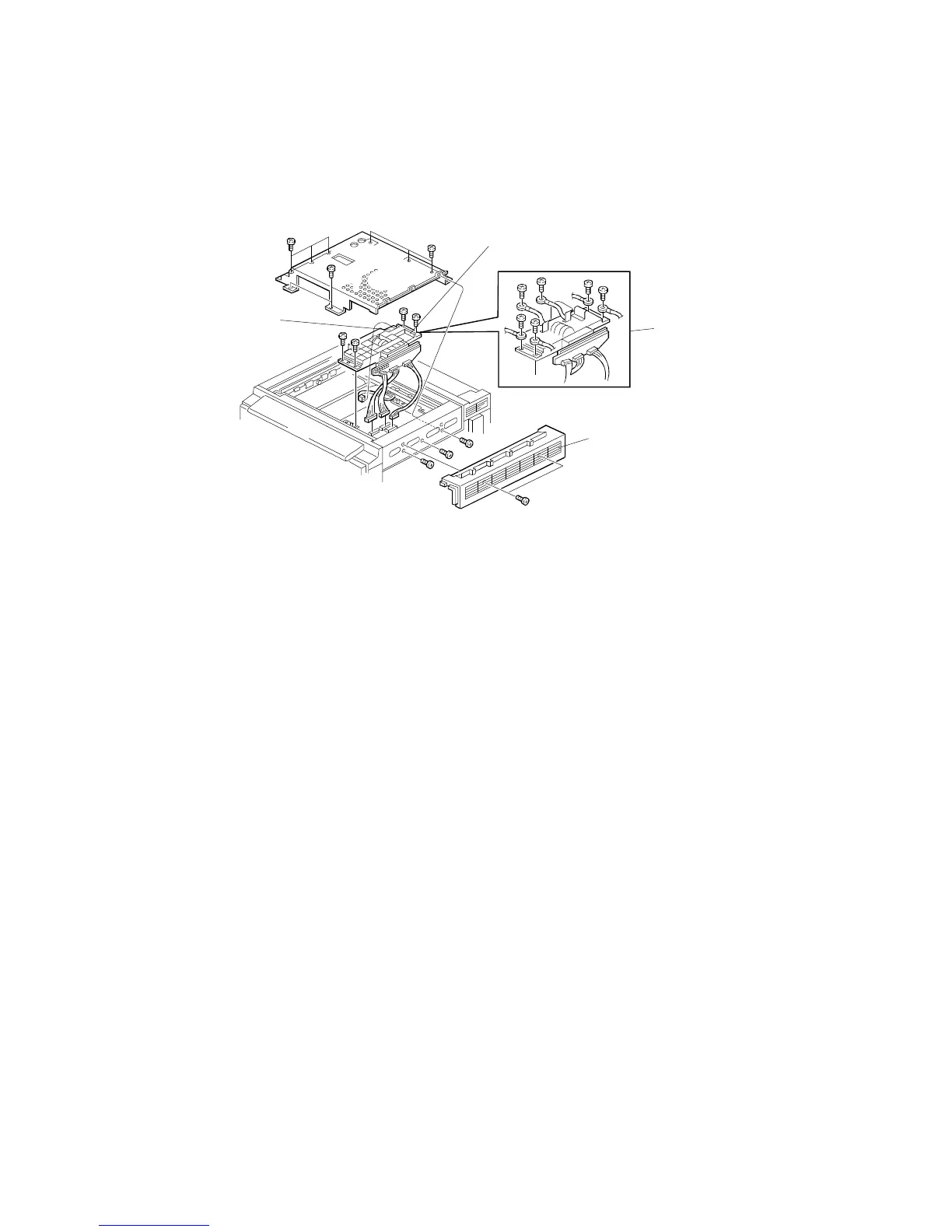
3.3 SCANNER INNER COVER REMOVAL
1. Remove the exposure glass (see procedure 1.4).
2. Remove the front cover and the upper right cover [A] (see procedures 1.2
and 1.5)
3. Remove the scanner inner cover [B] (11 screws).
3.4 SBU REPLACEMENT
1. Remove the exposure glass (see procedure 1.4)
2. Remove the scanner inner cover (see procedure 3.2).
3. Disconnect the connectors of the SBU [C] and APS sensor [D].
4. Remove the SBU assembly [C] (4 screws).
(220/240 V machine: 6 screws [X])
5. Remove the APS sensor from the old SBU and mount it on the new SBU.
6. Reinstall the SBU by the reverse procedure of its removal.
[A]
[C]
[D]
[X]
SCANNER UNIT
A166/A187/A189 5-16 SM



 To Next Page