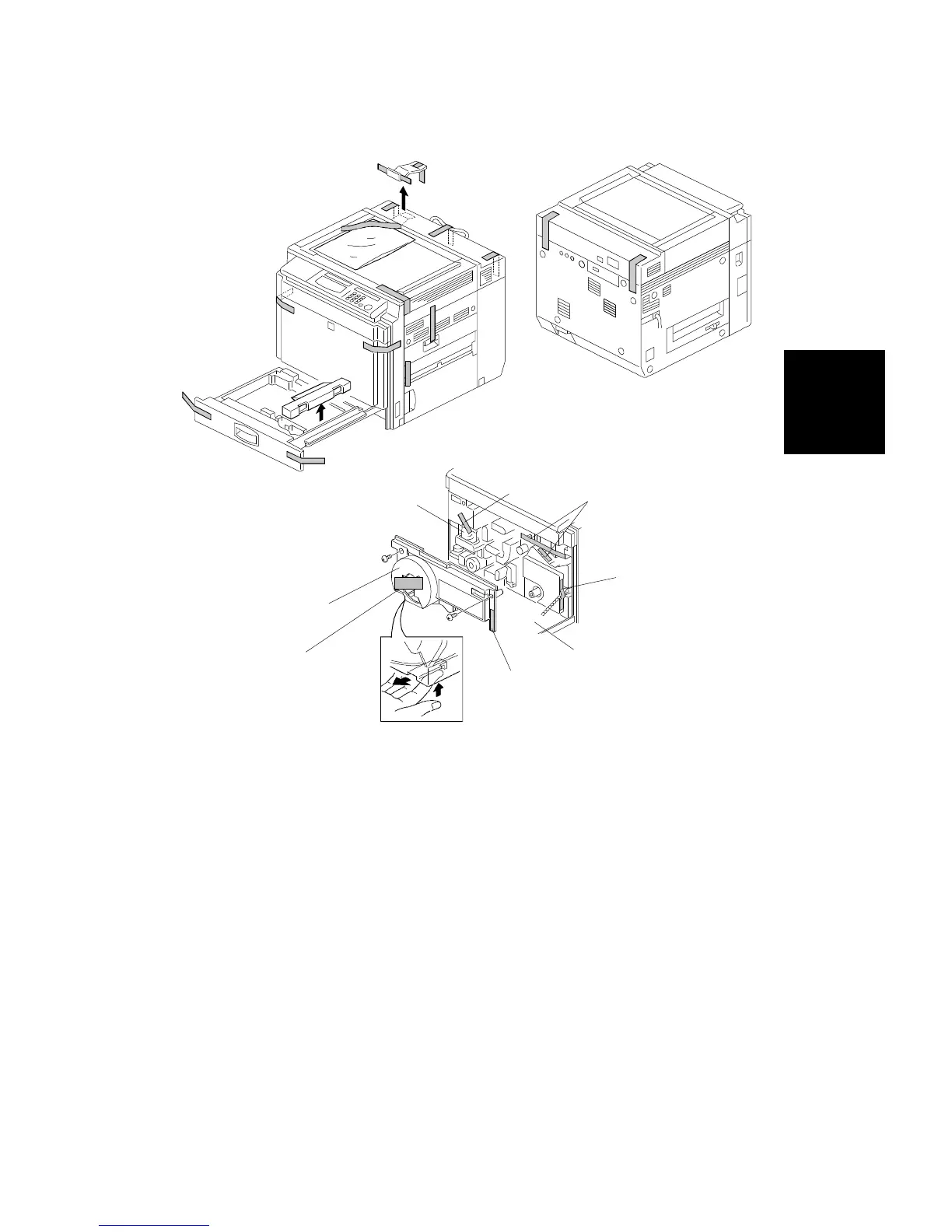
2.2 COPIER INSTALLATION PROCEDURE
NOTE: If the copier is to be installed onto a paper tray unit, follow the paper
tray unit install procedure prior to installing the copier. Keep all
shipping retainers after installing the machine. They must be re-used
if the machine is moved to another location in the future.
1. Remove the strips of tape (refer to installation above).
2. Open the front cover [A] then remove the following parts.
•
Strips of tape [B], [C], [D]
•
Desiccant [E]
•
Paper strip [H]
3. Remove the inner cover [F] (2 screws, 1 hook) while lifting up the hook,
then remove the following items:
•
Strips of tape [G]
[E]
[F]
[A]
[B]
[C]
[D]
[G]
[H]
Installation
Procedure
COPIER INSTALLATION
SM 3-7 A166/A187/A189



 To Next Page