7.6 SIDE-TO-SIDE REGISTRATION (DF POSITIONING)
ADJUSTMENT
Note:
•
First, adjust the DF side-to-side registration using the copier SP mode for
this (see Replacement and Adjustment - Side-to-Side Registration
Adjusment in the copier manual).
•
Do the following adjustment only when the registration cannot be brought
within the specification (0 ± 2 mm) using the above mentioned SP mode.
SPECIFICATION (Original position from the rear scale)
Thick (Normal) Paper
Original Mode
3.5
±
2 mm (3.5
±
3 mm for B6 lengthwise)
Thin Original Mode
3.5
±
2 mm
Two Sided Original Mode
3.5
±
3 mm
1. Place a sheet of A4/8
1/2
" x 11" sideways paper (64 g/m
2
, 17 lb) on the
original table and press the Print key.
2. After the original stops on the exposure glass, raise the DF carefully so
that the original does not move.
3. Check if the gap between the rear edge of the paper and the rear original
scale is within the specification listed above.
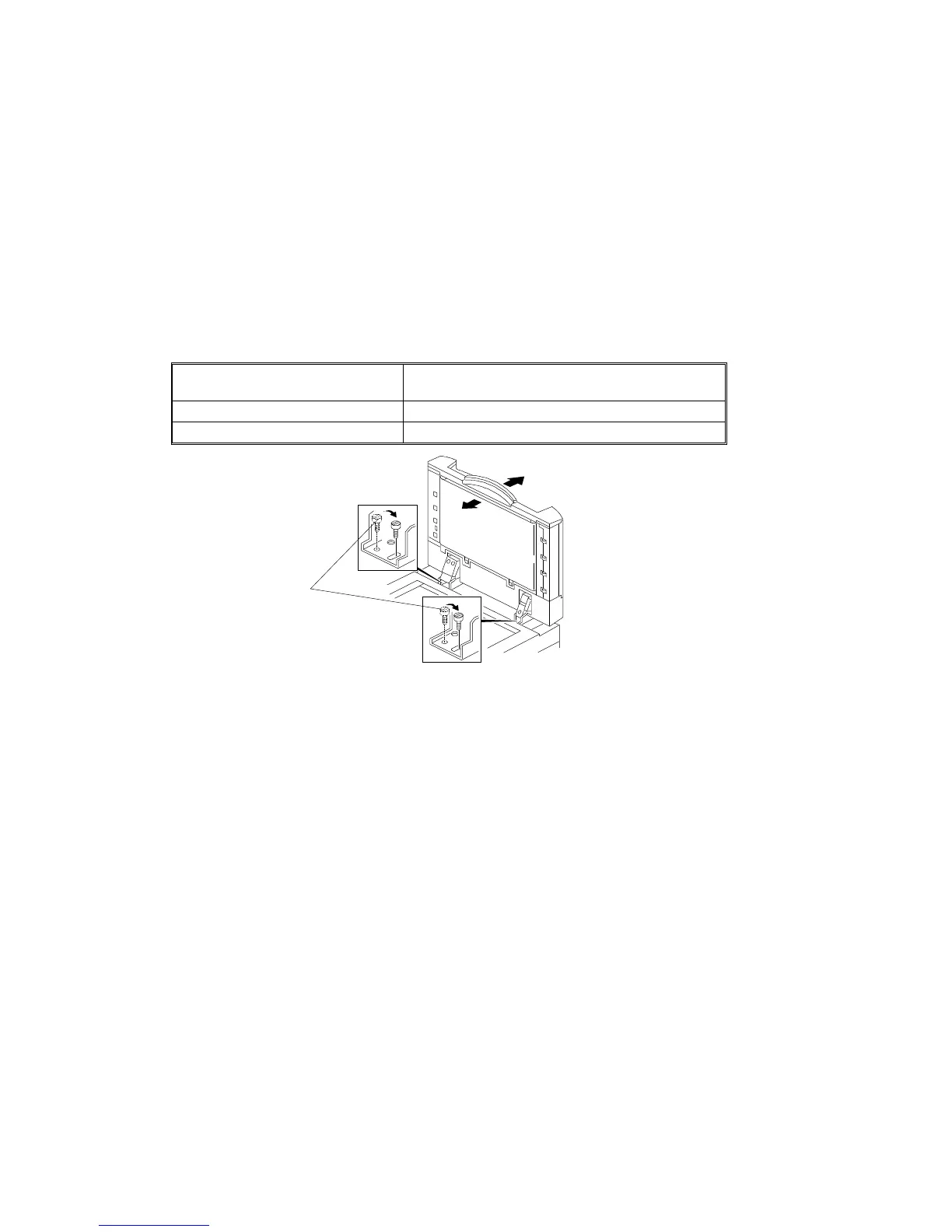
4. If it is out of specification, reposition the 2 screws [A] securing the DF
hinge to the long screw hole as shown.
5. Repeat steps 1 to 3.
6. Secure the DF unit at the position where the gap falls within specification.
7. Check the copy quality and adjust the ADF side-to-side registration with
the copier SP mode if it is not within the 0 ± 2 mm specification (see
Replacement and Adjustment - Side-to-Side Registration Adjusment in
the copier manual).
[A]
REPLACEMENT AND ADJUSTMENT
A166/A187/A189 7-24 SM



 To Next Page