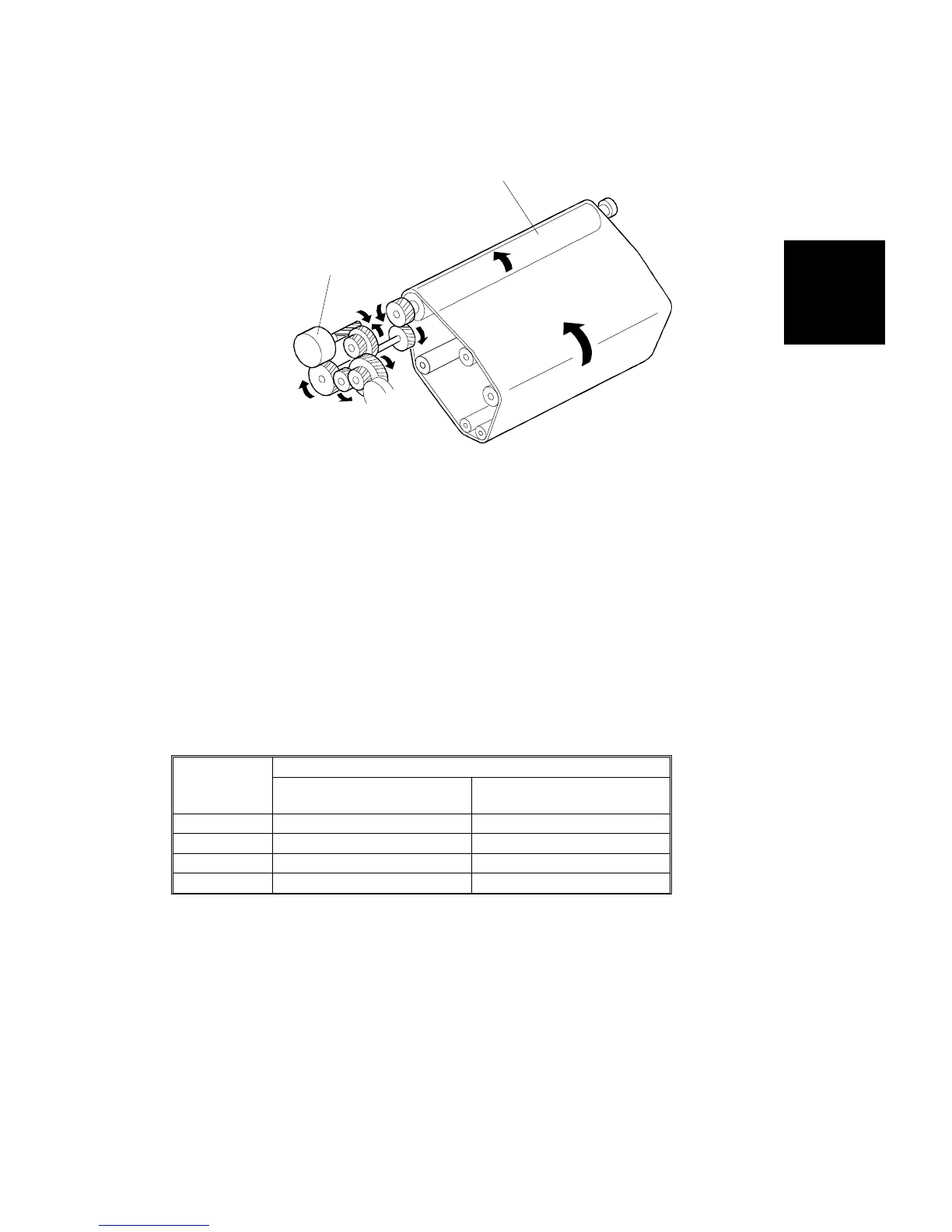
7.3 BELT TRANSFER
7.3.1 Transfer Belt Drive
The drum motor [A], which is a 24V dc brushless motor, drives the transfer
belt (through the drive roller [B]), as well as the drum. (The drum and belt
always turn at the same time.) The transfer belt always contacts the drum
and rotates in one direction. The transfer belt unit has a release lever at the
front to free the transfer belt from the drum. The transfer belt H.P. sensor
aligns each color image on the transfer belt by detecting the sensor patch on
the belt.
In OHP and thick paper mode, the drum motor changes to half speed while
the image is being transferred to the paper. This is because these types of
paper need more time in the fusing unit for the toner to be fused to the paper
properly. Also, the number of transfer belt rotations per copy depends on
color mode and copy paper size. (See the table below.) This will be
explained later in this section in more detail.
Color
Mode
Paper Size
Less than A4/Letter
Sideways
More than A4/Letter
Sideways
1C 1 1
2C (R, B) 2 3
2C (G) 3 4
4C 4 7
Unit: Number of rotations
NOTE: 1) The number of rotations in this table does not include the rotation
that is required to move the first color toner into position.
2) This table shows the rotation of the transfer belt in single-copy
mode.
[A]
[B]
Detailed
Section
Descriptions
TRANSFER BELT UNIT
SM 2-95 A166/A187/A189



 To Next Page