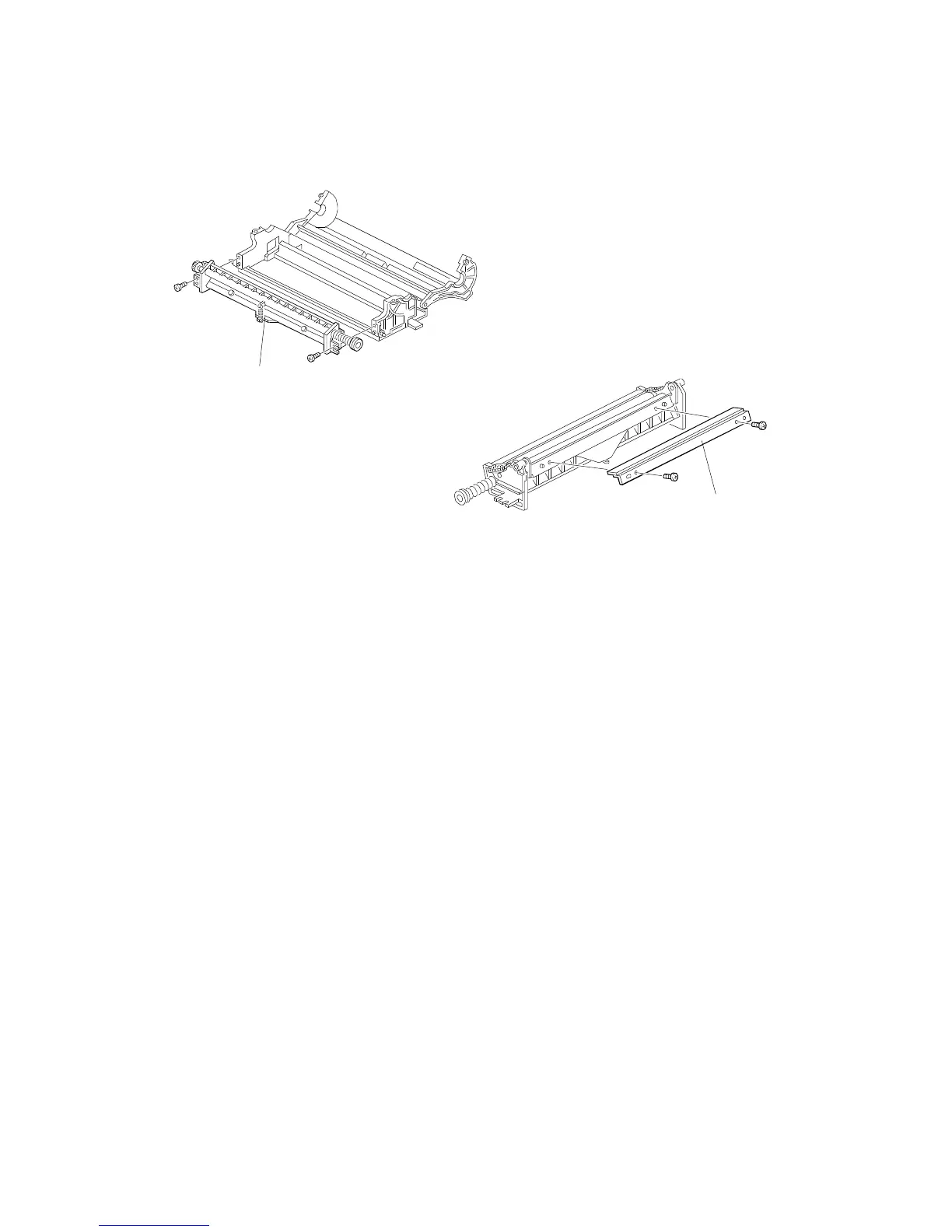
2.2 CLEANING BLADE REPLACEMENT
1. Remove the drum unit and place it in the work area (see procedure 2.1).
2. Remove the cleaning unit [A] (2 screws).
3. Remove the cleaning blade [B] (2 screws).
4. Install the new cleaning blade on the cleaning unit.
5. Install the cleaning unit on the drum unit.
5. Apply setting powder to the drum surface.
NOTE: Be sure to apply the setting powder over the entire drum. This
prevents the cleaning blade from catching on the drum surface.
6. Turn the drum forward two or three times to settle the setting powder
between the drum surface and cleaning blade.
7. Reinstall the drum unit by the reverse procedure of its removal.
[A]
[B]
DRUM UNIT
A166/A187/A189 5-10 SM



 To Next Page