10. DUPLEX UNIT
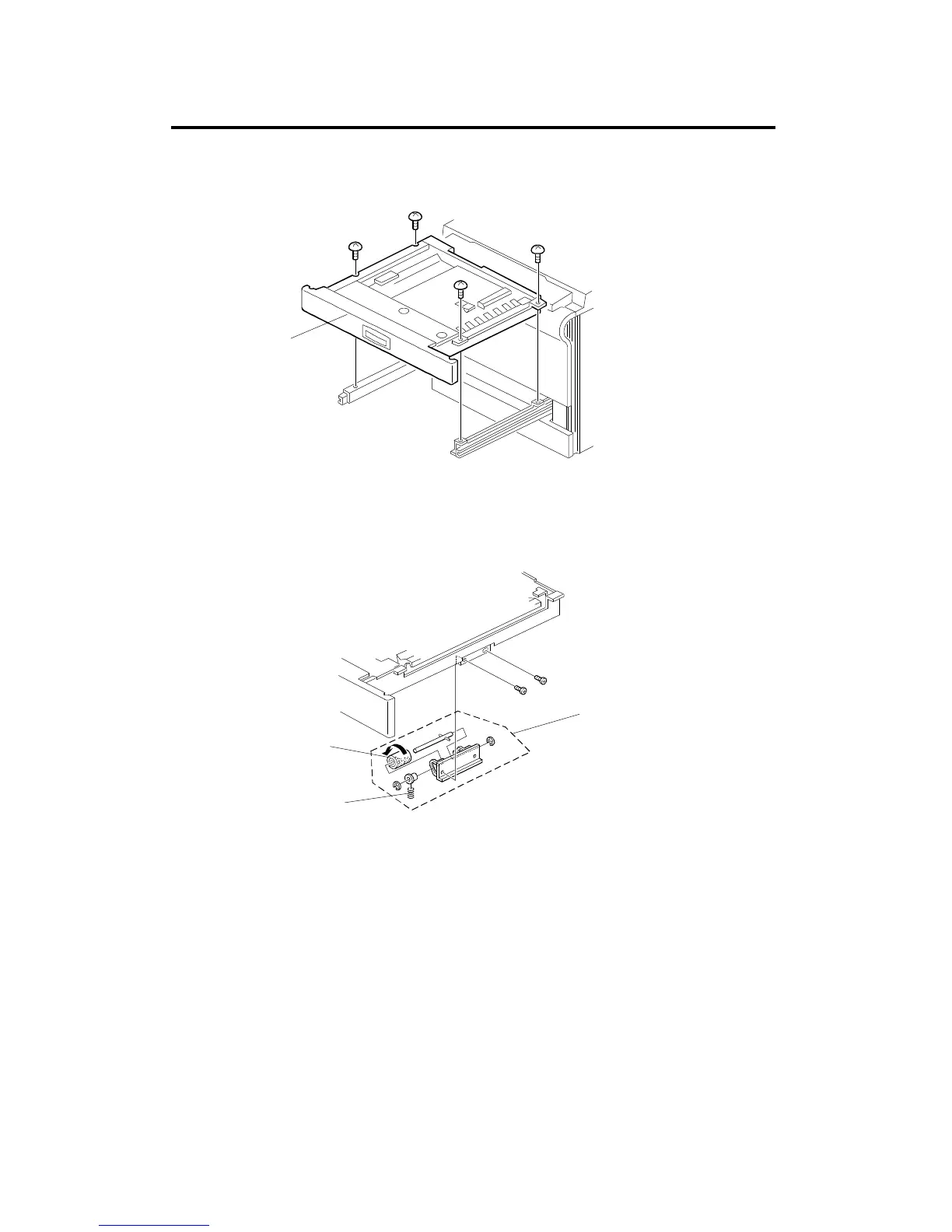
10.1 DUPLEX UNIT REMOVAL
1. Open the duplex unit [A].
2. Remove the duplex unit (4 screws).
10.2 SEPARATION ROLLER REPLACEMENT
1. Remove the duplex unit (see procedure 10.1).
2. Remove the separation roller assembly [A] (2 screws).
3. Remove the spring [B].
4. Replace the separation roller [C] (2 E-rings and 2 bearings).
NOTE: Be sure to install the separation roller (one-way clutch) so that
the clutch is visible.
[A]
[B]
[A]
[C]
DUPLEX UNIT
A166/A187/A189 5-88 SM



 To Next Page