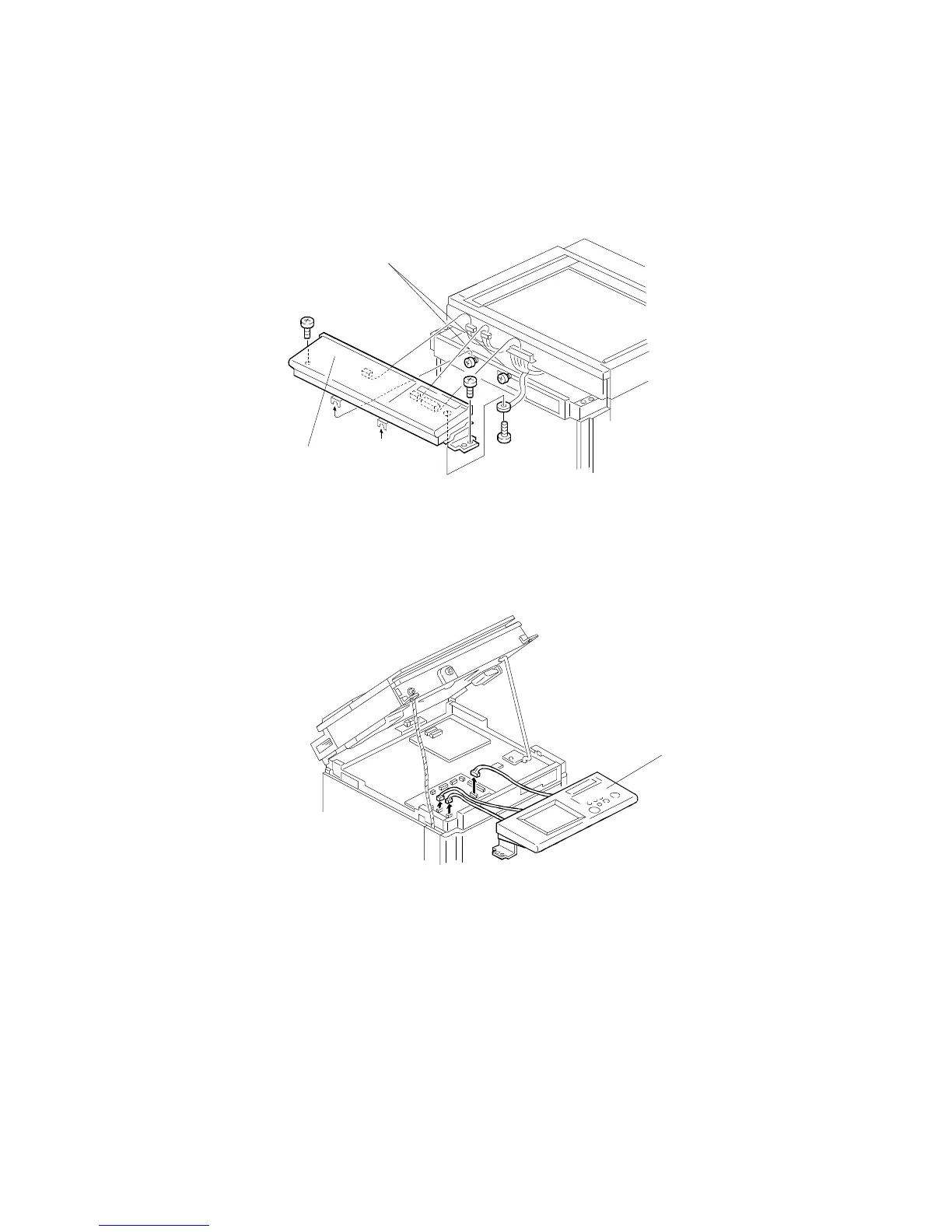
1.6 OPERATION PANEL
First, remove the Upper Covers (see procedure 1.5, steps 1-3).
1.6.1 A166/A187 Copiers
1. Loosen the screws [A].
2. Remove the Operation Panel [B] (2 screws, 3 connectors, and 1 screw
with grounding wire).
1.6.2 A189 Copier
1. Open the scanner unit (see procedure 1.11).
2. Remove the Operation Panel [C] (3 connectors).
NOTE: After the operation panel is replaced in the A189 copier, the touch
panel calibration procedure must be performed (see procedure
12.4).
[A]
[B]
[C]
EXTERIOR
A166/A187/A189 5-4 SM



 To Next Page