12.4 TOUCH PANEL CALIBRATION
A189 Copier Only
After replacing the operation panel, the touch panel must be calibrated as
follows:
1. Enter SP5-901 "Touch Panel Calibration" and select "0" (reset). This step
cancels the isting touch panel calibration and allows the panel to be
re-calibrated.
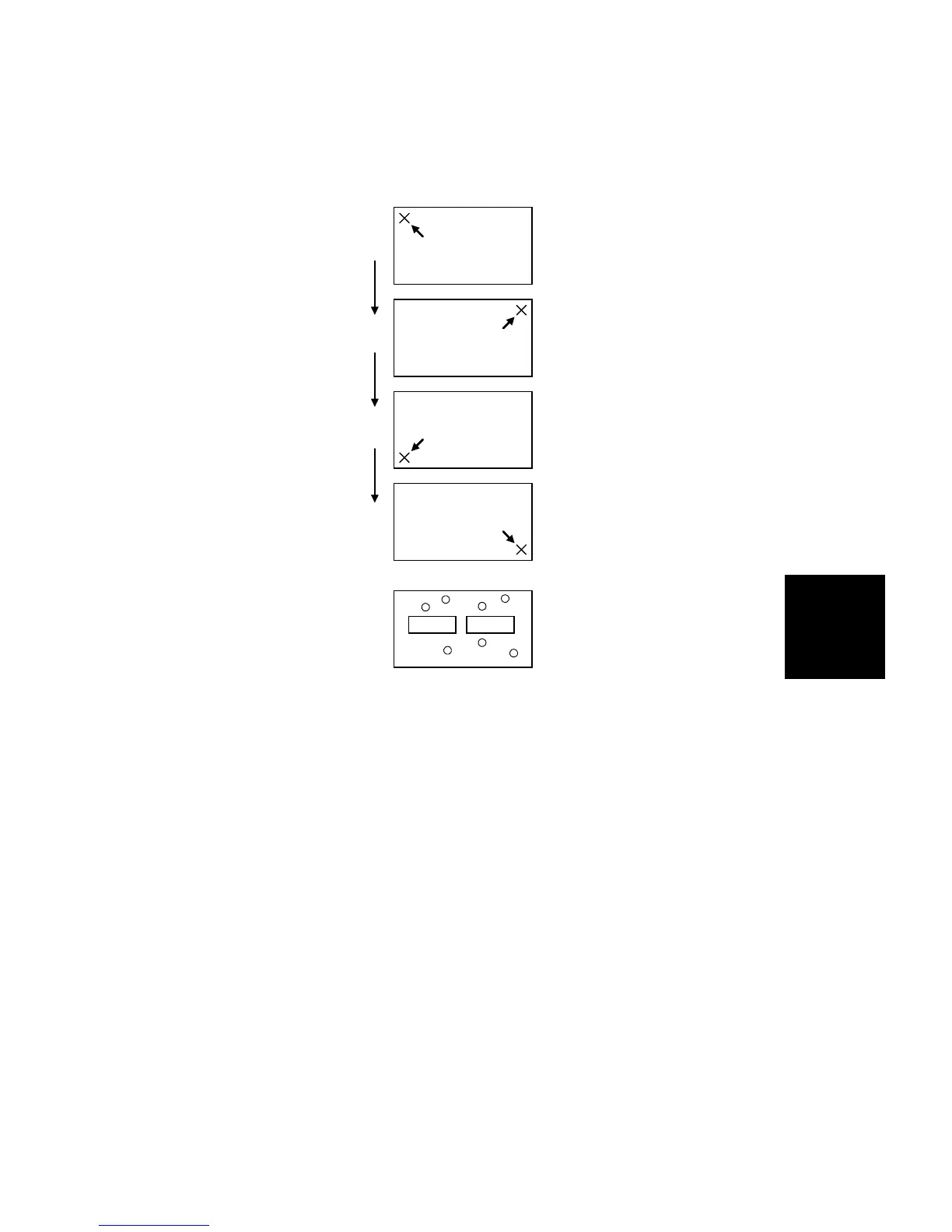
2. The operation panel displays four screens in sequence, as shown.
Gently touch the center of the "X" on each screen with the tip of a pen.
NOTE: Do not use too sharp a tip in this step. The touch panel may be
damaged.
3. The operation panel displays the final screen shown. Point at any place
on this screen and make sure that a "O" mark appears at that point. If the
mark appears properly, press [Go].
4. it the SP mode.
Cancel Go
1.
2.
3.
4.
Replacement
and
Adjustment
OTHERS
SM 5-101 A166/A187/A189


 To Next Page