7. REPLACEMENT AND ADJUSTMENT
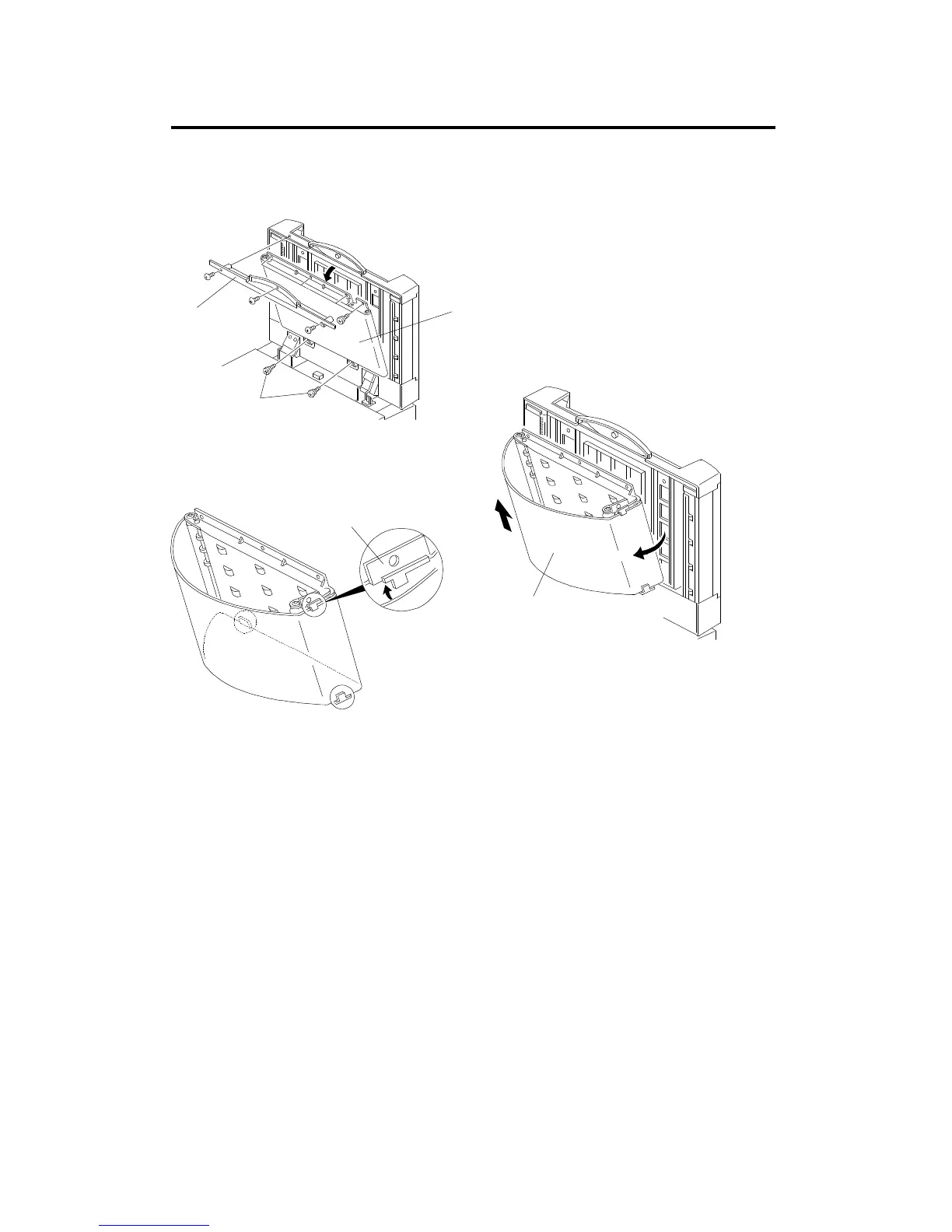
7.1 TRANSPORT BELT REPLACEMENT
1. Turn off the main switch and lift up the DF.
2. Remove the grip [A] (3 screws).
3. Remove the 6 screws securing the transport belt assembly [B].
NOTE: Remove the two lower screws [C] first.
4. Bend the transport belt assembly and pull out the transport belt [D] as
shown.
NOTE: a) When installing the transport belt, make sure that the belt runs
under the belt guide spacers [E].
b) When securing the transport belt assembly with the 6 screws,
make sure to secure the four upper screws first.
[A]
[B]
[C]
[D]
[E]
REPLACEMENT AND ADJUSTMENT
A166/A187/A189 7-18 SM



 To Next Page