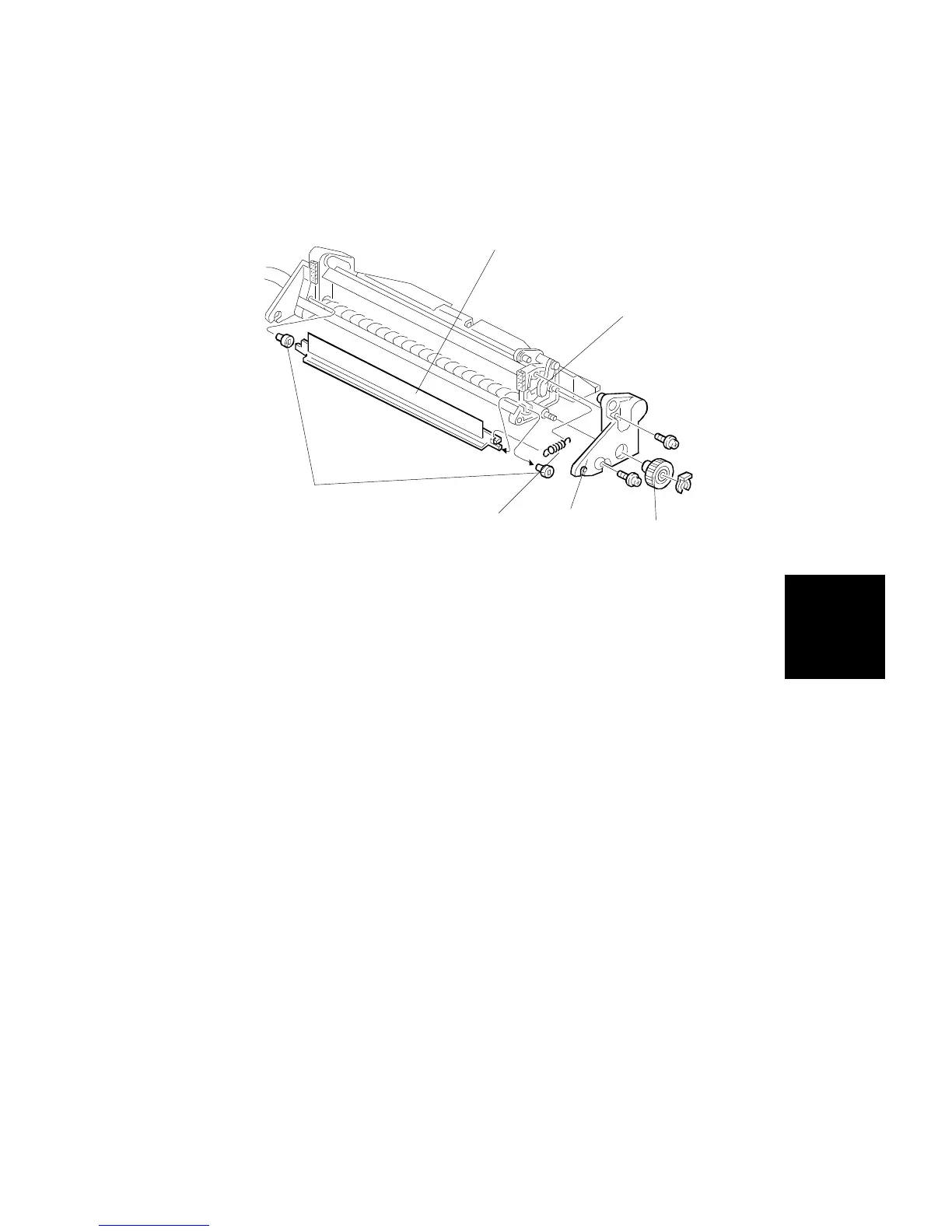
7.2.3 Entrance Seal Replacement
1. Remove the rear gear from the cleaning unit [A] (1 snap-ring).
2. Remove the rear plastic side plate [B] (2 screws).
3. Remove the cleaning entrance seal unit [C] and spring [E].
4. Remove the cleaning entrance seal bearings [D] at the both ends of the
unit (2 bearings).
NOTE: When installing a new cleaning entrance seal, make sure that it has
not been deformed.
Should the seal levers [E] fall-out during disassembly be sure to
reinstall in the proper position. Refer to parts catalog section 20
Transfer Belt Cleaning for proper position.
[D]
[C]
[B]
[A]
[E]
[E]
Replacement
and
Adjustment
TRANSFER BELT UNIT
SM 5-55 A166/A187/A189



 To Next Page