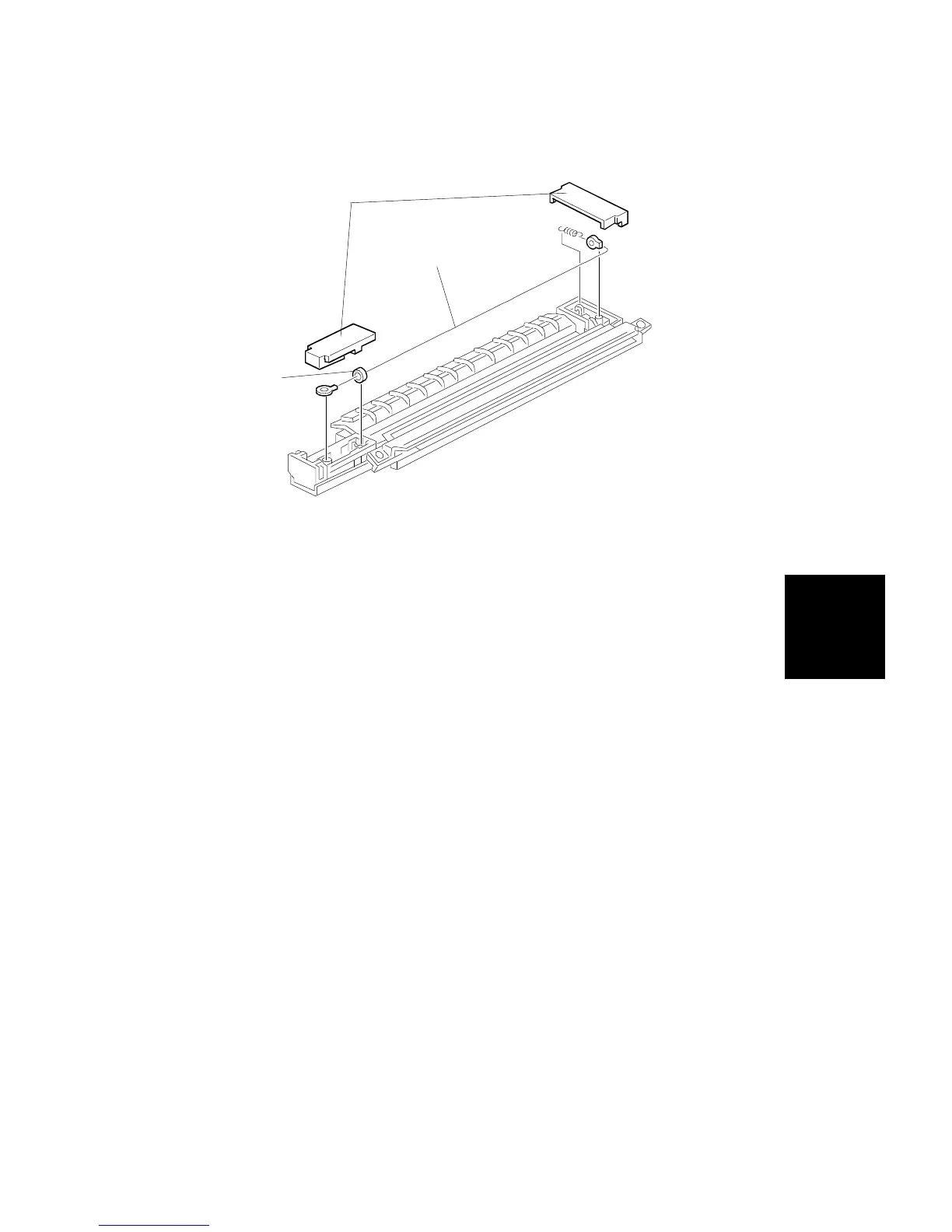
7.5 PAPER TRANSFER CORONA WIRE
1. Remove the paper transfer corona unit (see section 3. COPIER
INSTALLATION PROCEDURE).
2. Remove the end blocks [A].
3. Remove the corona wire [B].
NOTE: 1) During replacement, ensure the corona wire is threaded correctly
in the rear slot.
2) When replacing the corona wire, be sure to put the
vibration-isolating ring [C] between the slot and the end block, as
shown.
[A]
[B]
[C]
Replacement
and
Adjustment
TRANSFER BELT UNIT
SM 5-59 A166/A187/A189



 To Next Page