5. REPLACEMENT AND ADJUSTMENT
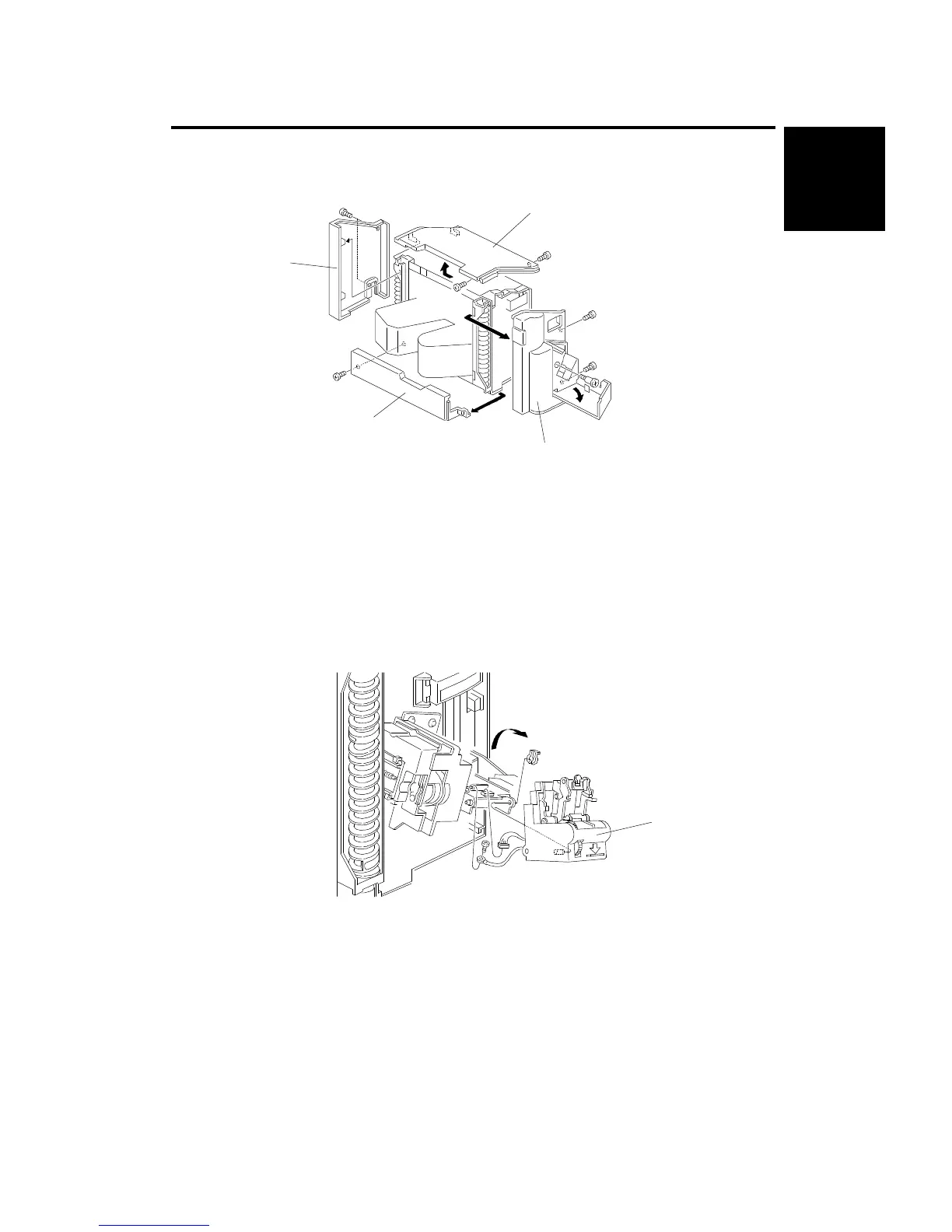
5.1 EXTERIOR COVER REMOVAL
1. Rear Cover [A] (2 screws)
2. Front Cover [B] (3 screws)
3. Lower Cover [C] (1 screw)
4. Top Cover [D] (2 screws)
5.2 STAPLE UNIT REMOVAL
1. Remove the front cover (see Exterior Cover Removal).
2. Swing out the staple unit [A].
3. Remove the staple unit (1 connector, 1 ground wire, 1 clip).
[D]
[A]
[C]
[B]
[A]
10-Bin
Sorter Stapler
ST10 (A555)
REPLACEMENT AND ADJUSTMENT
SM 9-21 A166/A187/A189



 To Next Page