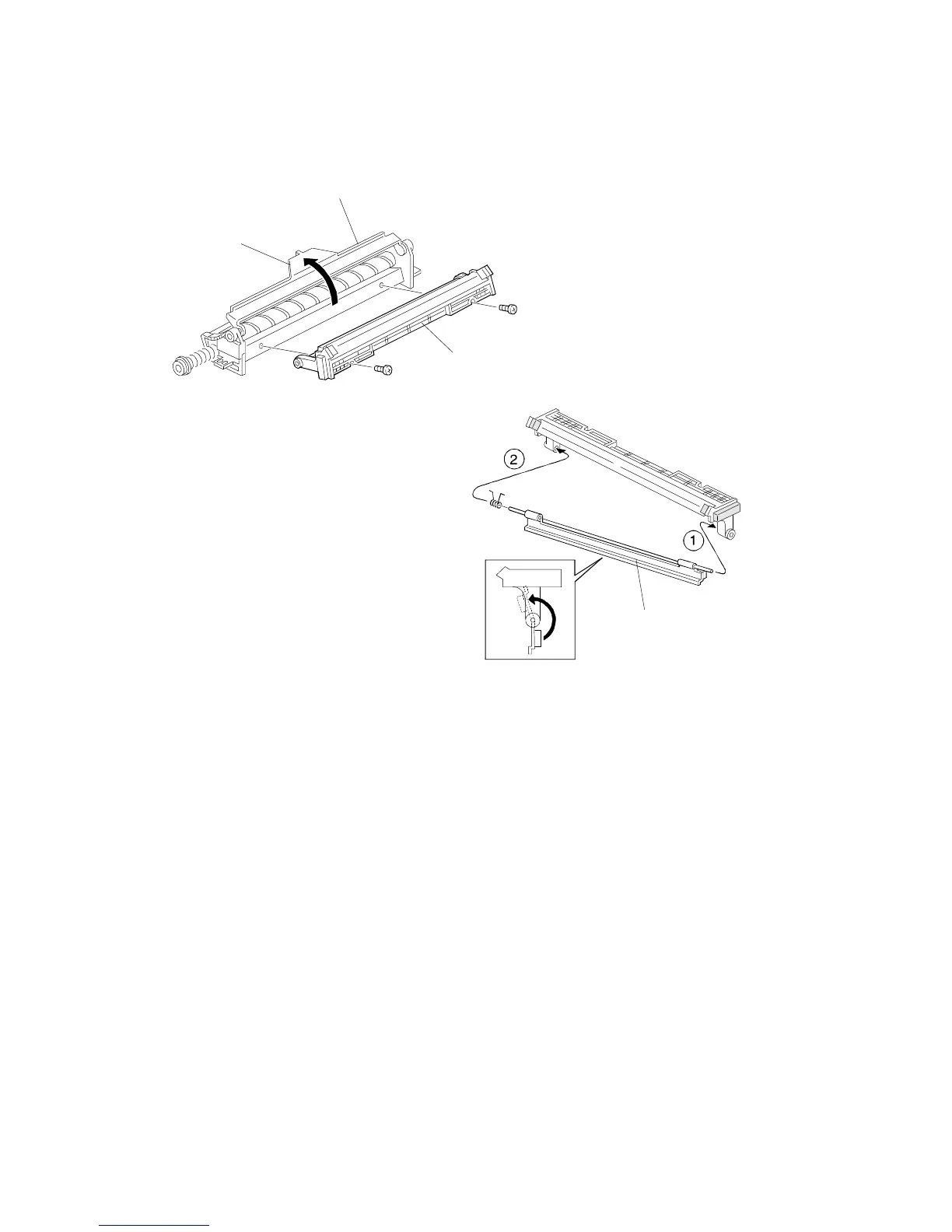
2.4 LUBRICANT BAR REPLACEMENT
1. Remove the drum and cleaning units (see procedures 2.1 and 2.2).
2. Remove the cleaning blade from the cleaning unit [A] (see procedure 2.2).
3. Turn the pressure release lever up [B] and remove the cleaning unit top
cover [C] (2 screws).
4. Replace the lubricant bar [D]. To install a new lubricant bar, first insert the
bar end at
➀
and then the other end at
➁
, as shown.
NOTE: After installing the lubricant bar, turn it upward as shown. Ensure
the cleaning brush can rotate smoothly. Do not turn the lubricant
bar in the opposite direction; this force may break the the
cleaning brush.
[A]
[B]
[C]
[D]
DRUM UNIT
A166/A187/A189 5-12 SM



 To Next Page