UP-7 ADF/Sorter Settings
No.:
Function
name
Description
Choices (range) and
specification method
1: Sorter:
Full
Color
Sorting
You can set the copier to disable the Sort/Stack
and Staple functions when you make copies in the
Full Color Copy or Auto Color Select mode.
2: ADF:
Thin
Paper
Mode
Adjusts the optional document feeder so that thin
originals (40 - 52 g/m
2
, 10.7 - 13.8 lb) will not be
damaged when they are set in the optional
document feeder.
3: SADF
Auto
Reset
Time
When you set one original at a time in the optional
document feeder, the next original is not fed
automatically if you set it in the optional document
feeder after a specified period of time. The SADF
auto reset function changes this period of time.
•
Enter a value in the
range of 5 to 60
seconds (1 second
steps).
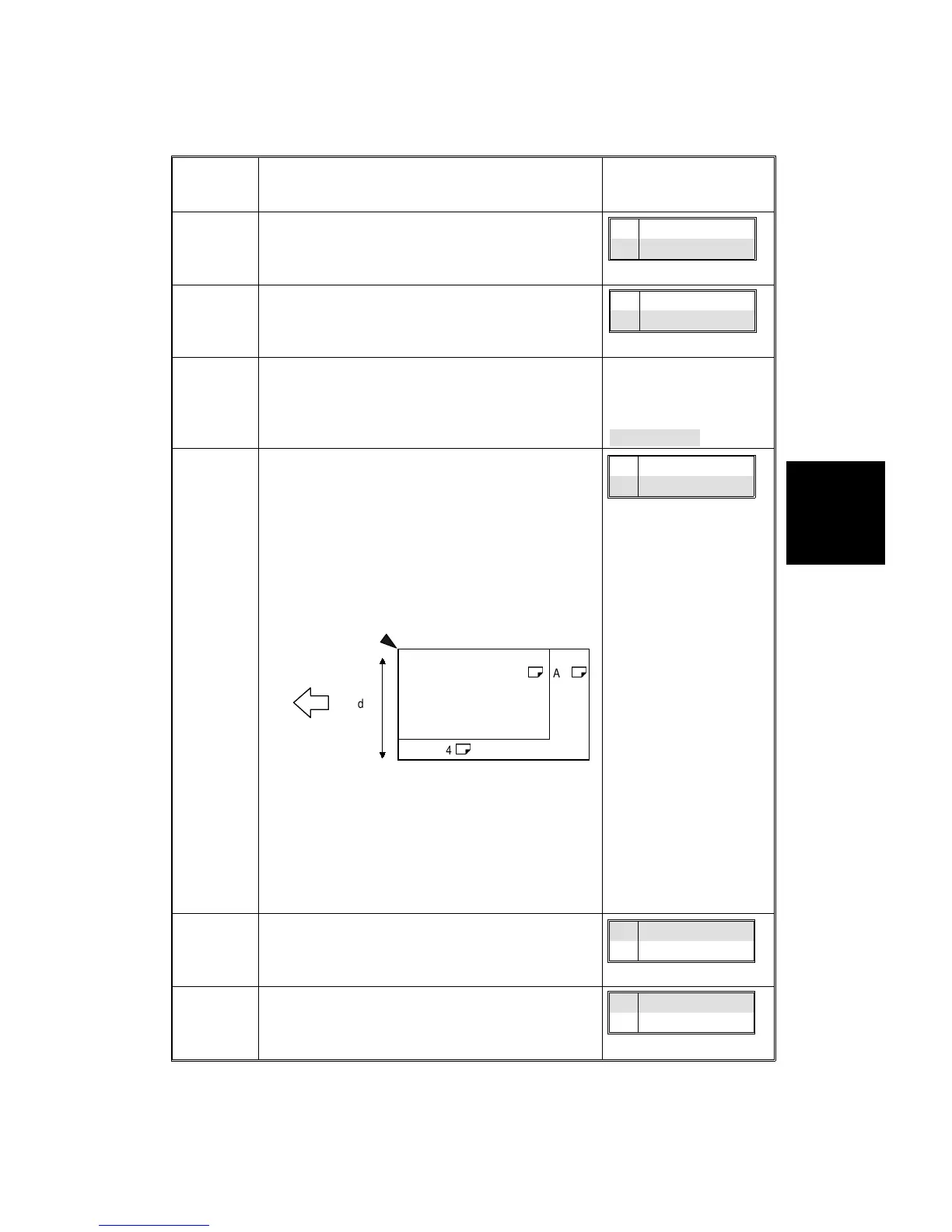
4: ADF:
Free
Size
Setting
The optional document feeder can be programmed
to take a mixture of documents of varying sizes and
orientations.
•
Important
When using originals of different widths, put the
wider original under the narrower one. If you put
them in the wrong order, their sizes are not
detected properly.
•
It takes more time to copy originals of different
sizes and directions because the original size
must be detected for each sheet.
•
Small originals might be copied at a skew
because the guide cannot be adjusted to their
sizes.
5: ADF:
APS
Mode
with ADF
Specifies whether the machine enters the Auto
Paper Select mode automatically when originals
are placed in the optional document feeder.
6: ARDF
Auto
Sort
Mode
Specifies whether to sort copies automatically when
the number of originals and copies is two or more.
B4
$
A3
$
A4
$
Width
Setting paper in
the optional
document feeder
1On
2Off
1On
2Off
20 seconds
1On
2Off
1On
2Off
1On
2Off
Service
Tables
USER PROGRAM MODES
SM 4-29 A166/A187/A189


 To Next Page
 Loading...









