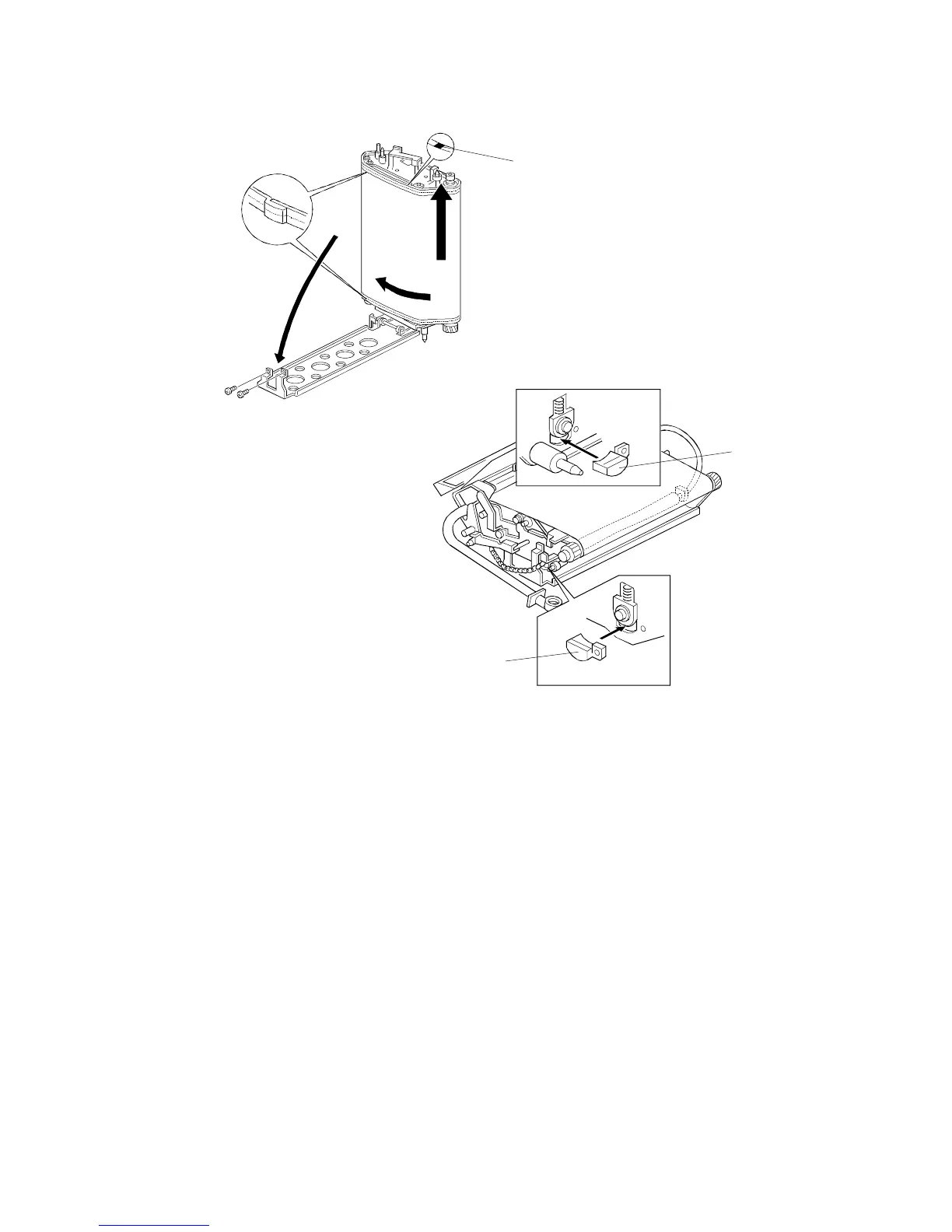
6. Replace the transfer belt and reset the transfer belt bracket.
NOTE: 1) When installing a new transfer belt, make sure that white mark
[A] on the edge of the belt is at the upper side.
2) When installing a new transfer belt, make sure that both belt
lips are placed over each roller edge.
7. Place the transfer belt release wedges [B] between the belt tension roller
and the transfer belt unit, as shown.
NOTE: These wedges should have been retained at copier installation.
8. Then reinstall the belt tension screws and remove the transfer belt
release wedges.
9. After the reinstallation, enter the SP mode and execute SP2-311,
Forced Belt Cleaning.
[B]
[B]
[A]
TRANSFER BELT UNIT
A166/A187/A189 5-52 SM



 To Next Page