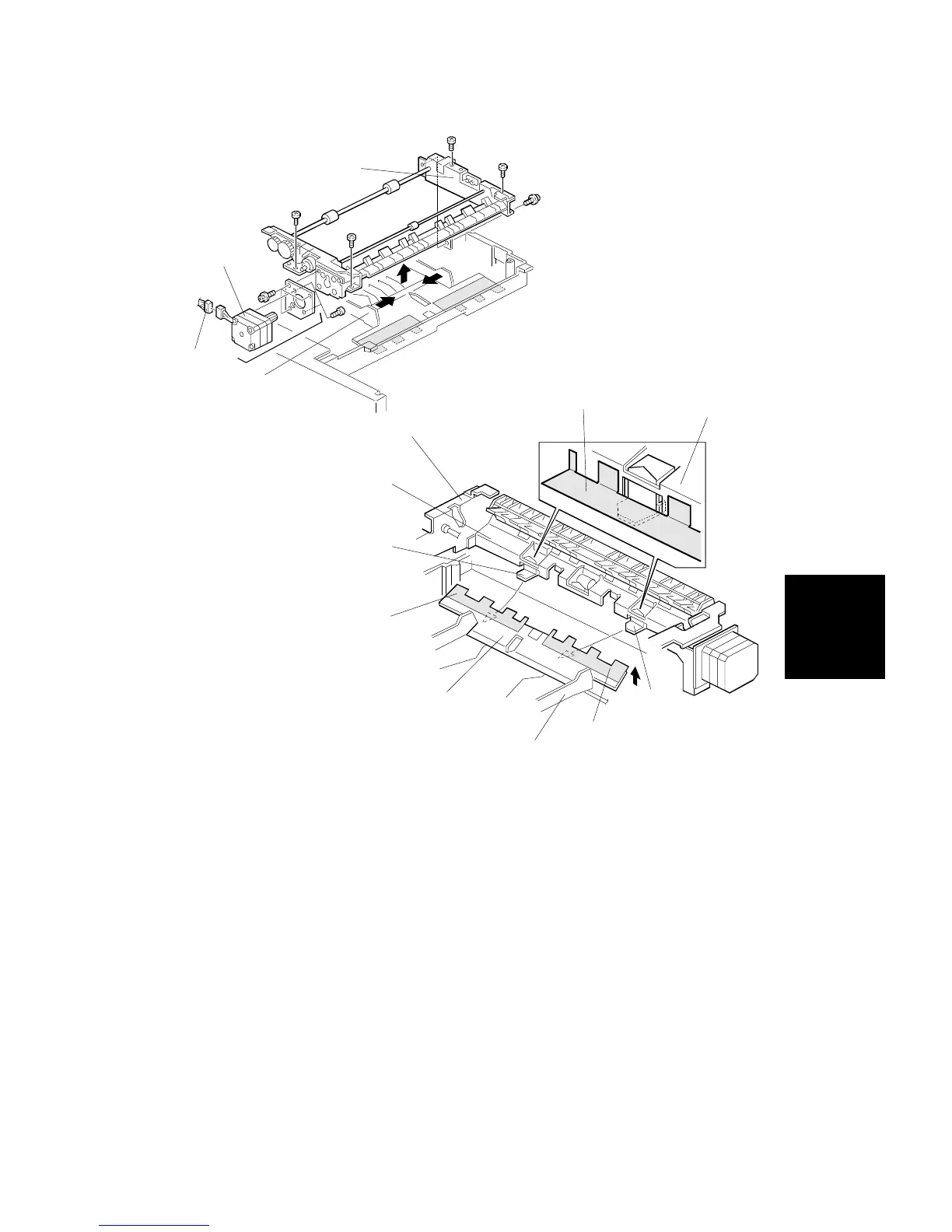
6. Disconnect the connector [A] of the dupl feed motor [B].
7. Close the side fences [C] and remove the dupl feed assembly [D] (5
screws).
8. Remove the duplex feed motor assembly (3 screws).
9. Replace the duplex feed motor (2 screws).
NOTE: 1. When installing the dupl feed assembly [D] on the base unit,
place the bottom plate [F], with the mylar strip [E], above the
bracket tabs [G].
2. Ensure the base unit’s mylar strip [H] is placed on the guide
plate [I], as shown.
[D]
[B]
[A]
[C]
[H]
[I]
[G]
[E]
[F]
[E]
[H]
[C]
[D]
[G]
Replacement
and
Adjustment
DUPLEX UNIT
SM 5-91 A166/A187/A189



 To Next Page