OfficeServ 7100 PROGRAMMING
TECHNICAL MANUAL PART 2 MAY 2009
MMC: 224
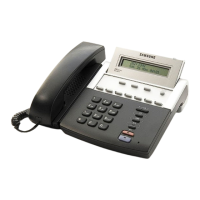
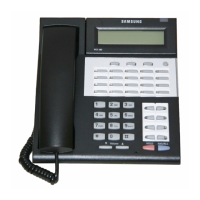
PROGRAM KEYS
UP & DOWN Used to scroll through options
KEYPAD Used to enter selections
SOFT KEYS Move cursor left and right
SPEAKER Used to store data and advance to next MMC
HOLD Used to clear previous entry
ACTION DISPLAY
1. Press TRANSFER 224
Display shows
AUDIO PROMPT
STN GROUP :NONE
2. Press RIGHT soft key to move cursor.
AUDIO PROMPT
STN GROUP :NONE
3. Enter AA group number via keypad
OR
AUDIO PROMPT
PROMPT NO :NONE
Press UP or DOWN to make selection.
4. Press RIGHT soft key to enter selection and
return to step 1.
AUDIO PROMPT
GROUP BUSY :NONE
5. Press 0, 1 or 2 on keypad to select option
(e.g. 1).
AUDIO PROMPT
RBT SOURCE :NONE
6. Enter message number via keypad (e.g. 301)
OR
AUDIO PROMPT
RBT SOURCE :301
Press UP or DOWN to select message
number and press RIGHT soft key to enter
selection and return to step 5.
7. Press 0, 1, or 2 on keypad to
select option
AUDIO PROMPT
RBT SOURCE :301
OR
Press TRANSFER to store and exit
OR
Press SPEAKER to store and advance to next
MMC.







 To Next Page