OfficeServ 7100 PROGRAMMING
TECHNICAL MANUAL PART 5 APRIL 2007
5.3.17
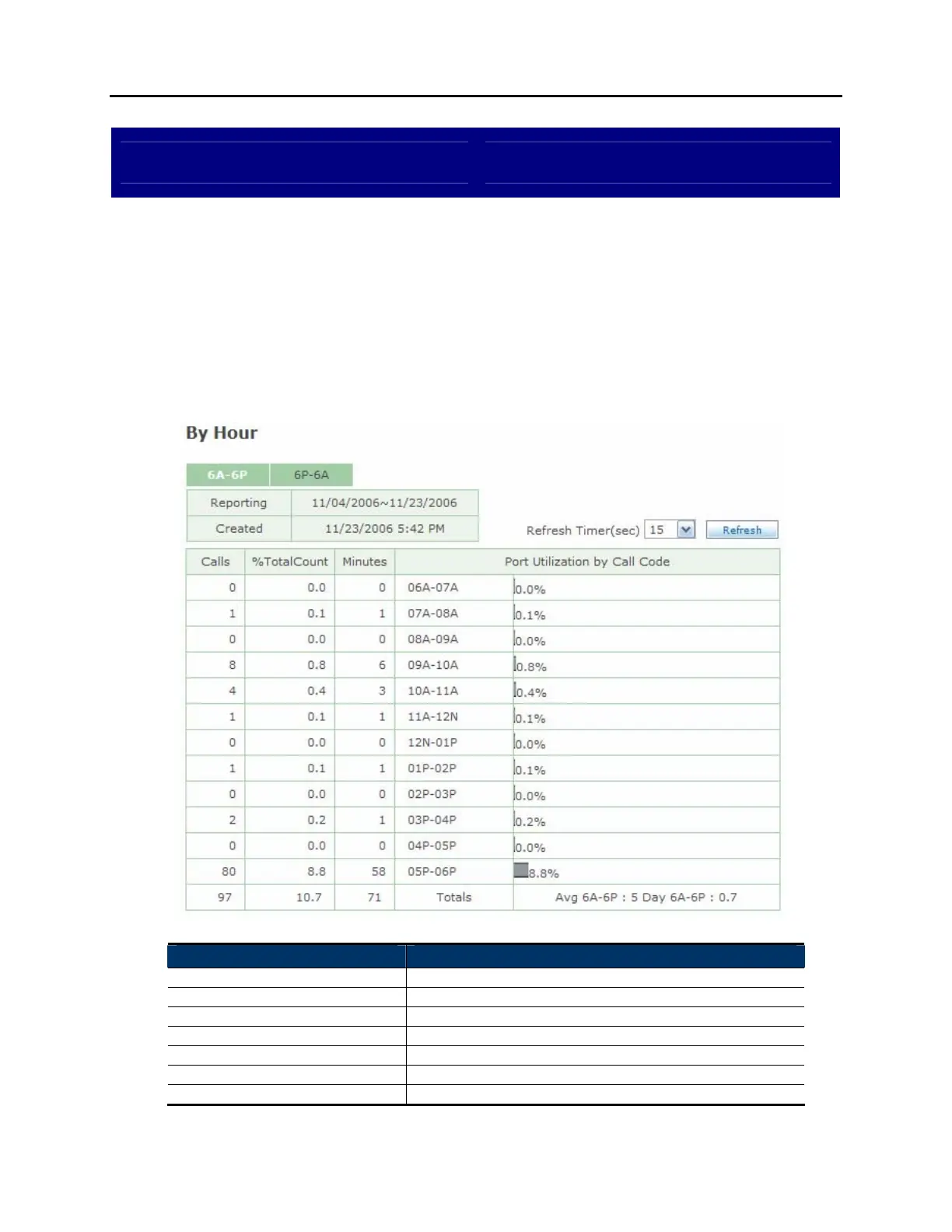
View System Report By Hour
DESCRIPTION:
The OfficeServ 7100 provides several reports to track automated attendant and
voicemail call statistics. The Statistics By Hour screen breaks down calls by the
hour they were made.
6A-6P SCREEN:
Field Name Description
Reporting Reporting period.
Created Date this report was created.
Refresh Timer Set the update interval for the page.
Calls Total number of calls for this hour.
%TotalCount Percentage of total calls made in this hour.
Minutes Total time of all calls in this hour.
Port Utilization By Call Code The hour being detailed.















 To Next Page