OfficeServ 7100 PROGRAMMING
TECHNICAL MANUAL PART 7 APRIL 2007
7.3.17
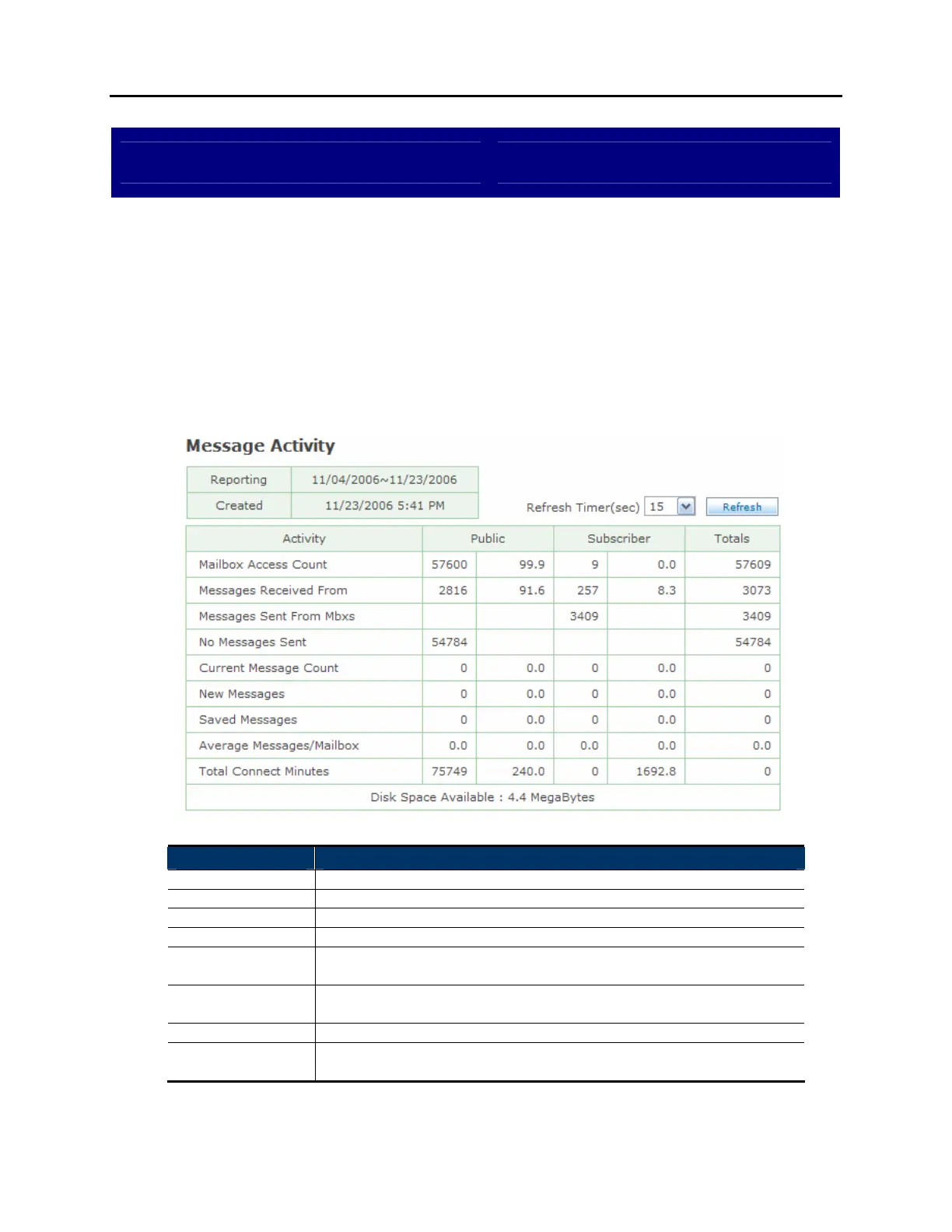
View System Report Messaging Activity
DESCRIPTION:
The OfficeServ 7100 provides several reports to track automated attendant and
voicemail call statistics. The Messaging Activity screen breaks down voicemail
message counts and times.
MESSAGE ACTIVITY SCREEN:
Field Name Description
Reporting Reporting period.
Created Date this report was created.
Refresh Timer Set the update interval for the page.
Activity The type of message activity being detailed.
Public Number of callers (1
st
column) and percentage of total callers (2
nd
column) that were public callers.
Subscriber Number of callers (1
st
column) and percentage of total callers (2
nd
column) that were subscribers.
Totals Total callers that accessed the particular activity.
Disk Space
Available
Total raw disk space available for recording messages.















 To Next Page