OfficeServ 7100 PROGRAMMING
TECHNICAL MANUAL PART 7 APRIL 2007
7.2.2
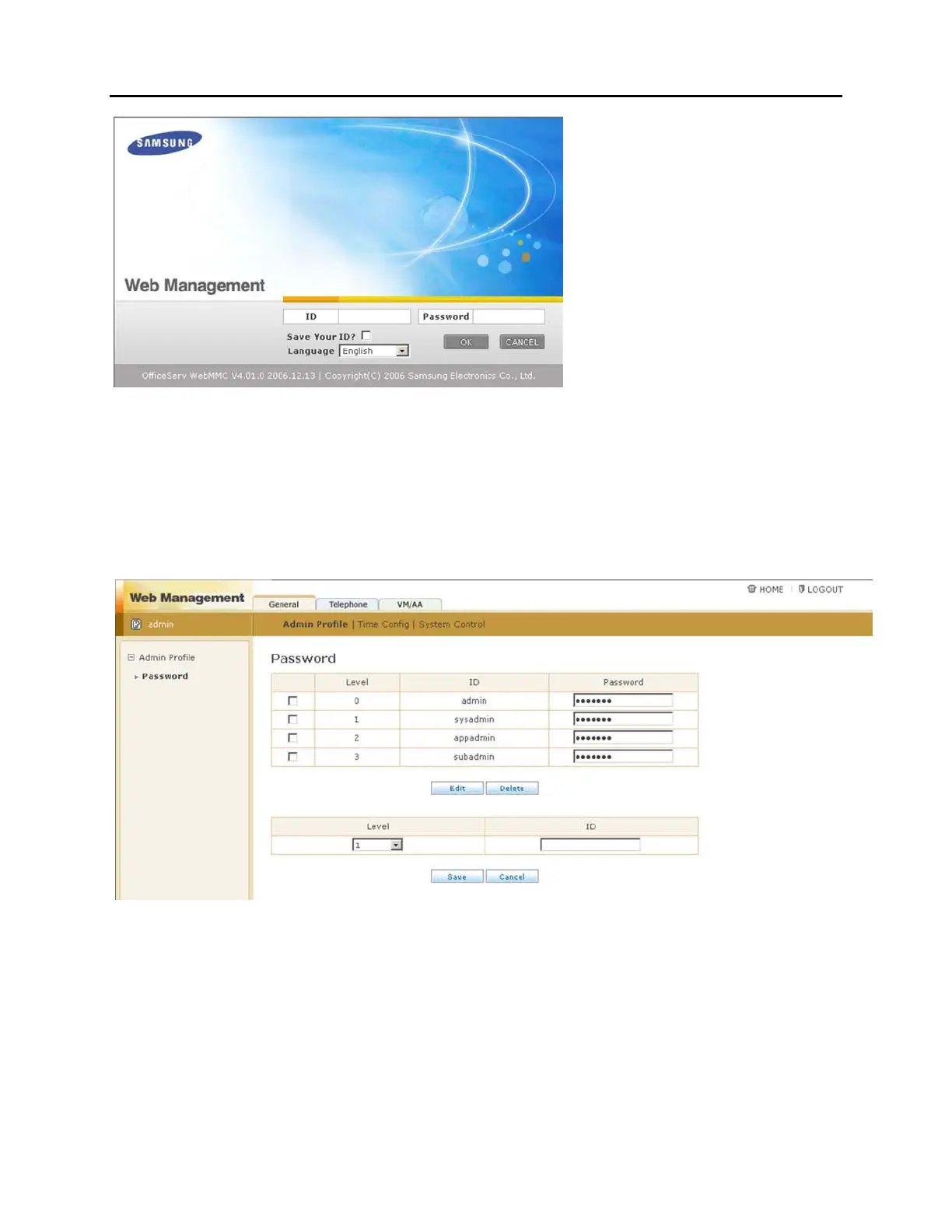
After logging in with the Site Administrator account it is possible to change this
password. Alternate user accounts can also be created. To create a new user account
choose an administration level (1 through 3, explained in Part 3.2 of this manual) and
set a username (ID). The default password for new accounts is "samsung". To change
a password for any account check the box to the left of that username, modify the
Password field, and then click Edit.
The web interface is broken down into several pieces as shown below:















 To Next Page