OfficeServ 7100 PROGRAMMING
TECHNICAL MANUAL PART 7 APRIL 2007
7.3.54
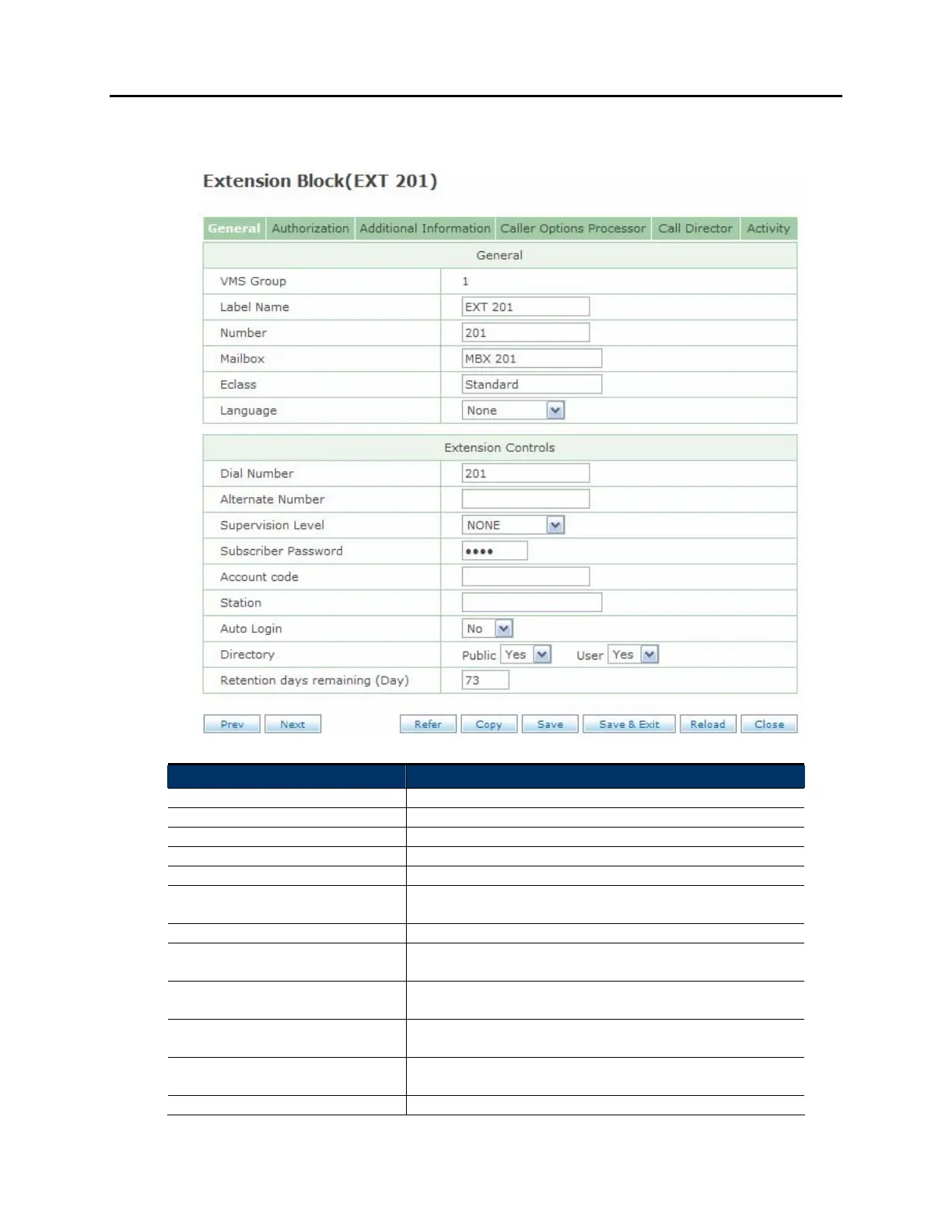
GENERAL SCREEN:
Field Name Description
VMS Group The tenant group this subscriber is a part of
Label Name The name of this subscriber
Number The extension number for this subscriber
Mailbox The mailbox number for this subscriber, if any
Eclass The EClass block that controls this Extension block
Language The language to use when this subscriber logs in. A
setting of None will use the system's default language
Dial Number The number to dial to reach this subscriber's extension
Alternate Number An alternate number to use for this subscriber, such as
a cell phone or home phone
Supervision Level Set the transfer type (blind, partially supervised, or fully
supervised)
Subscriber Password This field is used to default the subscriber password.
To do this, enter the word 'Default'
Account code The account code to use when the subscriber dials a
long distance number through their voicemail box
Station This optional field is used to explicitly define a station















 To Next Page