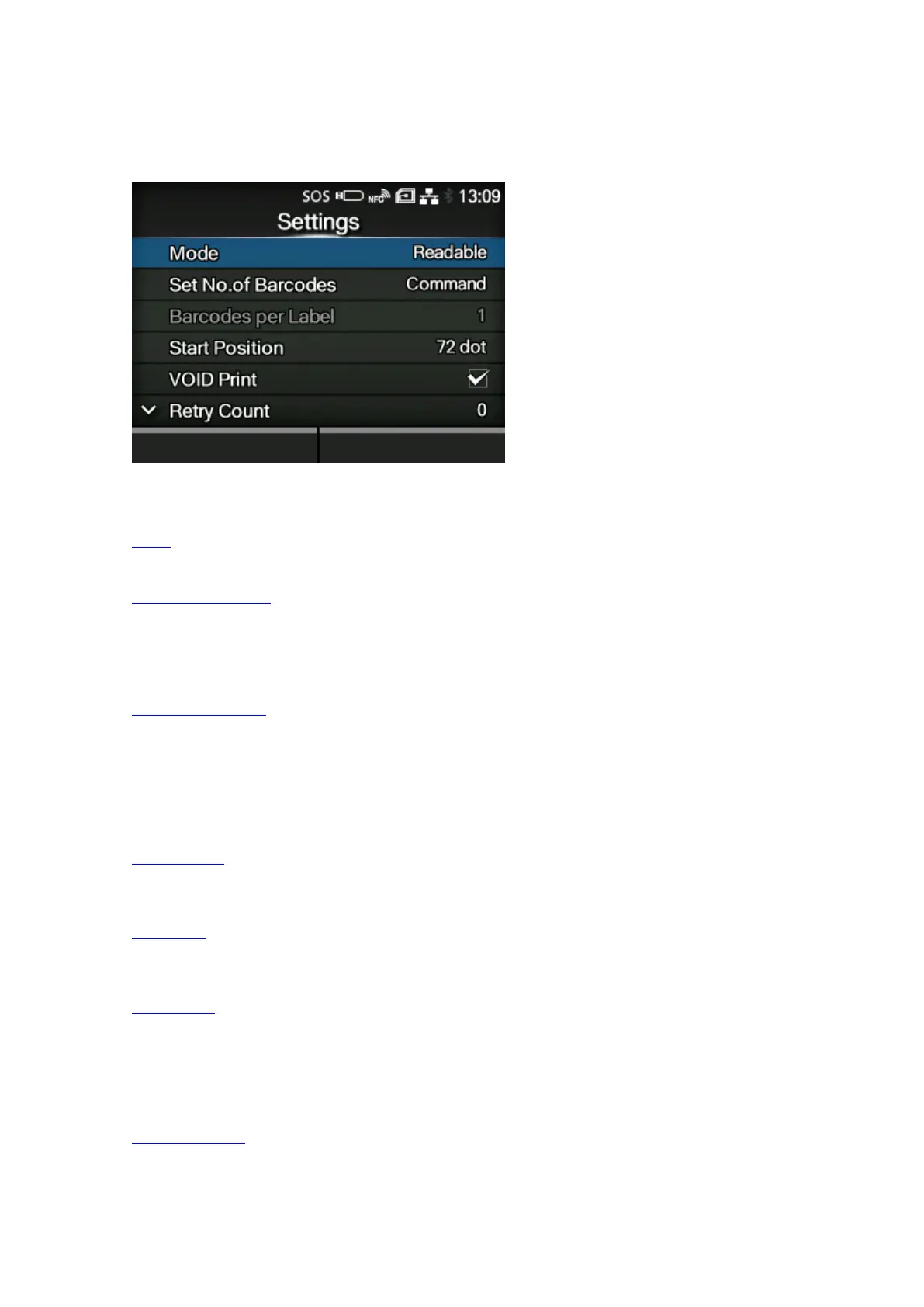
[Barcode Checker]
494
[Settings]
Set the barcode check function.
The setting items are as follows:
Mode
Select the check mode or disable the barcode check function.
Set No. of Barcodes
Select the method to specify the number of barcodes per label.
◦ Appears only if you have selected [Readable] in the [Mode] menu.
Barcodes per Label
Specify the number of barcodes per label when you include barcodes which are not created by
barcode commands.
◦ Appears only if you have selected [Readable] in the [Mode] menu. Available only if you have
selected [Settings] in the [Set No. of Barcodes] menu.
Start Position
Adjust the position at which the barcode check starts (position of the barcode checker at which
reading starts).
VOID Print
Set whether to print error marks on the media when a barcode reading error or barcode
comparison error occurs.
Retry Count
Set how many times the product will try to print and check the same barcode after VOID printing
when a barcode reading error or barcode comparison error occurs.
◦ Appears only if you have selected [Enabled] in the [VOID Print] menu.
Host Notification
Set whether to return the barcode check results to the host from which the print data is sent.



 To Next Page