11.2
SEL-351A Relay Instruction Manual Date Code 20080213
Front-Panel Interface (Only on Models With LCD)
Front-Panel Pushbutton Operation
Front-Panel Pushbutton Operation
Overview
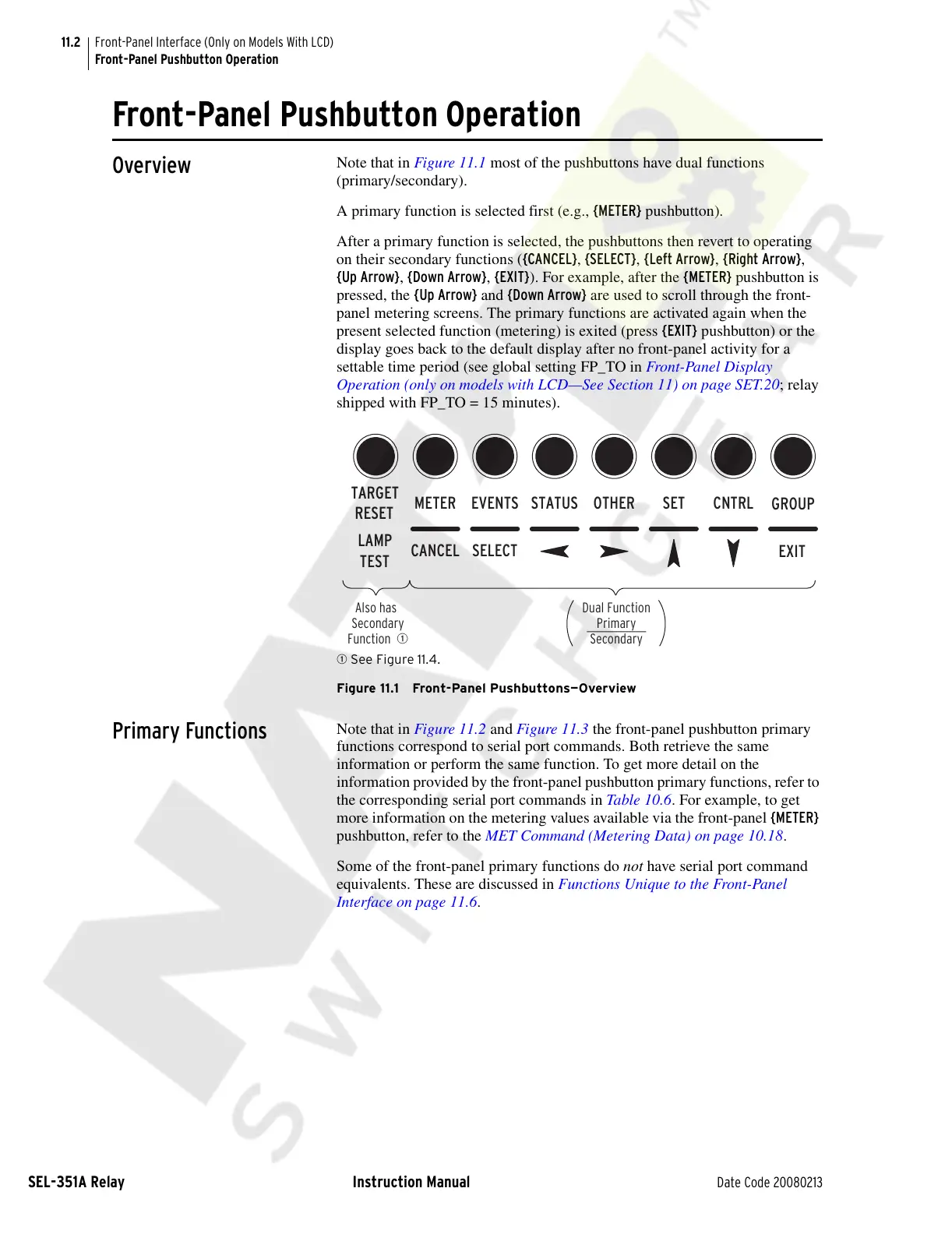
Note that in Figure 11.1 most of the pushbuttons have dual functions
(primary/secondary).
A primary function is selected first (e.g., {METER} pushbutton).
After a primary function is selected, the pushbuttons then revert to operating
on their secondary functions ({CANCEL}, {SELECT}, {Left Arrow}, {Right Arrow},
{Up Arrow}, {Down Arrow}, {EXIT}). For example, after the {METER} pushbutton is
pressed, the {Up Arrow} and {Down Arrow} are used to scroll through the front-
panel metering screens. The primary functions are activated again when the
present selected function (metering) is exited (press {EXIT} pushbutton) or the
display goes back to the default display after no front-panel activity for a
settable time period (see global setting FP_TO in Front-Panel Display
Operation (only on models with LCD—See Section 11) on page SET.20; relay
shipped with FP_TO = 15 minutes).
q See Figure 11.4.
Figure 11.1 Front-Panel Pushbuttons—Overview
Primary Functions
Note that in Figure 11.2 and Figure 11.3 the front-panel pushbutton primary
functions correspond to serial port commands. Both retrieve the same
information or perform the same function. To get more detail on the
information provided by the front-panel pushbutton primary functions, refer to
the corresponding serial port commands in Table 10.6. For example, to get
more information on the metering values available via the front-panel {METER}
pushbutton, refer to the MET Command (Metering Data) on page 10.18.
Some of the front-panel primary functions do not have serial port command
equivalents. These are discussed in Functions Unique to the Front-Panel
Interface on page 11.6.
LAMP
TEST
CANCEL SELECT
TARGET
RESET
EVENTSMETER
EXIT
SETSTATUS OTHER CNTRL
Dual Function
Primary
Secondary
Also has
Secondary
Function
q
GROUP
Courtesy of NationalSwitchgear.com



 To Next Page