11.5
Date Code 20080213 Instruction Manual SEL-351A Relay
Front-Panel Interface (Only on Models With LCD)
Front-Panel Pushbutton Operation
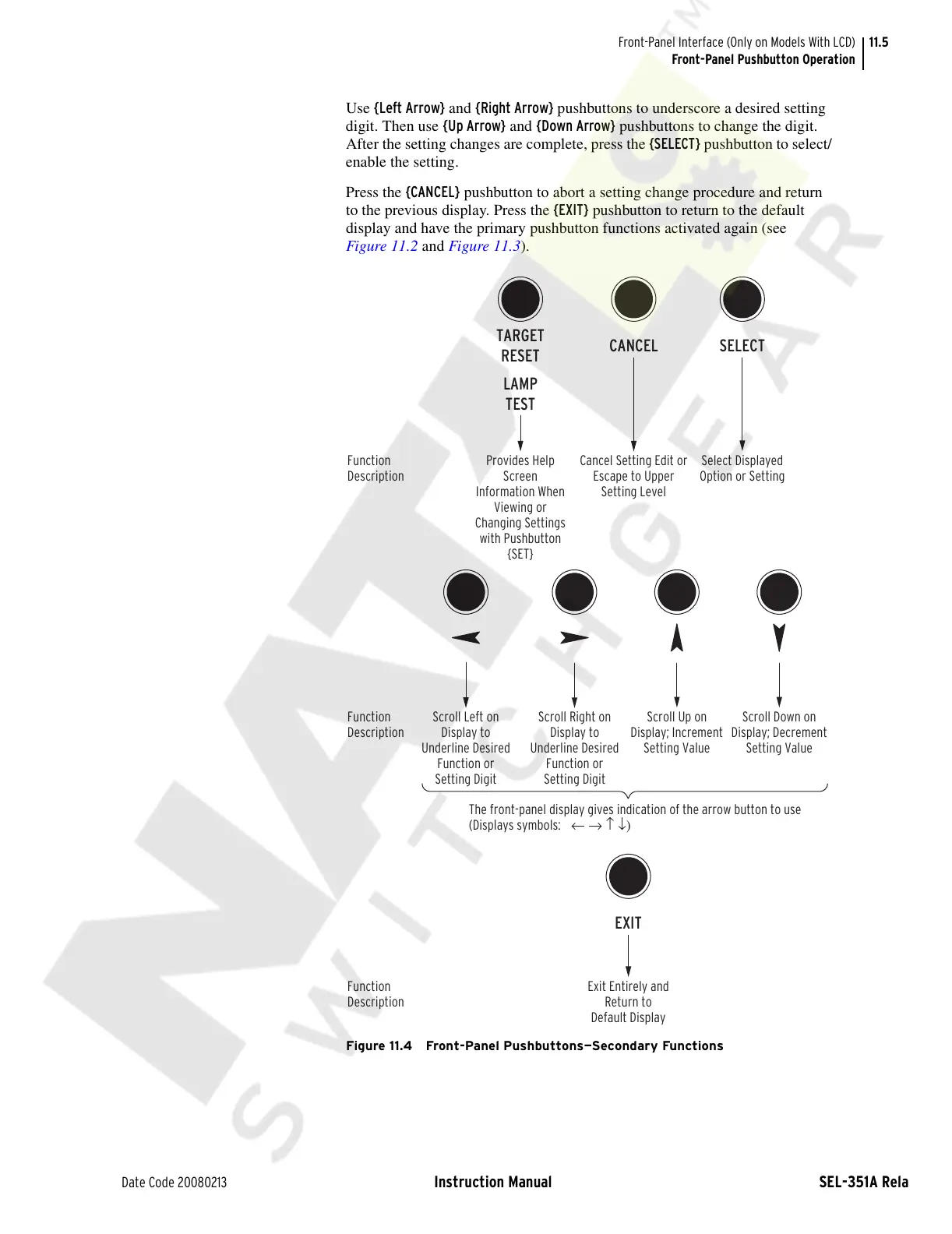
Use {Left Arrow} and {Right Arrow} pushbuttons to underscore a desired setting
digit. Then use {Up Arrow} and {Down Arrow} pushbuttons to change the digit.
After the setting changes are complete, press the {SELECT} pushbutton to select/
enable the setting.
Press the {CANCEL} pushbutton to abort a setting change procedure and return
to the previous display. Press the {EXIT} pushbutton to return to the default
display and have the primary pushbutton functions activated again (see
Figure 11.2 and Figure 11.3).
Figure 11.4 Front-Panel Pushbuttons—Secondary Functions
Provides Help
Screen
Information When
Viewing or
Changing Settings
with Pushbutton
{SET}
SELECTCANCEL
Select Displayed
Option or Setting
EXIT
Exit Entirely and
Return to
Default Display
Function
Description
The front-panel display gives indication of the arrow button to use
(Displays symbols: ← → ↑ ↓)
Cancel Setting Edit or
Escape to Upper
Setting Level
LAMP
TEST
TARGET
RESET
Scroll Left on
Display to
Underline Desired
Function or
Setting Digit
Scroll Down on
Display; Decrement
Setting Value
Scroll Up on
Display; Increment
Setting Value
Function
Description
Function
Description
Scroll Right on
Display to
Underline Desired
Function or
Setting Digit
Courtesy of NationalSwitchgear.com



 To Next Page