B.21
Date Code 20080213 Instruction Manual SEL-351A Relay
Firmware Upgrade Instructions
Ethernet Port Firmware Upgrade Instructions
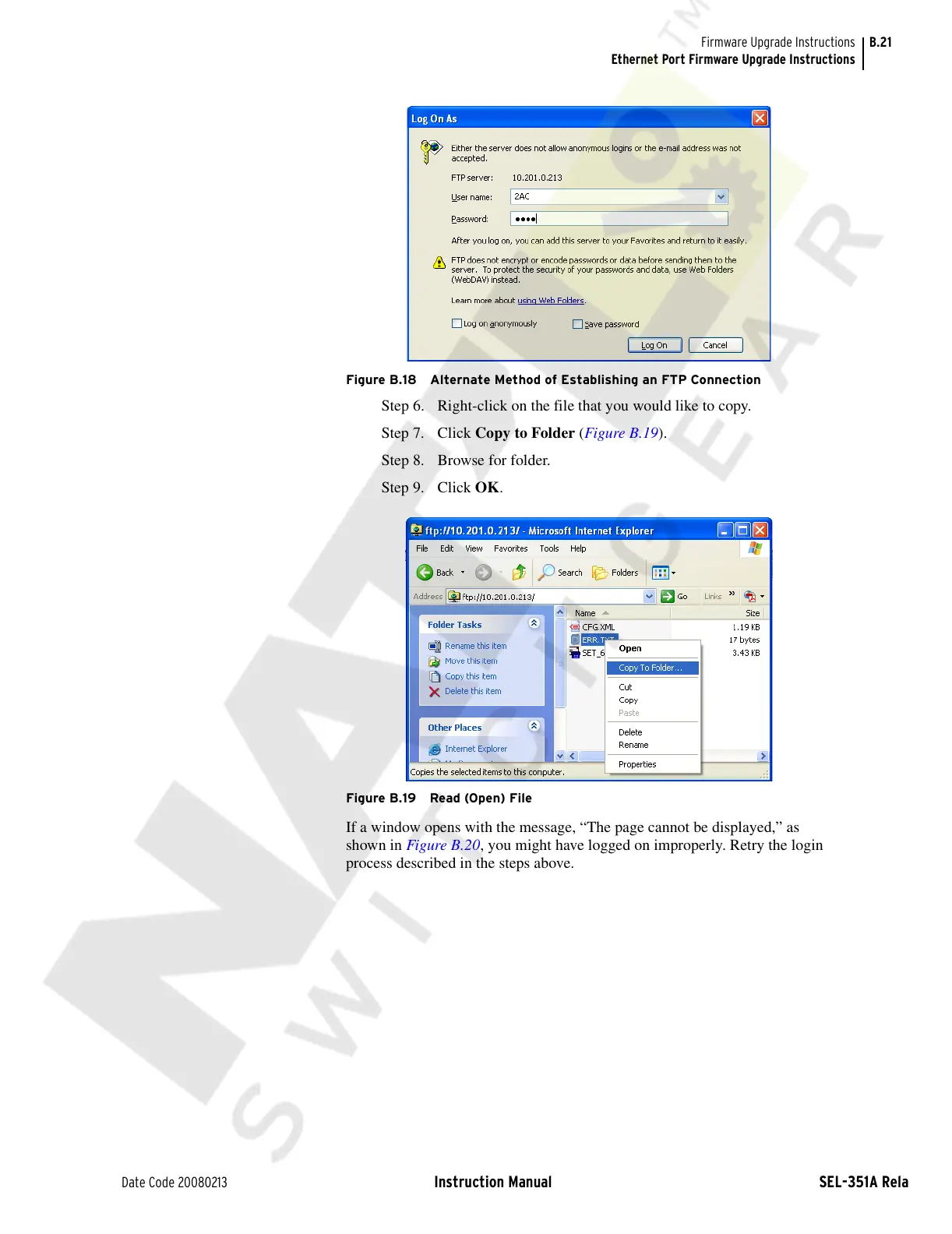
Figure B.18 Alternate Method of Establishing an FTP Connection
Step 6. Right-click on the file that you would like to copy.
Step 7. Click Copy to Folder (Figure B.19).
Step 8. Browse for folder.
Step 9. Click OK.
Figure B.19 Read (Open) File
If a window opens with the message, “The page cannot be displayed,” as
shown in Figure B.20, you might have logged on improperly. Retry the login
process described in the steps above.
Courtesy of NationalSwitchgear.com



 To Next Page