Chapter 4 — Configuring the Library Configuring Optional Library Settings
November 2016 User Guide—Spectra T950 Library
133
3. ClickEdittomodifyanexistingpartitionorNewtocreateanew
partition.TheNameandMediaTypescreendisplays(seeFigure121on
page193).
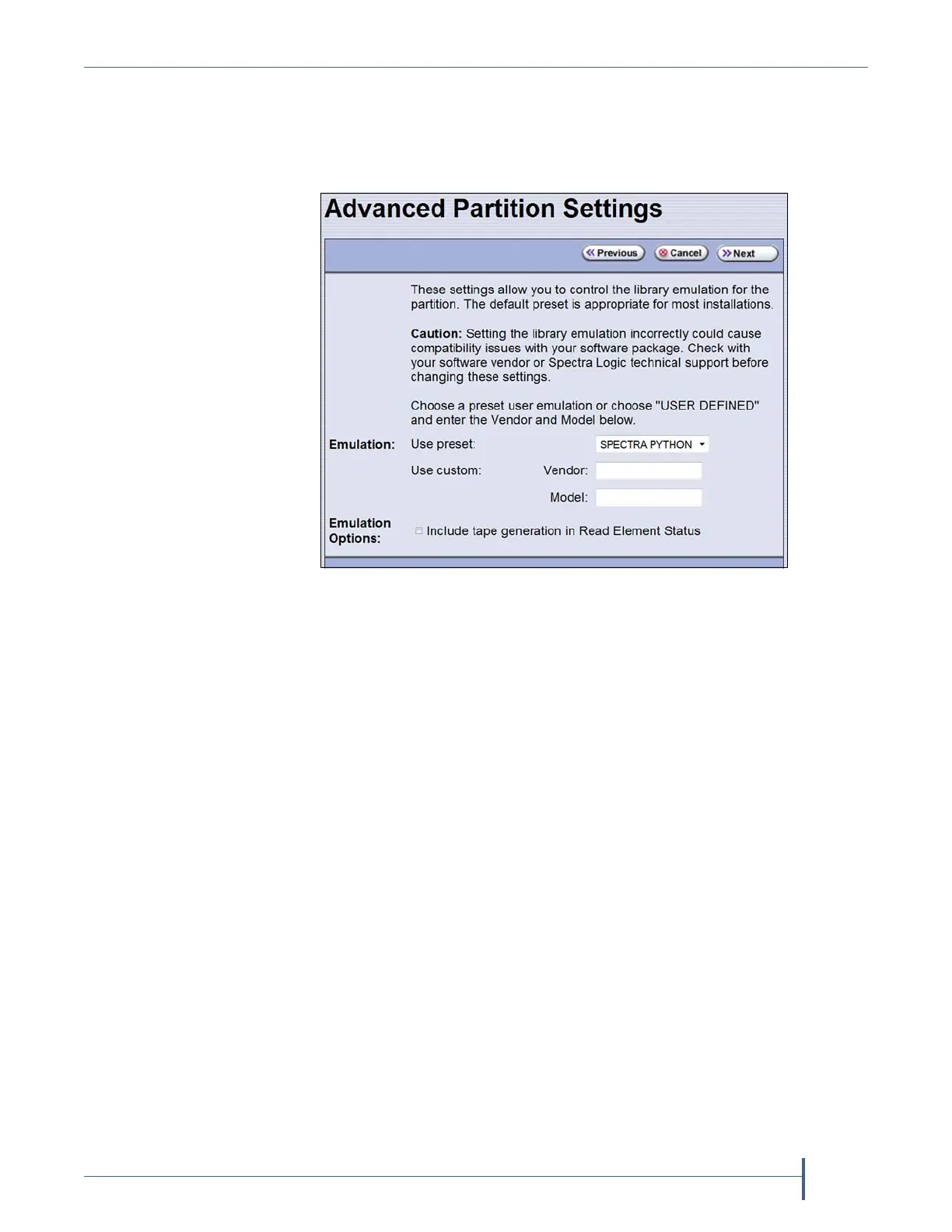
4. ClickAdvanced.TheAdvancedPartitionSettingsscreendisplays.
5. SelectthetypeoflibraryyouwanttheT950librarytoemulate.Youcan
either:
SelectapreconfiguredemulationfromtheUse presetdrop‐down
list.
—OR—
Createacustomemulation,entertheVendorandModelforthe
librarytobeemulated.Thesefieldsareusedinthestringthatthe
libraryreturnsinresponsetoaSCSIInquirycommand.
Note: ThedefaultsettingisSPECTRAPYTHON.
6. IfyouwanttheSCSIReadElementStatuscommandresponseto
includeMediaDomain,MediaType,DriveDomain,andDriveType,
selectInclude tape generation in Read Element Status.SeetheSpectra
TapeLibrariesSCSIDeveloper’sGuideformoreinformation.
7. ClickNext.TheRoboticControlPathscreendisplayslistingthe
controllerscurrentlyinstalledinthelibrary.
TheRoboticControlPathscreenisthebeginningofaseriesof
configurationscreens.Thesequenceofstepsandscreensmatchesthose
describedin
CreatingaStoragePartitiononpage190.
Figure 72 Specifying the emulation type.



 To Next Page