VM15 User Manual EKG
Monitoring (Option)
115
Connection of Accessory
Connection with VM15
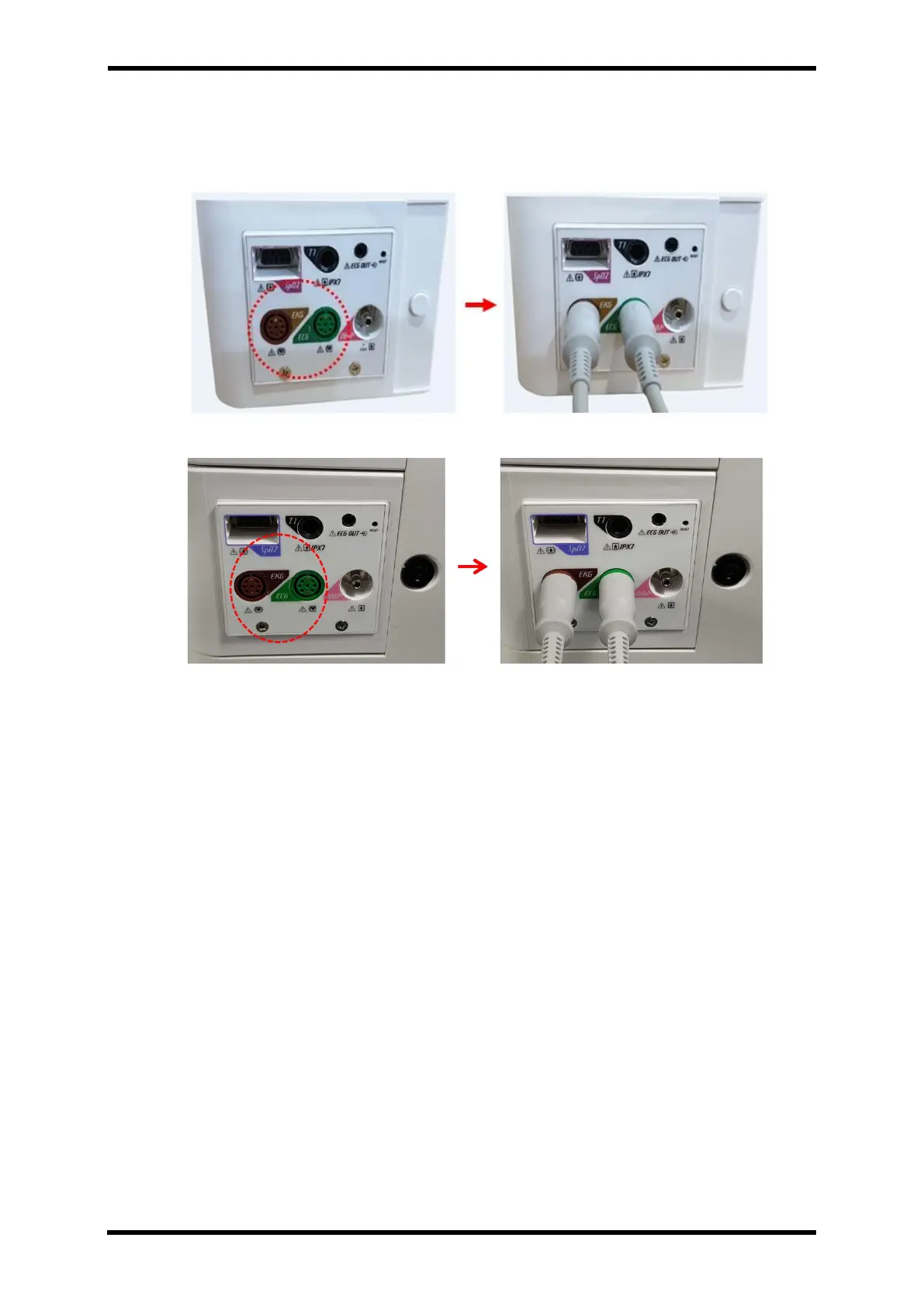
Figure 18-1. EKG cable connection – STD1
Figure 18-2. EKG cable connection – STD2
I. Connect EKG cable to the EKG socket located at the 2
nd
layer of left side of the
patient monitor. It is Green and Brown colour.
II. Connect EKG electrode: To avoid any incorrectness of the wave or measuring value,
please use only the electrode from the same manufacturer.
III. Put the EKG electrode to the patient like Figure 17-2.
IV. Select EKG Channel. ECG -> CABLE -> EKG
V. Select 7/12 Lead ECG Screen. SCREEN CHANGE -> 7/12 LEAD ECG



 To Next Page