VM15 User Manual ECG Monitoring
107
Connection of Accessory
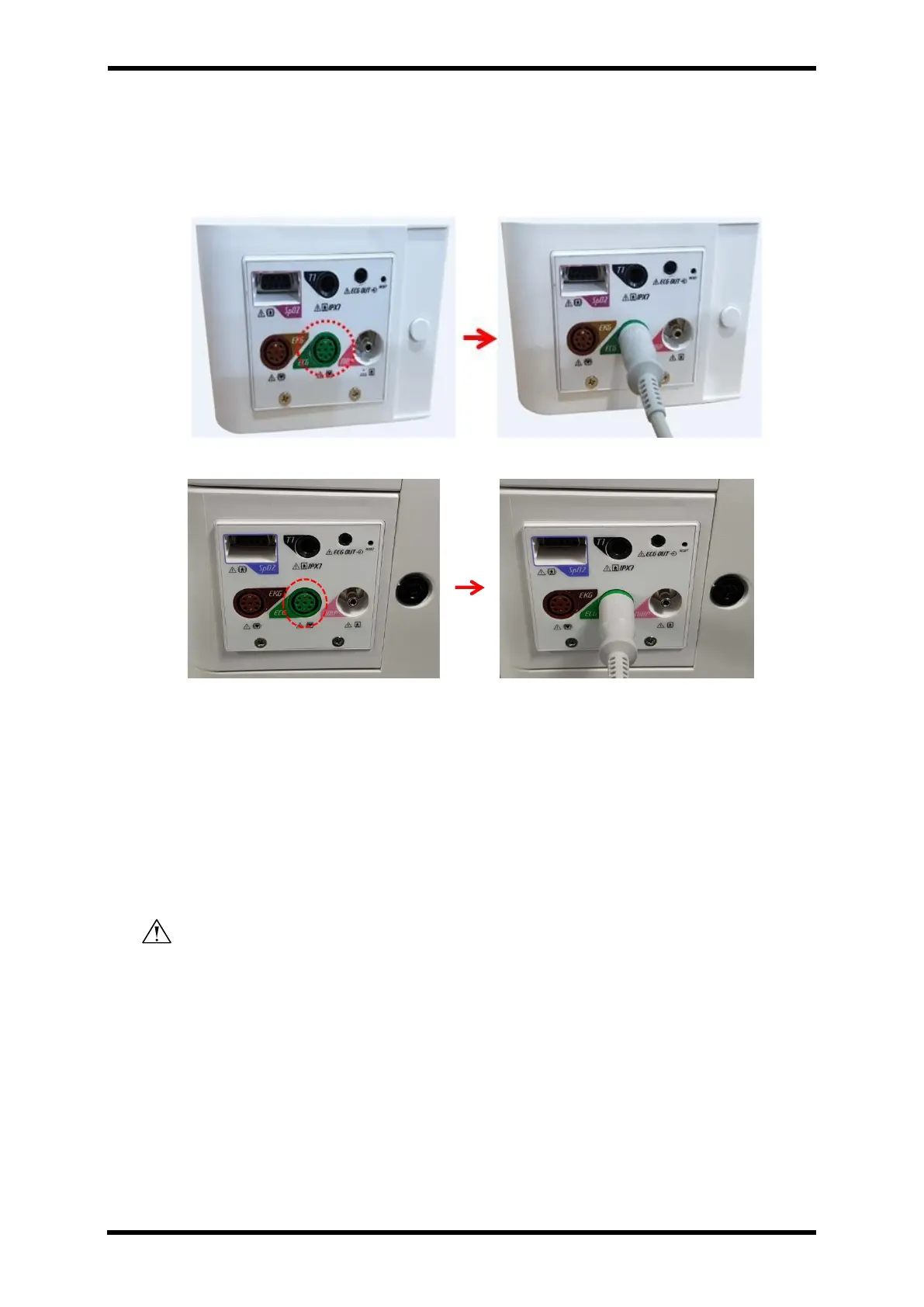
Connection with VM15
Figure 17-1. ECG cable connection – STD1
Figure 17-2. ECG cable connection – STD2
I. Connect ECG cable to the ECG socket located at the 2
nd
layer of left side of the
patient monitor. It is Green colour.
II. Connect ECG electrode: To avoid any incorrectness of the wave or measuring value,
please use only the electrode from the same manufacturer.
III. Put the ECG electrode to the patient like Figure 16-2 or 16-3.
IV. Select ECG Channel
WARNING: All connectors for patient cable and sensor lade is designed not to be separated
if there are physically pulled. Please be careful when connecting and disconnecting.
How to put the accessories to the patient.
Location of Electrode of Lead Cable
Check the below points when use LEAD Cable.
I. Put the Right arm electrode and left arm electrodes to the right and left collarbone
as close as much possible.
II. Put Right leg electrode and left leg electrode to the non-developed muscles at the



 To Next Page