VM15 User Manual Suntech NExplanation of ICO (Option)
153
General
Oscillometric method is used for NIBP function.
Calculate the measuring value during the process of compression and decompression done
by LPC (Linear Pressure Controlled) NIBP module.
Display of NIBP
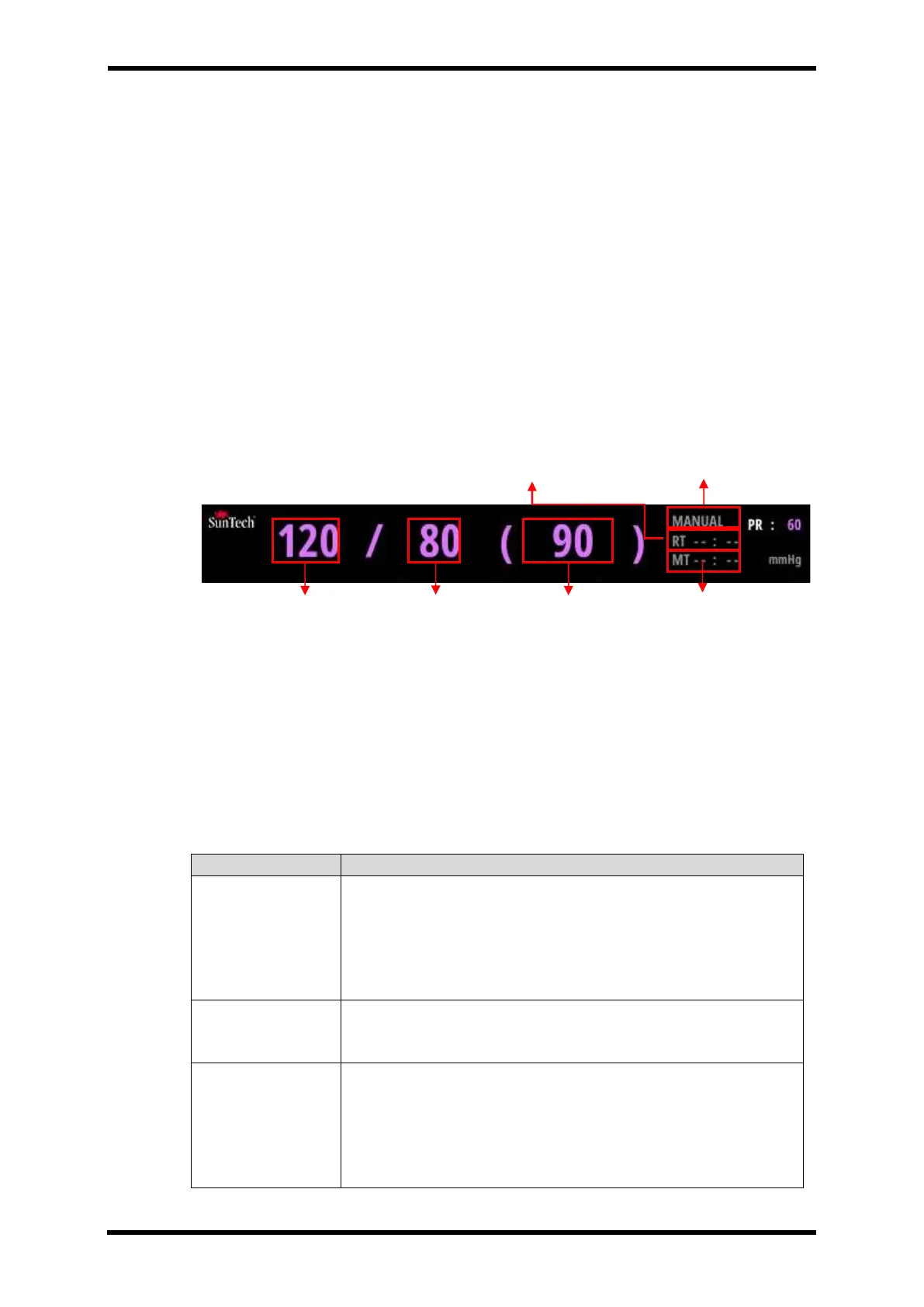
The figures in "( )" mark show the decrease and increase of pressure.
Figure 20-3. shows the screen of measuring process.
NIBP Measuring Screen
Figure 22-1.Displays - NIBP Measuring
After completing the measurement, Systolic value (120) is shown at the left part. Diastolic
value (80) is shown in the middle part. Mean value (90) is show in the right part.
RT: Repeat Time (Mode: AUTO) or Remain Time (Mode: STAT, Venous stasis)
MT: Measurement Time
NIBP State Message Box
Table 22-1 SUNTECH NIBP State Message Box
Check that the cuff is in the correct position.
Check the patient.
Check that the cuff is properly tightened.
Check that there is no excessive clothing between the arm and the
cuff.
Check that the correct size cuff is being applied.
The patient may have been moving too much.
Check that the cuff is in the correct position.
Check that the correct size cuff is being applied.
The patient may have been moving too much.
Check that the cuff is properly tightened.
Check that the cuff is in the correct position.
Check that the correct size cuff is being applied.
Check that there is no excessive clothing between the arm
and the cuff.
Time for next measurement



 To Next Page